Spooky Spirits Skin Pack
- 26-09-2025, 07:30
- 865
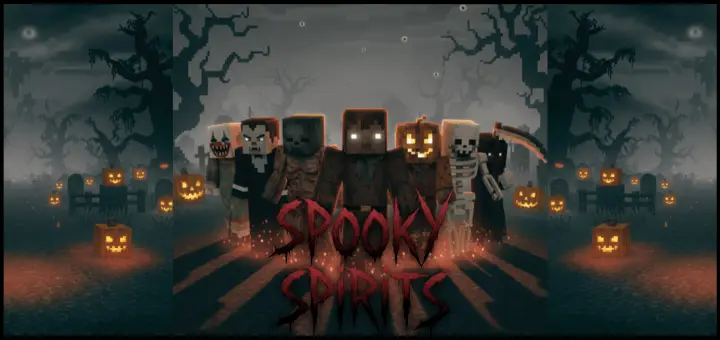
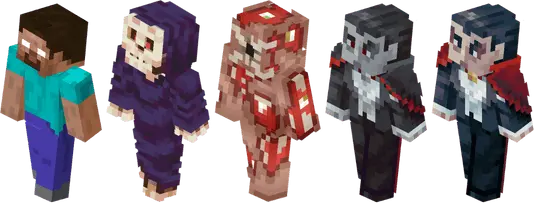
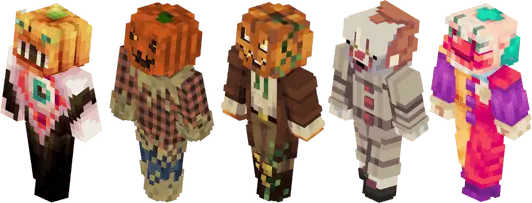
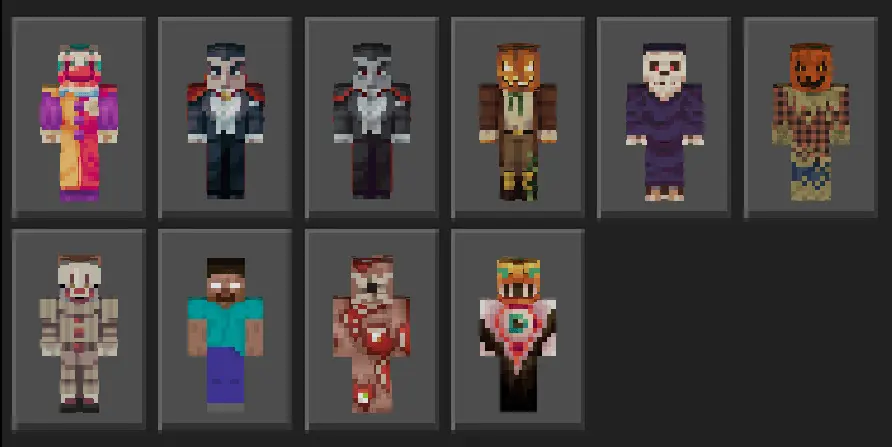
Spooky Spirits Skin Pack — a tight, creator-first collection of ten unique skins that leans into eerie vibes without breaking the vanilla feel of Minecraft Bedrock. Carryover pulled this together specifically to spotlight talented skin artists, and it shows: every look feels handcrafted, readable at a distance, and built to slip into any world the moment you load in. The theme hits that spooky lane—spectral tones, haunted silhouettes, little details that pop under moonlight—so your lobby feels like an event the second everyone swaps fits.
In play, these skins do real work. On horror maps and nighttime survival runs, the palette sells atmosphere before the mobs even show up. For minigames, it’s instant identity—queue Bedwars or SkyWars in matching spooky fits and your team looks organized on bridges and at mid. Role play gets a big boost too: run haunted mansion tours, ghost-hunt patrols around a village, or a seasonal festival at spawn with lanterns and foggy paths, and your screenshots come out looking like posters without extra effort.
Someone in our Minecraft group decided our next adventure needed a packing list. Not a joke list, either. He actually wrote down everything we were supposed to bring, including spare tools, food, beds, and materials for emergencies. We made fun of him for being so serious about a block game. Then we headed out to explore some new Bedrock content, got farther from home than expected, and started running low on supplies. Suddenly, his ridiculous list didn't seem so stupid. He had extra food, another pickaxe, and enough materials to help everyone get through the night. We spent the rest of the trip listening to him remind us that he'd warned everybody. Fair enough. Now I usually prepare a little better before trying something unfamiliar in survival mode. Not because I want every session to go perfectly, but because walking home empty handed after a completely avoidable disaster gets old pretty quickly. He still brings the list, though.
Swapping is quick: jump into the Bedrock dressing room, cycle through the pack, and lock the one that fits your plan tonight. Rotate skins between rounds to keep clips fresh, or assign different “spirits� across your squad so callouts are clean during fights. The best part is the curation angle—this isn’t a random dump; it’s a focused set chosen to give the artists some shine and give you a reliable toolkit for spooky sessions year-round. If you want Minecraft Bedrock skins that bring atmosphere, play nice with armor, and make your server feel like a seasonal event on demand, Spooky Spirits Skin Pack absolutely lands.
How to Install Skins in Minecraft Bedrock
- Download a .png skin (64×64 or 128×128).
- Open Minecraft Bedrock.
- Go to Profile (hanger icon) → Edit Character.
- Tap Owned → Import → Choose New Skin.
- Select your .png file.
- Pick a model: Classic (Steve) or Slim (Alex).
- Confirm to equip and play.
Comments (0)