Fake Armor Skin Pack
- 26-09-2025, 16:20
- 1 051
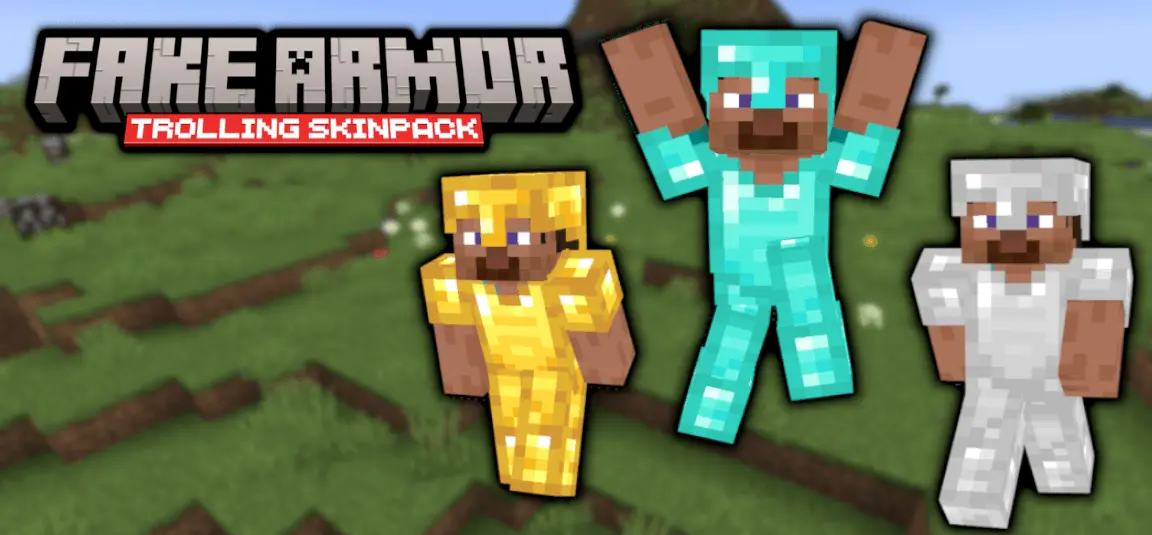
Fake Armor Skinpack — the perfect bait-and-switch for Minecraft Bedrock when you want laughs, mind games, or a little chaos without touching gameplay. It’s six clean Steve-style looks that copy the silhouette and colors of every armor tier—leather, chain, iron, gold, diamond, and netherite—so at a glance you pass as stacked. Under the hood you’re still in a plain skin with zero armor points, so don’t try to tank a creeper; this is pure visual trolling, not a stat boost.
In survival, it’s hilarious for raids and village defenses. Stroll up “in diamond,” pretend to lead the charge, then duck behind a wall while your friends realize you’re basically naked. On realms and PvP arenas, it’s all about psychology: bait a cautious player into a fair fight by looking iron instead of netherite, or spook a lobby by rolling “full netherite” with nothing but a wooden sword. The best runs are the subtle ones—blend into a real squad that’s actually wearing armor and let opponents misread your threat level until it’s too late.
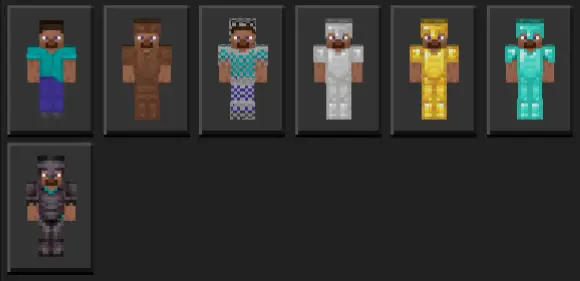
Show up looking ready for a boss fight, even if you haven’t mined a single diamond. Fake Armor Skin Pack turns your Minecraft outfit into a pretty convincing bluff.
The pack includes six Steve-style skins inspired by leather, chainmail, iron, gold, diamond, and netherite armor. Each one gives your character the appearance of a full set, so you can pick the look that fits the joke. Roll into a fresh survival world dressed in fake netherite and see how long it takes your friends to ask where you found the materials. Or go for gold if you want an outfit that stands out without pretending you’ve already conquered the toughest parts of the game. Diamond is a classic choice for the player who wants to look geared up before the first real mining trip. The skins keep the familiar Minecraft style, making them an easy fit for a casual world, a themed minigame, or a group screenshot. You get six different ways to dress for the occasion without crafting six sets of equipment.
Of course, the armor is part of the skin. It doesn’t give you armor points, absorb damage, or protect you from a creeper that sneaks up behind you. If you charge into a cave wearing the diamond look and nothing else, you’re taking the same risk as any other unarmored player. That gap between appearance and reality is where the fun comes in. You can make a grand entrance at your friends’ base, act like you’ve had an unbelievably productive first day, and wait for someone to figure out what’s going on. In a friendly PvP match, a fake armor skin might make another player hesitate or misjudge your gear, but there’s no guarantee they’ll fall for it. They might decide to test your supposed protection immediately, so have an escape plan—or be ready to laugh when the bluff falls apart. The skin is a costume, and the best part is seeing how people react to it.
The different designs also give you plenty of options for little challenges with friends. Pick a matching armor look for everyone, head out on an expedition, and see who remembers that the team is far less protected than it appears. You could dress up for a mock tournament, take a group photo, or switch looks between rounds to keep the joke going. If you want actual protection during survival, equip real armor as well; the skin alone won’t save your inventory. To try the pack, open the downloaded Minecraft skin pack file and choose a look from your available skins in the dressing room. Then head back into your world and let the performance begin. Fake Armor Skin Pack is a simple cosmetic collection, but with the right group, those six outfits can make an ordinary session a lot funnier.
Using it is simple: pop open the Bedrock dressing room, pick the armor look that fits the bit, and jump back in. Skins swap fast between rounds, so you can change tiers mid-session to keep people guessing. Right now the pack focuses on Steve-style cuts; if you’re the slim-armed crowd, an Alex variant would be a great next addition. Keep it friendly, set house rules if needed, and remember you still take full damage. If you want low-effort comedy and high-impact mind games, Fake Armor Skinpack lands perfectly on Minecraft Bedrock—clean reads, instant pranks, and endless “wait, you weren’t wearing armor?” moments.
How to Install Skins in Minecraft Bedrock
- Download a .png skin (64×64 or 128×128).
- Open Minecraft Bedrock.
- Go to Profile (hanger icon) → Edit Character.
- Tap Owned → Import → Choose New Skin.
- Select your .png file.
- Pick a model: Classic (Steve) or Slim (Alex).
- Confirm to equip and play.
Comments (0)