Journey Begins: Starter Pokémon Skin Pack
- 26-09-2025, 21:28
- 1 077
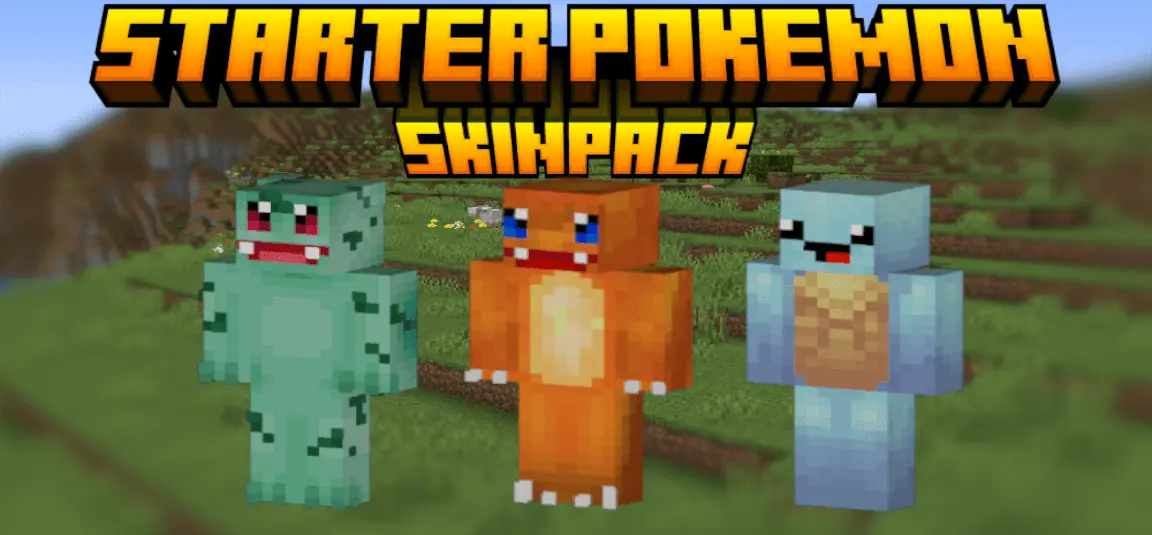
Journey Begins: Starter Pokémon Skinpack — the classic trio in Minecraft Bedrock so you can wear your favorite starter and hit a fresh world with day-one swagger. It’s just skins, no gameplay tweaks, and that’s the charm: clean designs that look right at home next to villagers, stone blocks, and your first wooden hut. You pop into the dressing room, pick Charmander, Squirtle, or Bulbasaur, and suddenly every screenshot feels like a throwback adventure with a Bedrock twist.
In survival, the vibes write themselves. Throw on Charmander and sprint out at sunrise like you’re speedrunning gym badges—campfire glow at night matches the orange perfectly. Squirtle’s the move for beach seeds and river bases; boat hops, kelp farms, and ocean monument scouting all feel on-brand when you’re rocking the shell. Bulbasaur fits plains and forest builds like a glove—farm rows, mossy paths, and a cozy starter house wrapped in leaves. None of this changes stats, but it absolutely changes how the session feels, and your friends will clock it the second you join.
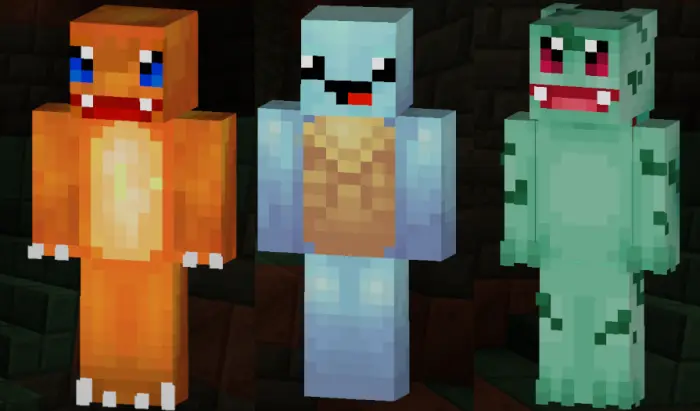
Three Poké Balls on the table, one choice to make—and this time, your starter is joining you in Minecraft. Journey Begins: Starter Pokémon brings Charmander, Squirtle, and Bulbasaur into Bedrock as playable character skins.
The pack sticks to the original Kanto trio, so the choice might bring back an old argument. Charmander fans get the little orange fire starter, ready to trade the Pokémon League for a world full of creepers and questionable mining decisions. Squirtle brings its familiar blue look and shell, which feels right at home on a beach or behind the wheel of a boat. Then there’s Bulbasaur, the grass starter with the bulb on its back and a color palette that suits a garden base. Each Pokémon has been adapted to Minecraft’s blocky player model, giving you a recognizable character that can run, build, mine, and accidentally walk into lava just like any other player. Picking one doesn’t have to be a permanent decision, either. If your loyalty to Charmander lasts until you spot a nice ocean biome, Squirtle is waiting in the same pack.
For a group of three, there’s an easy excuse to start a new world together: everyone picks a different starter, gathers some basic gear, and heads out to find a place to settle. You could build neighboring bases, set up a friendly arena, or make a small town with a Pokémon-inspired lab at spawn. The skins also work for a much less organized session, where Bulbasaur is tending crops while Charmander digs a suspiciously deep hole under the house. Solo players can get just as much mileage out of the collection. Choose your favorite for a long survival world, take screenshots of your adventures, or change characters when you feel like giving a familiar map a different look. The designs bring the Pokémon theme into the game without asking you to rebuild your world around it.
Keep your expectations focused on the outfits: this is a skin pack, so picking Squirtle won’t let you breathe underwater, and Charmander still needs to stay away from actual fire. There are no Pokémon battles or starter abilities included with the skins. Your equipment, health, and movement work the same way they normally do, which makes the pack easy to use alongside the kind of Minecraft session you already enjoy. The download comes as an .mcpack file; open it with Minecraft to import the pack, then look for the skins in the Dressing Room. Once you’ve chosen one, jump into a world and check it out in third-person view. Armor may cover parts of the design while you’re geared up, but your starter will be there whenever you take it off for a group photo. Whether you picked Bulbasaur years ago or have always been on team Squirtle, it’s a small way to bring that first-starter decision into your next Minecraft adventure.
On servers, it’s perfect for quick team IDs. Run trio challenges with each starter as a role—builder, explorer, scout—and your callouts get cleaner just from the silhouettes. In minigames, the skins are readable at a glance across bridges and arenas, so your squad looks organized even before the countdown hits. For role-play nights, post up at a “lab” spawn, pick your starter, and head out in different directions like a proper journey kickoff.
Swapping is instant in the Bedrock dressing room, so you can rotate starters between rounds or match the biome you’re exploring. If you grew up loving these three and want that energy in your current worlds, Journey Begins: Starter Pokémon Skinpack nails it—pure nostalgia, clean fits, and a perfect match for Minecraft Bedrock’s blocky canvas.
How to Install Skins in Minecraft Bedrock
- Download a .png skin (64×64 or 128×128).
- Open Minecraft Bedrock.
- Go to Profile (hanger icon) → Edit Character.
- Tap Owned → Import → Choose New Skin.
- Select your .png file.
- Pick a model: Classic (Steve) or Slim (Alex).
- Confirm to equip and play.
Comments (0)