Steampunk Slimes – Minecraft Skinpack
- 26-09-2025, 06:25
- 863
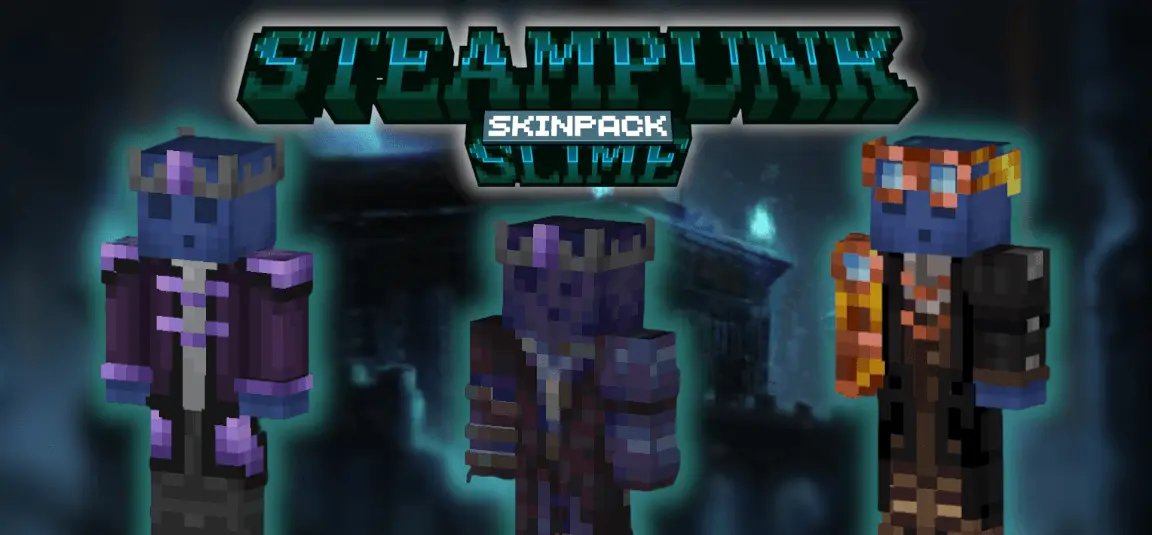
Steampunk Slimes – Minecraft Skinpack is a tight collection of five slime-forged fits that lean into brass, pressure gauges, and shadowy blues so you feel dialed for the Deep Dark without touching gameplay. I ran a couple ancient city dives wearing these and the vibe just clicks: you drop into that low, bluish light and the skins read like they belong—industrial, a little grimy, and perfect for screenshots when the sculk starts pulsing. King Blue Slime brings a plated, “frontline� presence; Steampunk Blue plays the quiet operator, all cool glow and low profile. The rest round out the look so a squad can roll in matching theme without looking like clones.
In practice, it’s all about mood and readability. Minecraft Bedrock still uses the same stealth rules—crouch to soften steps, lay wool to dampen vibrations, break shriekers carefully, toss snowballs to bait sensors—so the skins don’t make you invisible, they just sell the fantasy while you play smart. I like running a two-person sweep down the main artery of an ancient city: one player in King Blue Slime checks corners and breaks sensors, the other in Steampunk Blue watches the flank and drops wool bridges. When the heartbeat starts thumping, you freeze, breathe, and plan the next five blocks like it’s a heist. The theme keeps everyone locked in.

I used to think a flat Creative world was the perfect place to try every Minecraft Bedrock addon. Plenty of space, no annoying terrain, and everything you need sitting right there in the inventory. Then I realized how boring some things looked when there was absolutely nothing around them. A few weeks ago, I took something I'd been experimenting with and tried it near an old survival village instead. Suddenly, I had actual buildings, uneven ground, and familiar places to compare everything against. I could walk around normally and see what caught my attention without flying over everything at ridiculous speed. I still use Creative worlds when I need to figure something out quickly, but I don't always want my entire experience to happen on an endless patch of grass. Besides, I've spent enough time staring at superflat landscapes to last me several lifetimes.
Outside the Deep Dark, the pack still hits. On survival servers it pairs cleanly with copper builds and redstone labs; in minigames it gives instant team identity without clashing under armor; in creative it’s a slam dunk for moody ruins, smokestack towns, and rail-heavy hubs. Equipping is simple—swap to a Steampunk Slimes skin in the Bedrock dressing room and go explore. If you want your next ancient-city crawl to look as good as it feels, Steampunk Slimes – Minecraft Skinpack delivers that steam-powered hush that turns a normal run into a story you’ll remember.
How to Install Skins in Minecraft Bedrock
- Download a .png skin (64×64 or 128×128).
- Open Minecraft Bedrock.
- Go to Profile (hanger icon) → Edit Character.
- Tap Owned → Import → Choose New Skin.
- Select your .png file.
- Pick a model: Classic (Steve) or Slim (Alex).
- Confirm to equip and play.
Comments (0)