Gamers Gaming Skin Pack
- 1-10-2025, 14:29
- 768

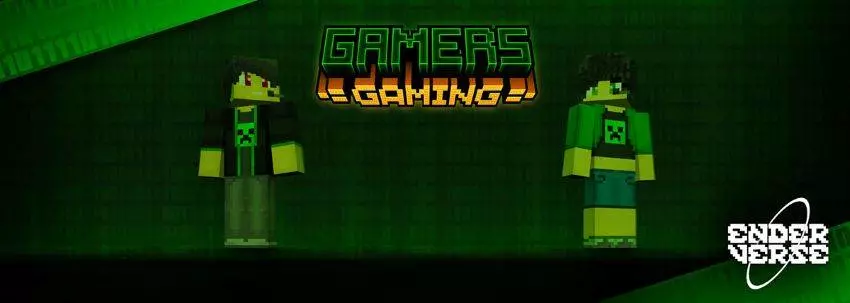
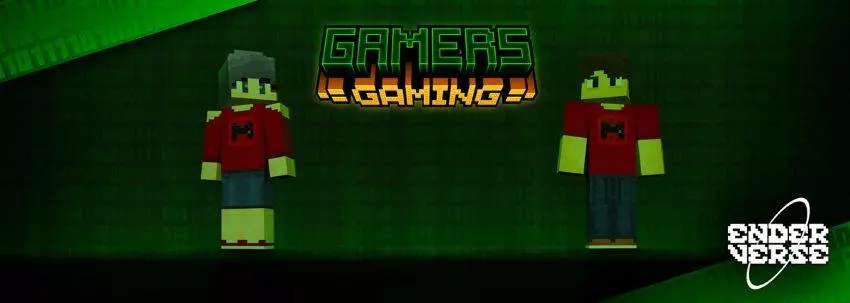
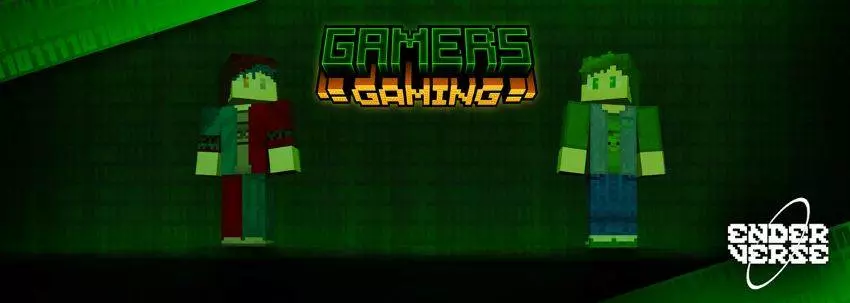
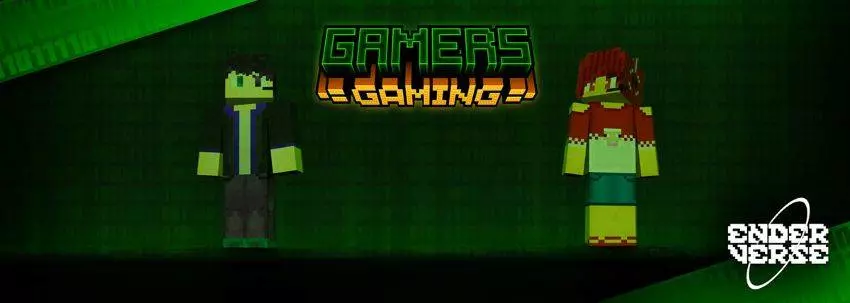
Gamers Gaming — a clean, no-nonsense skin set for Minecraft Bedrock that swaps the default look for something that actually matches how you play. It’s eight skins, made by Endercraft Studios, built around gamer culture and classic Minecraft energy: Creeper-flavored fits for the chaos gremlins, a Sheep-themed look when you’re feeling cozy, a Dimensional style for the portal-runner in your squad, red-shirt mains for that team-color pop, a zombie-tee vibe for late-night grinders, and an Ender(craft) twist when you want to look like you just walked out of the void. Nothing mechanical changes — achievements stay on, hitboxes are stock — you just look dialed the second you spawn.
Out in survival, the pack earns its keep fast. Throw on the Dimensional skin for Nether errands and stronghold hunts so your photos read like a story beat, then switch to the Sheep gamer when it’s farm day and you’re running trades. Creeper skins are perfect for raid nights and minigames; the silhouettes are readable from midrange, so teammates can call positions cleanly in village streets or sky arenas. The Red Shirt duo — boy or girl — makes team sorting painless for BedWars, CTF, and parkour events, while the Zombie Shirt look fits cave marathons and spawner setups when you’re pushing XP and don’t plan on sleeping.
I spent an embarrassing amount of time deciding where to put a single bench in my Minecraft courtyard. The entire area was already finished, with stone paths, flower beds, and a little fountain near the entrance. All I wanted was somewhere to sit and enjoy the view. Somehow, that simple decision turned into moving decorations around, replacing part of the pavement, and completely changing the layout of one corner. That's why I enjoy experimenting with different Bedrock content while working on actual builds. You start with a particular idea, notice something interesting, and suddenly your original plans don't seem quite as important. Sometimes a new addition gives me the inspiration I was missing. Other times, I realize that what I've already built works better without changing much. Either result is useful. The courtyard eventually turned out pretty nice, although my friend says the bench is facing the wrong direction. He's no longer allowed to comment on my landscaping.
Builders get easy screenshots: a red-shirt foreman calling placements, an Ender(craft) scout checking sightlines, a Sheep gamer snapping the “after� pic when the roof finally lands. Streamers and realm hosts will like how the skins pop under default lighting and still play nice with shaders; thumbnails look intentional without extra editing. Equip from the Bedrock skin selector, hot-swap between rounds, and let the wardrobe sell the role you’re playing. If you want a small, sharp collection that covers lobbies, PvP, and long survival sessions without feeling generic, Gamers Gaming nails the brief for Minecraft Bedrock — simple, readable, and ready to grind.
How to Install Skins in Minecraft Bedrock
- Download a .png skin (64×64 or 128×128).
- Open Minecraft Bedrock.
- Go to Profile (hanger icon) → Edit Character.
- Tap Owned → Import → Choose New Skin.
- Select your .png file.
- Pick a model: Classic (Steve) or Slim (Alex).
- Confirm to equip and play.
Comments (0)