Hacker Head Skin
- 16-01-2026, 15:04
- 676
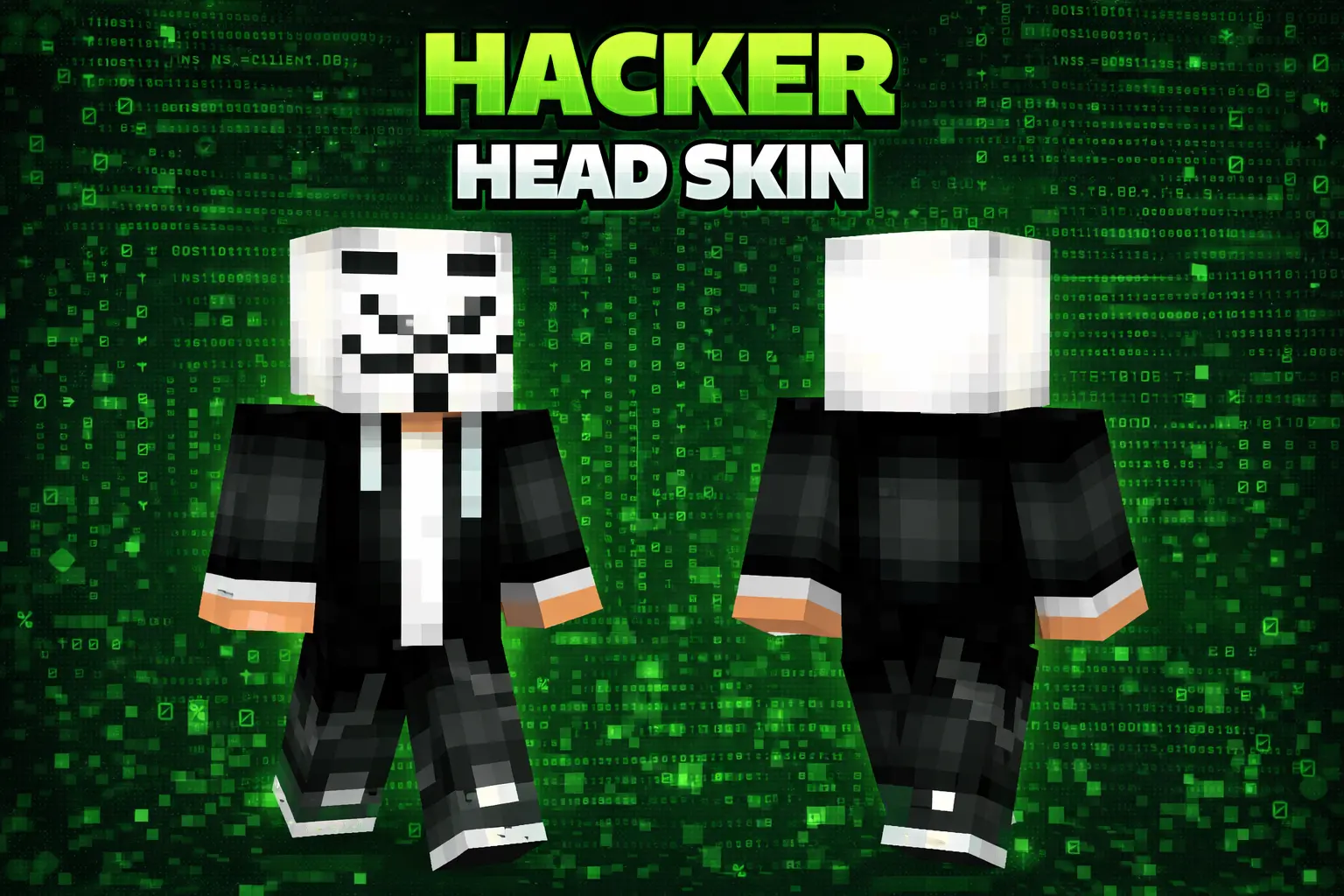
Hacker Head Skin is a straightforward character skin choice that leans into the “hacker” identity right from the name. It’s meant for players who want their avatar to feel like they’re always plotting something, whether that’s a stealthy base raid in a friendly SMP or just showing up with a personality that’s instantly readable.

In Minecraft Bedrock survival, a skin like this hits best when you play into the vibe. Sneaking through a cave, slipping past mobs at night, or quietly looting your own chests after a long run feels funnier when your character looks like the type who “knows something.” Even if you’re playing totally normal, the Hacker Head Skin adds that little layer of storytelling where your friends can joke about you being the “tech guy” of the group or the one who always has a plan.
The most useful Minecraft reviews I've read are the ones that mention something slightly annoying. Not because I enjoy complaining, but because nobody plays exactly the same way. A detail that bothers one person might mean absolutely nothing to somebody else. I've seen players get upset about something that barely affected my experience, while praising another feature I didn't particularly care about. My brother and I are a perfect example. He likes spending ages arranging things until they look exactly right. I get impatient and wander off to explore whenever a project starts taking too long. We can try the same Minecraft content and come away talking about completely different parts of it. When I tell somebody whether I'd recommend something, I usually explain what I was doing when I enjoyed it most. That's a lot more useful than handing out a score and pretending everybody will agree with me. My brother still rates everything based on how it looks beside his house.
On multiplayer servers, Hacker Head Skin works like a social shortcut. People notice it, and it naturally fits into mini-games, team events, and roleplay worlds where identities matter. If you’re doing PvP practice with friends, it’s also a great “mind game” skin, because half the fun is making people think you’re about to do something dirty even when you’re just warming up. The skin doesn’t change mechanics, but it changes how people read you, and that’s a real advantage in any social-heavy Minecraft Bedrock world.
Practical tip: if you’re using Hacker Head Skin as your main look, commit to a matching playstyle that’s still fair. Be the person who scouts routes, marks paths, and stays calm when things get chaotic. It makes the skin feel earned instead of random. Hacker Head Skin is a clean pick when you want your character to broadcast a clever, sneaky energy without needing a whole themed pack or complicated setup.
How to Install Skins in Minecraft Bedrock
- Download a .png skin (64×64 or 128×128).
- Open Minecraft Bedrock.
- Go to Profile (hanger icon) → Edit Character.
- Tap Owned → Import → Choose New Skin.
- Select your .png file.
- Pick a model: Classic (Steve) or Slim (Alex).
- Confirm to equip and play.
Comments (0)