Shadow knight Herobrine Skin
- 22-01-2026, 23:37
- 925
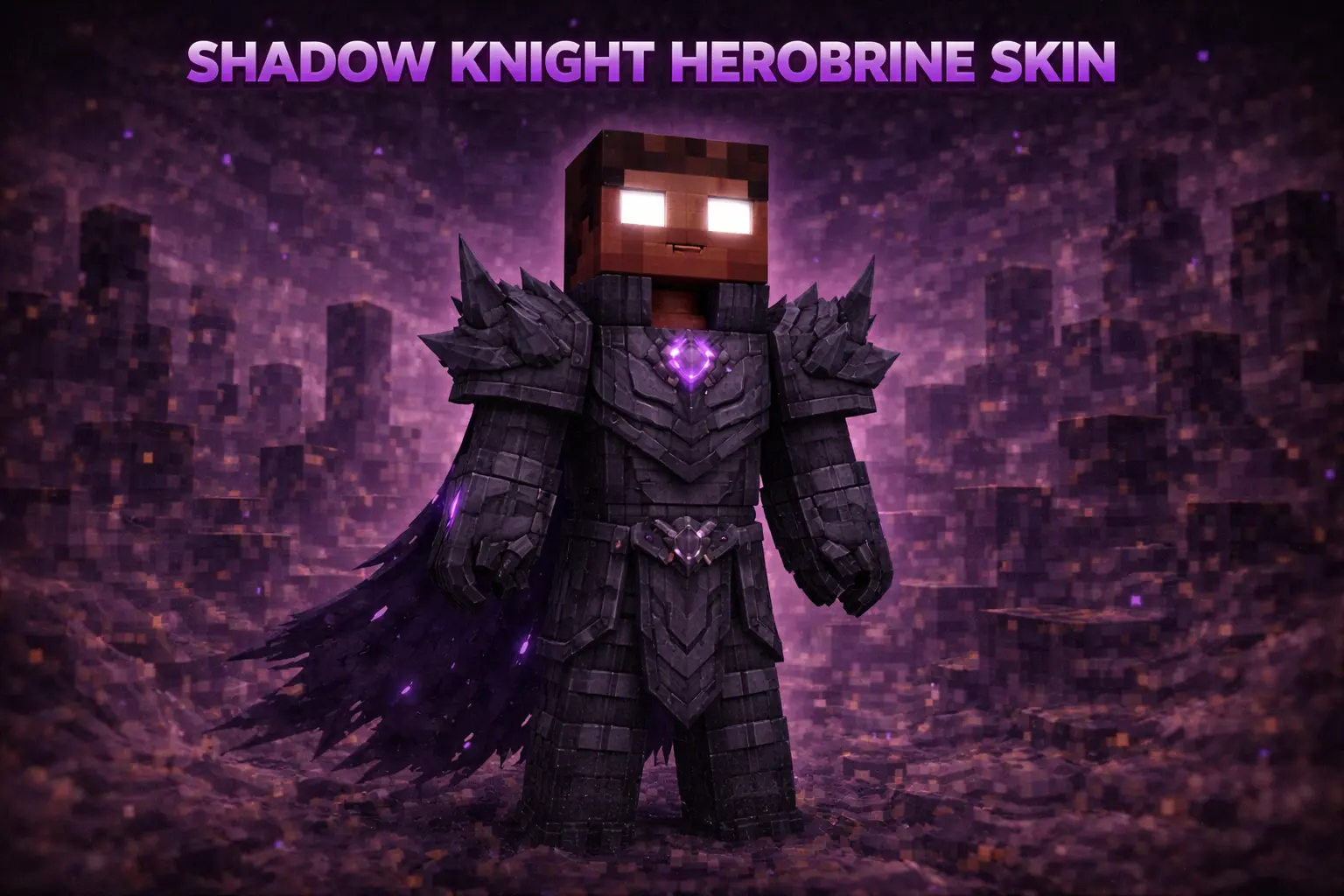
Shadow knight Herobrine Skin is for players who like the Herobrine vibe but want it to look way more “boss fight” than plain. The Shadow knight armor theme makes your character feel like a dark legend walking around your world, which hits especially hard when you’re exploring at night or rolling up to someone’s base on a server.
In survival, it’s a great fit for worlds where you build moody stuff like castles, underground bases, or anything with a Nether-ish, haunted style. The skin doesn’t change how you play, but it absolutely changes the energy you bring to a scene—mining deep slate feels more serious, and even basic mob fights look cooler when your character already looks like a final-stage threat.

Herobrine has traded the familiar wanderer look for something that belongs outside a fortress after dark. Shadow Knight Herobrine gives the Minecraft legend a dark, armored style that feels ready for a duel, a dungeon, or a story your friends haven’t heard yet.
The knight theme changes the kind of character you can play. Instead of a mysterious figure glimpsed in the distance, imagine a guardian stationed at the gate of an old stronghold or a fighter returning from a dangerous trip through the Nether. The Herobrine connection still gives the skin that recognizable hint of Minecraft folklore, while the shadowy armor adds a fantasy edge. You can lean into the intimidating side, or make the character a protector whose appearance is much more frightening than his intentions. There’s no fixed story attached to the outfit, so the choice belongs to you. That makes it easy to use the same skin for a serious adventure one evening and a much sillier server event the next.
A castle build is an easy place to start. Give your knight a watchtower overlooking the entrance, a hall for meetings, or a small chamber beneath the walls where supplies are kept. An underground base or Nether-themed fortress works just as well if you prefer a darker setting. You don’t need to construct a whole kingdom in one afternoon; even a compact outpost can become a memorable home when your character has a role in it. A bridge across a ravine, a guarded doorway, and a few rooms carved into the hillside can give the place a history of its own. Add to it as your survival world grows, and let each new room reflect another adventure or project you’ve finished.
On a multiplayer server, Shadow Knight Herobrine can fit several different kinds of session. Bring the look to a PvP duel if you want your character to resemble a dark knight before the match starts, or use it in a role-play world as a faction guardian, rival, or quiet ally. Your group can make up its own rules and decide whether the knight defends the castle or leads the attack. The skin also gives a group screenshot a clear fantasy character: pose beside the castle gate, on a bridge at night, or near a portal before everyone heads out. Even a short trip for supplies can turn into a little scene if your friends decide the knight is escorting them through dangerous territory.
The armored appearance is cosmetic, so it won’t provide actual protection, add a sword, or give your character Herobrine’s legendary powers. You’ll still need to equip your usual gear and prepare before a dangerous fight. That keeps the skin easy to use in an ordinary Bedrock survival world as well as a themed event. Wear it while mining, building, or exploring with friends, then bring it back out for the next big server adventure. If you like the mix of Minecraft folklore and medieval fantasy, Shadow Knight Herobrine gives you a character ready for whatever story you make next.
On multiplayer servers, Shadow knight Herobrine Skin is an easy intimidation pick for PvP and duels, because it reads instantly and looks clean from a distance. It’s also perfect for roleplay: you can lean into the “shadow knight” persona as a guardian, a villain, or the silent protector of a faction. If you want a Herobrine skin that feels armored-up and dark without being messy or overdesigned, Shadow knight Herobrine Skin nails that look.
How to Install Skins in Minecraft Bedrock
- Download a .png skin (64×64 or 128×128).
- Open Minecraft Bedrock.
- Go to Profile (hanger icon) → Edit Character.
- Tap Owned → Import → Choose New Skin.
- Select your .png file.
- Pick a model: Classic (Steve) or Slim (Alex).
- Confirm to equip and play.
Comments (0)