One Piece Strawhat Drum Island Skin Pack
- 19-03-2026, 02:02
- 546
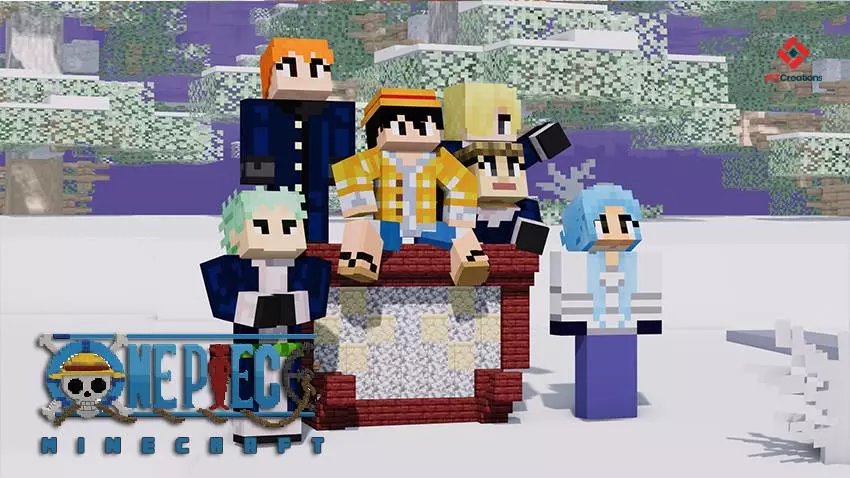
One Piece Strawhat Drum Island Skin! Here are collected the characters of the anime you love. Drum Island isn’t the warmest stop on the Straw Hats’ journey, and that’s exactly what makes this skin pack a fun choice for a snowy Minecraft adventure. One Piece Strawhat Drum Island brings together character looks inspired by that part of the series, giving fans a chance to head into the mountains as members of their favorite pirate crew. The collection includes familiar faces such as Luffy, Zoro, Sanji, Usopp, Nami, and Vivi. Pick the character you like most, invite a few friends, and find a cold biome to explore. A snowy village, a mountain path, or a ship waiting beside an icy shore can set the scene without needing anything more complicated than a regular Minecraft world.
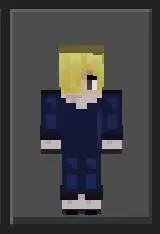
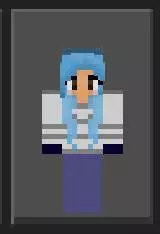
For One Piece fans, the appeal is seeing the crew during an early part of their voyage. Luffy is already chasing his dream, Zoro is ready for a fight, and Nami has the difficult job of keeping the journey on course. Sanji, Usopp, and Vivi bring their own personalities to the group, so there’s plenty of room for friends to choose different characters when playing together. You don’t have to recreate the story exactly, either. Give the crew a new island to investigate, build a harbor where their ship can stop, or send them out to look for supplies before a long trip. A familiar skin can make even a simple boat journey feel more like the beginning of an adventure, especially when nobody in the group knows what’s waiting on the next shore.
A snowy mountain is an obvious place to start building if you want to capture some of Drum Island’s atmosphere. You could make a village at the foot of the mountain, add a winding path through the snow, and put a large building near the summit. It doesn’t have to be an exact recreation; a few familiar ideas are enough to give your group somewhere to play. Add a dock on the coast, stock a house with food and supplies, and set out from there whenever everyone is ready. If building isn’t your favorite part of Minecraft, choose one of the skins and take the crew into an existing survival world instead. Searching for a good place to settle, gathering wood, and protecting a new base from monsters can be just as enjoyable when everyone has picked a character from the series.
The download is a skin pack, so open the file with Minecraft to import it, then find the pack in your character or dressing-room screen. Choose a skin and confirm it before entering your world. Once everyone has picked a look, meet at the shore and take a group picture before setting off. You can keep the pack for a dedicated One Piece world or switch to one of the characters whenever you feel like revisiting the crew’s earlier adventures. These are character appearances, so you’ll still gather resources, fight mobs, and travel using your usual Minecraft equipment. Pack some food, bring a boat, and make sure someone knows the way back to the base. Even a short trip can turn into a memorable expedition when the whole crew comes along.
How to Install Skins in Minecraft Bedrock
- Download a .png skin (64×64 or 128×128).
- Open Minecraft Bedrock.
- Go to Profile (hanger icon) → Edit Character.
- Tap Owned → Import → Choose New Skin.
- Select your .png file.
- Pick a model: Classic (Steve) or Slim (Alex).
- Confirm to equip and play.
Comments (0)