Project Sekai Collection Skin Pack
- 7-09-2025, 08:40
- 1 773
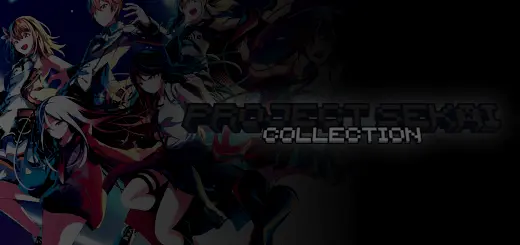
Project Sekai Collection Skin Pack — stage-ready style for Minecraft Bedrock
If your server nights feel a little too quiet, this skinpack turns spawn into a backstage door. Slip into the Project Sekai Collection Skin Pack and roll out as Leo/need, MORE MORE JUMP!, Vivid BAD SQUAD, Wonderlands x Show Time, Nightcord at 25:00, or one of the iconic virtual singers. The vibe shift is instant—city plazas become pop-up stages, parkour maps look like rehearsal runs, and screenshots hit that “tour poster� energy.
What I like here is how clean the silhouettes read in-game. Bright unit colors pop in lobbies, darker fits hold up under torchlight, and the faces still look good in third-person thumbnails. On Minecraft Bedrock realms, you can theme whole nights around units: VBS for street races, WxS for minigame chaos, Leo/need for cozy build sessions, Nightcord for moody cave dives, and MMJ whenever you want the plaza to feel like a festival.
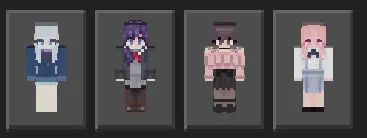
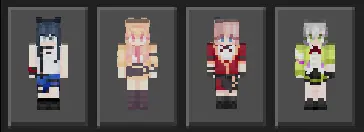
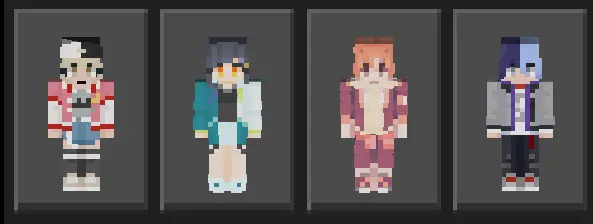
Easy wins:
Build a quick stage with note blocks and sea lanterns, then rotate “sets� across maps between rounds.
Match skins with dyed leather or armor trims—amethyst and gold look ridiculously good for chorus shots.
For clips, run F1 mode at sunset, fire a few fireworks, and let the color blocking do the work.
No mechanics change, achievements stay on—it’s pure style that travels with you. If you want a simple way to make your world louder, brighter, and way more screenshot-friendly, the Project Sekai Collection Skin Pack brings rhythm-game attitude straight into your Bedrock adventures.
How to Install Skins in Minecraft Bedrock
- Download a .png skin (64×64 or 128×128).
- Open Minecraft Bedrock.
- Go to Profile (hanger icon) → Edit Character.
- Tap Owned → Import → Choose New Skin.
- Select your .png file.
- Pick a model: Classic (Steve) or Slim (Alex).
- Confirm to equip and play.
Comments (0)