Burger Drive Texture Pack
- 29-09-2025, 11:42
- 671
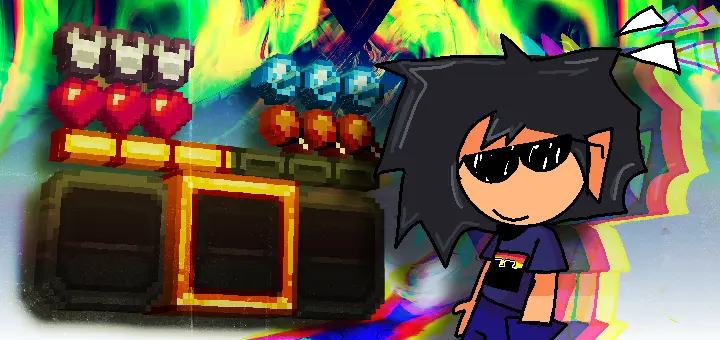
Burger Drive — a slick, gold-themed UI retexture for Minecraft Bedrock that ditches the plain default look without breaking how you play. It’s still your game, just dressed up: clean gilded frames, polished panels, and readable icons that make every menu feel premium. It’s a W.I.P., so you’ll notice the “finished stuff” already shines while the rest is being filled in, but what’s here feels legit in day-to-day use. I ran it through survival, trading, and controller sessions and never felt like I was fighting the UI—if anything, the flow got faster.
The pack ships with controller tooltips, so gamepad runs are actually smooth instead of “guess and check.” Fast crafting helps you snap through common recipes without crawling menus, which is clutch mid-raid when you’re topping off food or grabbing quick blocks. The trade helper saves time at the villager hall: no more scrolling fog—you lock eyes on the deal, confirm, and bounce to the next librarian. It’s the same Bedrock logic, just tuned to be quicker on the draw.

A bright texture or a fancy visual effect might look incredible in a screenshot, but I care just as much about what happens when the screen gets busy. Minecraft Bedrock can have a lot going on at once, especially around a crowded village or a complicated survival base. There are item icons, menus, moving mobs, and dozens of blocks competing for your attention. Whenever I experiment with visual content, I like spending time in places where I actually play instead of judging everything against an empty background. I want to see whether I can recognize what I'm looking at without stopping every few seconds. Sometimes the smallest changes make a familiar area more enjoyable. Other times, I decide I preferred how something looked before. My brother thinks I'm ridiculous for comparing screenshots of the same storage room. Then he spends twenty minutes adjusting his monitor brightness because the grass looks weird.
Compatibility is the quiet superpower here. Burger Drive plays nice with pretty much any pack, so if you’ve got a texture overhaul you love, this can sit alongside it without weird clashes. Usual best practice: enable Burger Drive in your resource pack list and, if you run multiple UI packs, nudge the order so the gold theme wins where you want it. That’s it—no behaviors, no experiments, achievements stay happy.
If you’ve ever thought Bedrock’s stock menus look a little flat, Burger Drive hits the sweet spot: fresh gilded vibes, controller-friendly prompts, faster crafting, and a smarter trade flow—all without touching gameplay. It’s a W.I.P., yeah, but the finished parts already make menus feel like an upgrade you’ll keep on.
Installation:
- Download Texture;
- Use Minecraft PE
- Open the downloaded .mcpack to install;
- Select texture in settings;
- Done.
Comments (0)