Farther Horizons Texture Pack
- 29-09-2025, 13:11
- 3 791
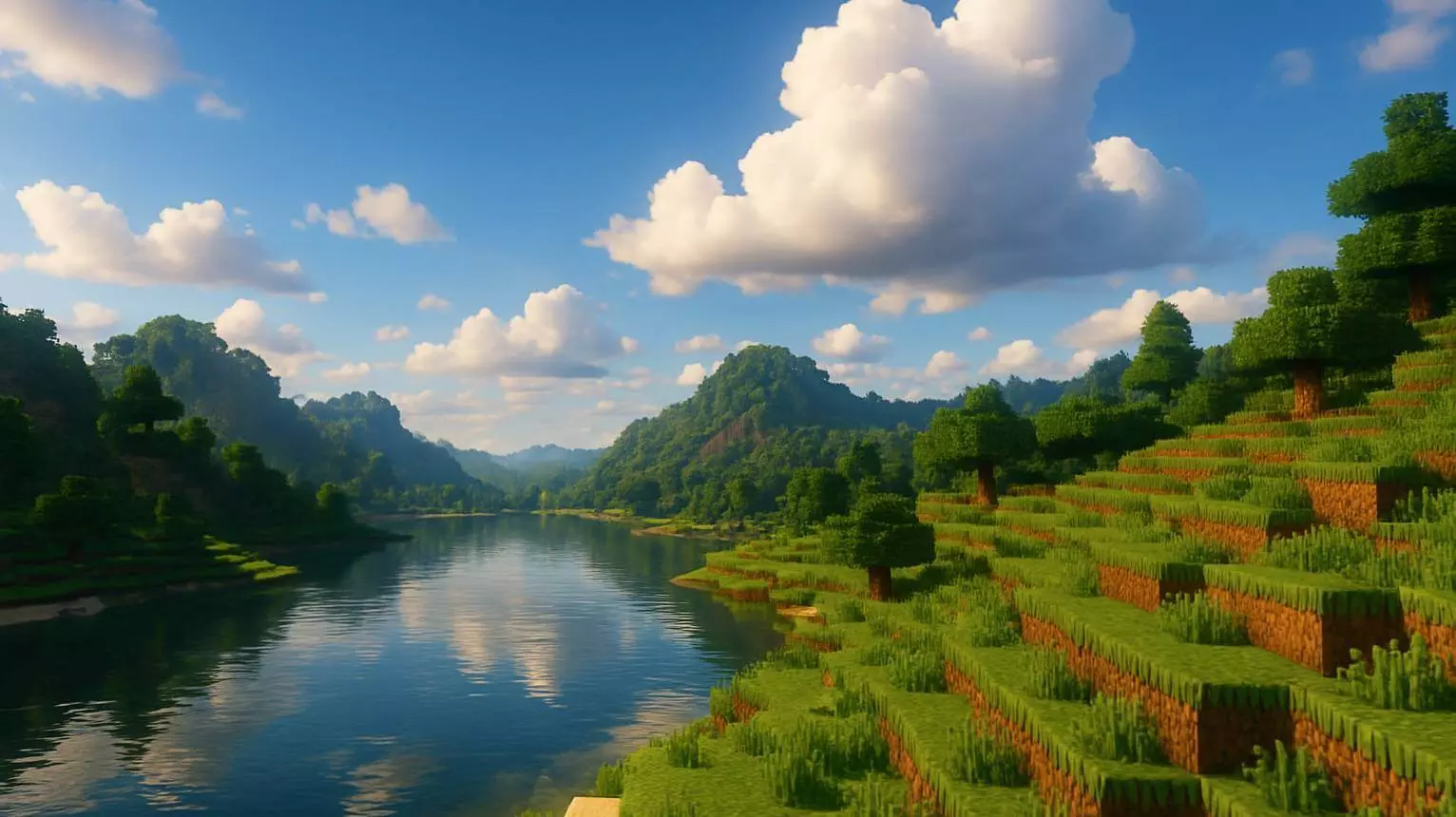
Farther Horizons Addon with improved texture visibility in the game. Now you will see further.Farther Horizons Addon with improved texture visibility in the game. Now you will see further. Climb a mountain in Minecraft Bedrock and you expect a view worth the hike. Farther Horizons clears away much of the fog that can hide the landscape, making those distant peaks and forests easier to see.
The idea behind this texture pack is straightforward: improve visibility across the chunks your game already renders. Instead of staring into a hazy wall at the edge of your view, you get a clearer look at the terrain around you. That can make a big difference when you’re searching for a place to build or trying to figure out which direction that river actually goes.
Exploration is where the change clicks. Say you’re traveling by boat and spot a coastline in the distance. With less fog in the way, you may be able to make out the shape of the shore and decide whether it’s worth a detour before you get there. The same goes for mountain ranges, forests, and structures within your render distance. You still have to do the exploring yourself, but you get a better look at what’s already on screen.
Builders have a good reason to try it, too. A castle looks different when you can step back and see it against the surrounding hills instead of watching the landscape fade into fog. If you’re working on a town, a long bridge, or a base spread across several islands, clearer views can help you check how everything fits together. It’s also handy for screenshots: find a high spot, face your build, and you can capture more of the scenery around it.
There’s one detail to keep in mind: Farther Horizons makes loaded terrain clearer; it doesn’t automatically generate an endless view beyond your render distance. If you want to see more chunks, you can try raising that setting in Minecraft’s video options, provided your device can handle it. Higher render distances can be demanding, so bump the setting up gradually and see how the game runs. You may prefer a clearer view at your current setting over pushing your phone or computer too hard.
Installing the pack follows the usual Bedrock resource pack process. Download the .mcpack file, open it with Minecraft, and activate Farther Horizons through your resource pack settings. You can enable it for a world or use Global Resources if you want to try it more broadly. Once it’s active, head somewhere with a wide view and compare the horizon with what you’re used to. If you enjoy the thick fog and atmosphere of certain biomes, you might miss that look. But if you’ve ever wanted a cleaner view from the top of your survival base, this pack is an easy one to try.
Installation:
- Download Texture;
- Open the downloaded .mcpack to install;
- Select texture in settings;
- Done.
Comments (0)