PARKOUR MAP
- 17-01-2026, 09:19
- 1 148
Adventure Maps / Minigame Maps / Parkour Maps
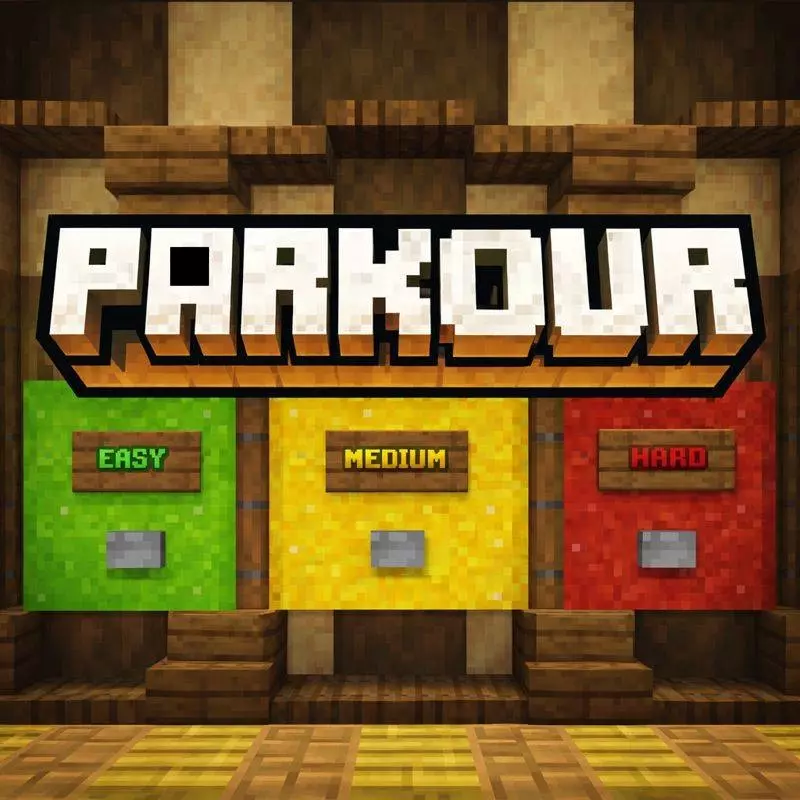
PARKOUR MAP is made for players who want a clean parkour grind without extra clutter. The whole idea is to test your movement, timing, and jumping skills through three difficulty modes: Easy, Medium, and Hard. It’s structured in a way that makes sense for real practice—start on Easy to learn the flow, move up to Medium when you’re comfortable, and then hit Hard when you’re ready for jumps that demand focus and tight timing.
Easy is where you build consistency. You’re getting used to how the map handles movement and how the jumps are spaced, so you can warm up your hands and get into that rhythm where your brain stops overthinking every step. Medium pushes you into more precise jumps, which is where you start noticing your habits—like jumping too early, rushing corners, or overcorrecting in the air. Then Hard is the final step, and the map calls it out clearly: only perfect timing and focus will help you succeed. That’s the mode for players who like repeating a section until it feels clean instead of lucky.


The map is described as carefully built with smooth parkour mechanics, clean design, and fair checkpoints. That checkpoint part matters a lot, because the best parkour maps don’t waste your time. You should be practicing the jump you missed, not replaying five minutes of easy sections just to “earn another try.� With fair checkpoints, PARKOUR MAP becomes a real training tool instead of a frustration simulator.
My old phone has taught me to be suspicious of anything that looks amazing in a video recorded on a powerful PC. Minecraft Bedrock runs on plenty of different devices, and my little screen doesn't always give me the same experience as somebody playing with a full keyboard and a huge monitor. Whenever I try new content on mobile, I check how comfortable everything feels before getting too invested. Can I see what I'm doing clearly? Are the controls getting in my way? Does the game still feel responsive while I'm moving around? I don't expect every device to behave identically, but I want to know what I'm getting into. Last month, I spent an evening comparing the same Minecraft world on my phone and computer. My friend thought I was being ridiculous. Then he borrowed my phone, started playing, and immediately complained about the controls. I told him he'd discovered the point of the experiment.
It’s also pure vanilla gameplay—no mods required—so you can load it up in Minecraft Bedrock and just play. That makes it perfect for solo practice sessions when you want something quick that still feels like progress. A practical way to use this map is to set small goals instead of brute-forcing the whole thing at once. Clear Easy without falling, then do the same on Medium, then start taking serious attempts at Hard. If you’re struggling on Hard, don’t rage-run it. Slow down, treat it like a timing puzzle, and repeat the same section until your jumps feel automatic.
PARKOUR MAP is simple on purpose: three difficulty modes, balanced jumps, clean design, and checkpoints that keep the pace fair. If you want to level up your parkour skills in Minecraft Bedrock without needing anything fancy, PARKOUR MAP gives you a straightforward path from warm-up to “okay, this is actually hard.�
How to install?
Android: you need to find the downloaded file on your phone, use any file manager for this and import the map into the game by opening it.
IOS: after receiving the map, the device itself will offer to install it.
Windows 10: go to the folder where the files are downloaded, find mcworld there and activate it.
Comments (0)