OneBlock Map
- 17-06-2026, 01:08
- 2 404
Adventure Maps / Creation Maps / Custom Terrain Maps / Survival Maps
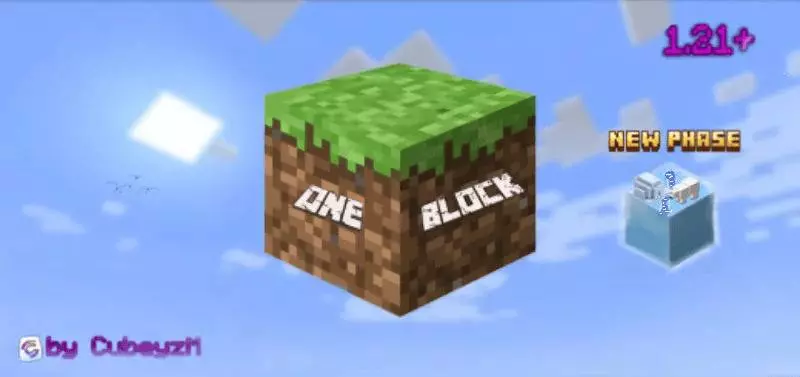
OneBlock Map is a survival challenge map built for Minecraft PE that starts you in the most stripped-down way possible: one block, a void, and no room for mistakes. You stand on a single floating block, break it, and another one appears instantly. That simple loop is the whole heart of the map, but the cool part is how much pressure and progression it creates over time. Sometimes the block is common, sometimes it is rare, and sometimes it gives you loot that can seriously change your run.


What makes OneBlock Map feel stronger than a basic one-block gimmick is the way it scales. It is designed with progressive phases, dynamic block generation, and increasing difficulty, so the challenge does not stay the same for long. As you keep mining, new mechanics unlock, stronger mobs start spawning, and the environment gets more dangerous. That means you are not just farming blocks forever with no purpose. You are pushing deeper into the map’s progression and trying to stay ahead before the difficulty catches up to your island setup.
The map also gives the run a clear structure with 10 phases, and each one has its own biome theme, rewards, and challenges. The phase lineup includes Forest, Cave, Frostlands, Ocean, Wild Jungle, Red Desert, The Nether, Sky Isles, Stronghold, and The End. That kind of phase system makes OneBlock Map feel way more alive during long sessions, because the survival vibe changes as you move forward instead of looking the same the whole time.
A smart way to play OneBlock Map is to slow down when you start getting decent resources. The description already warns that stronger mobs and tougher conditions show up later, so building defenses and managing materials early is a big deal. In Minecraft Bedrock/PE, this kind of map is at its best when you treat every block as progress and every mistake as expensive. OneBlock Map is a great pick if you want a survival run that starts simple, then keeps turning up the pressure with each new phase.
How to install?
Android: you need to find the downloaded file on your phone, use any file manager for this and import the map into the game by opening it.
IOS: after receiving the map, the device itself will offer to install it.
Windows 10: go to the folder where the files are downloaded, find mcworld there and activate it.
Comments (4)