Cyberpunk Island City Map
- 27-04-2026, 04:07
- 454
Adventure Maps / Creation Maps / Survival Maps
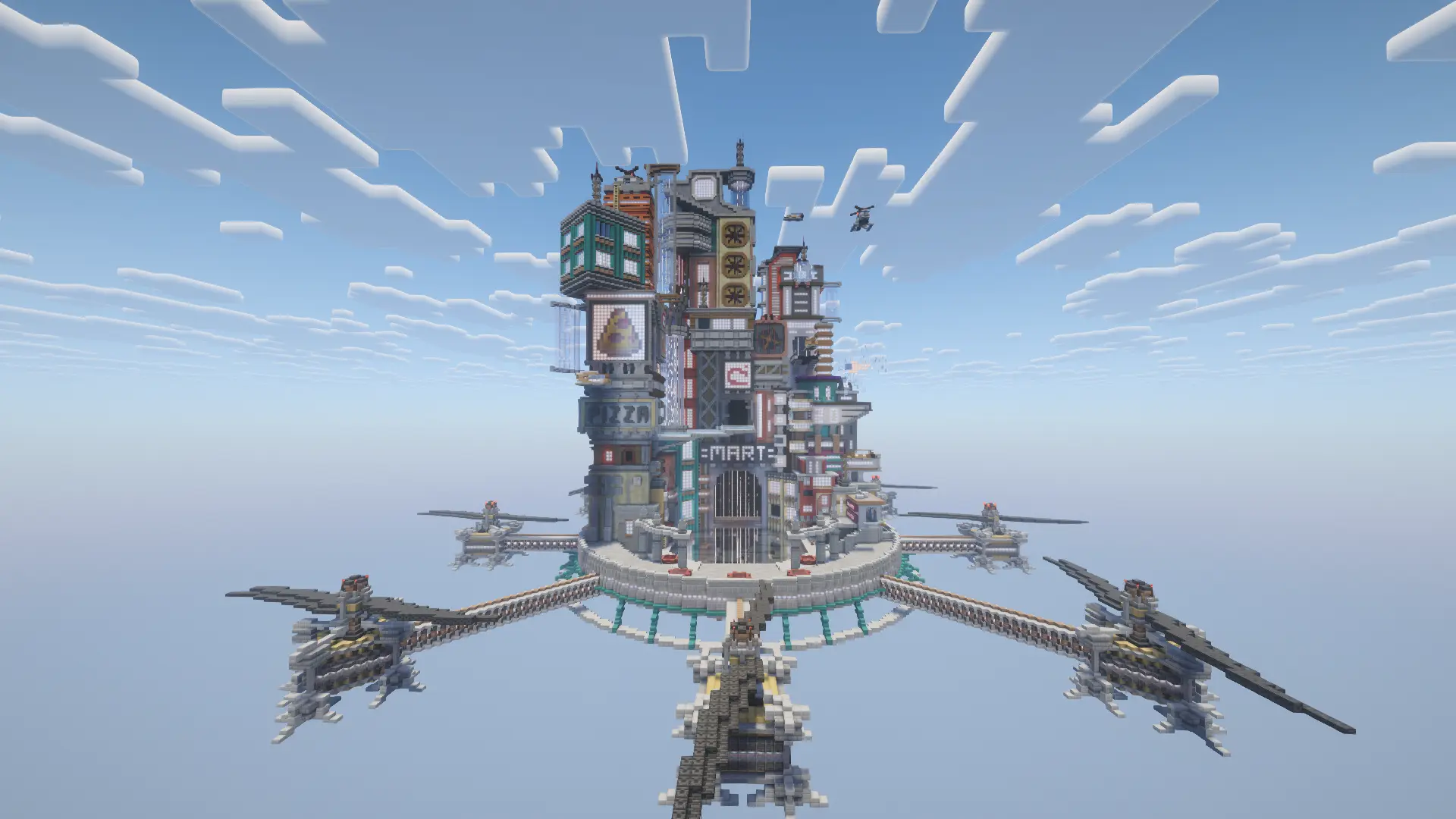
Cyberpunk Island City Map is a very cool project for fans of cyberpunk and steampunk in Minecraft. Cyberpunk Island City is a floating city built high above the ground, with skyscrapers packed onto an island in the sky. From far away, you can see the whole city at once: a dense collection of towers surrounded by open air. Up close, the buildings begin to stand apart, and the view feels very different. It’s the kind of place where you might set out to look at one tower and end up spending much longer wandering around the rest of the city.
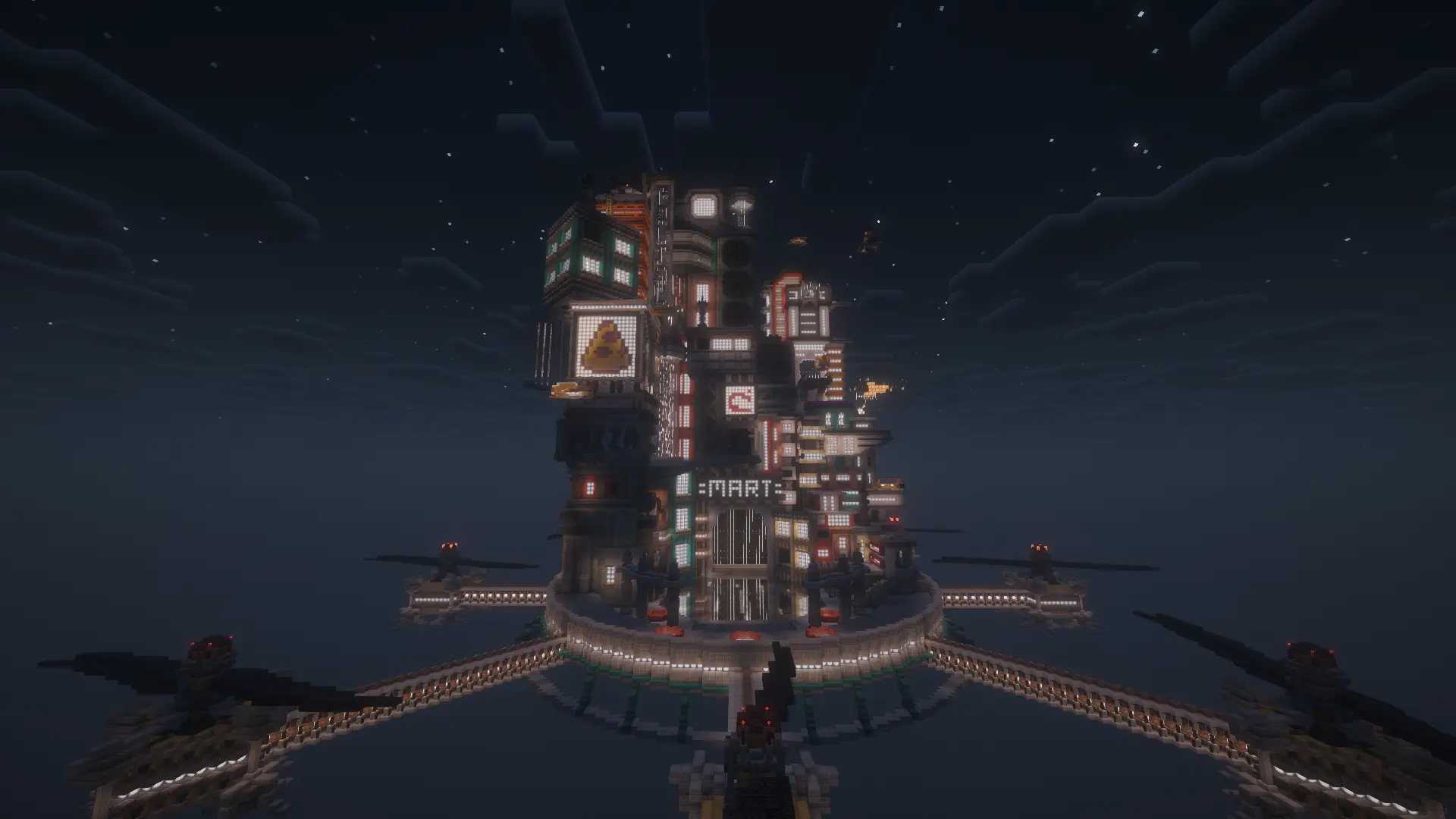
The setting is inspired by cyberpunk, so expect futuristic architecture and plenty of lights. There are large structures to admire, but it’s also worth stopping to look at the smaller details that give the buildings their character. Walk between the towers, look up at the skyline, and find a spot where you can see how the city fits together. The buildings are close enough to give the island a busy, built-up appearance, even though the whole place is floating high above the world. If you like exploring Minecraft builds, there’s plenty here to look at without needing a particular destination.
The city is especially striking at night. Once the sky darkens, its lights become much more noticeable, and the neon colours give the island a different atmosphere. Take a walk through the city after sunset, then step back and look at it from a distance. You’ll get a good view of the illuminated towers against the dark sky. If you enjoy taking screenshots, try finding a few different angles: one that captures the entire island and another that shows the buildings close up. You don’t need to make the scene complicated; sometimes a good view between two tall structures is enough.
There’s no set route you need to follow, so you can explore at your own pace. Pick a building that catches your eye and see what the city looks like from nearby, then move on to another part of the island. The height of the setting is worth keeping in mind as you explore. If you’re playing without flight, watch where you step near the outer edges. Looking down from a floating city can be impressive, but getting too close to the drop is a risky way to end the visit.
If building is your favourite part of Minecraft, the map may give you some ideas for your own projects. Look at the shapes of the towers and the way the lights help define the city after dark. You could borrow an idea for a futuristic house, try making your own skyscraper, or build a smaller floating district in another world. You can also make changes to the city itself: add a new building, decorate a space, or create a place that suits a story you want to play out with friends. The finished island gives you a setting to start from, while leaving room for your imagination.
Cyberpunk Island City is enjoyable even if all you want to do is look around. Visit during the day to see the layout clearly, return at night for the lights, and take your time exploring the buildings from different angles. Whether you come for screenshots, inspiration, or a quiet walk through a city in the sky, there’s enough here to make the visit worthwhile.
How to install?
Android: you need to find the downloaded file on your phone, use any file manager for this and import the map into the game by opening it.
IOS: after receiving the map, the device itself will offer to install it.
Windows 10: go to the folder where the files are downloaded, find mcworld there and activate it.
Comments (0)