Modern House 2 (Atlas City) Map
- 9-02-2026, 14:31
- 548
Modern House 2 (Atlas City) Map is a modern home build that leans into a balanced, realistic palette—gray stone for that solid, clean structure feel, and wood to warm it up so it doesn’t look sterile. The house design includes a sloped roof, which gives it a sharper silhouette than a flat-box modern build, and it also has an integrated garage, making it feel like an actual lived-in home instead of just a pretty shell.
The approach to the house is part of the experience. A stone pathway leads you straight to the entrance, which helps the whole build feel intentional and “placed� in the world. Around it, the landscaping does a lot of work: shrubs and tall trees surround the house, creating a calm and natural atmosphere instead of leaving the modern structure sitting in an empty field. The lighting is described as soft and early-morning-like, which makes the space feel quiet and peaceful, like the world is just waking up.
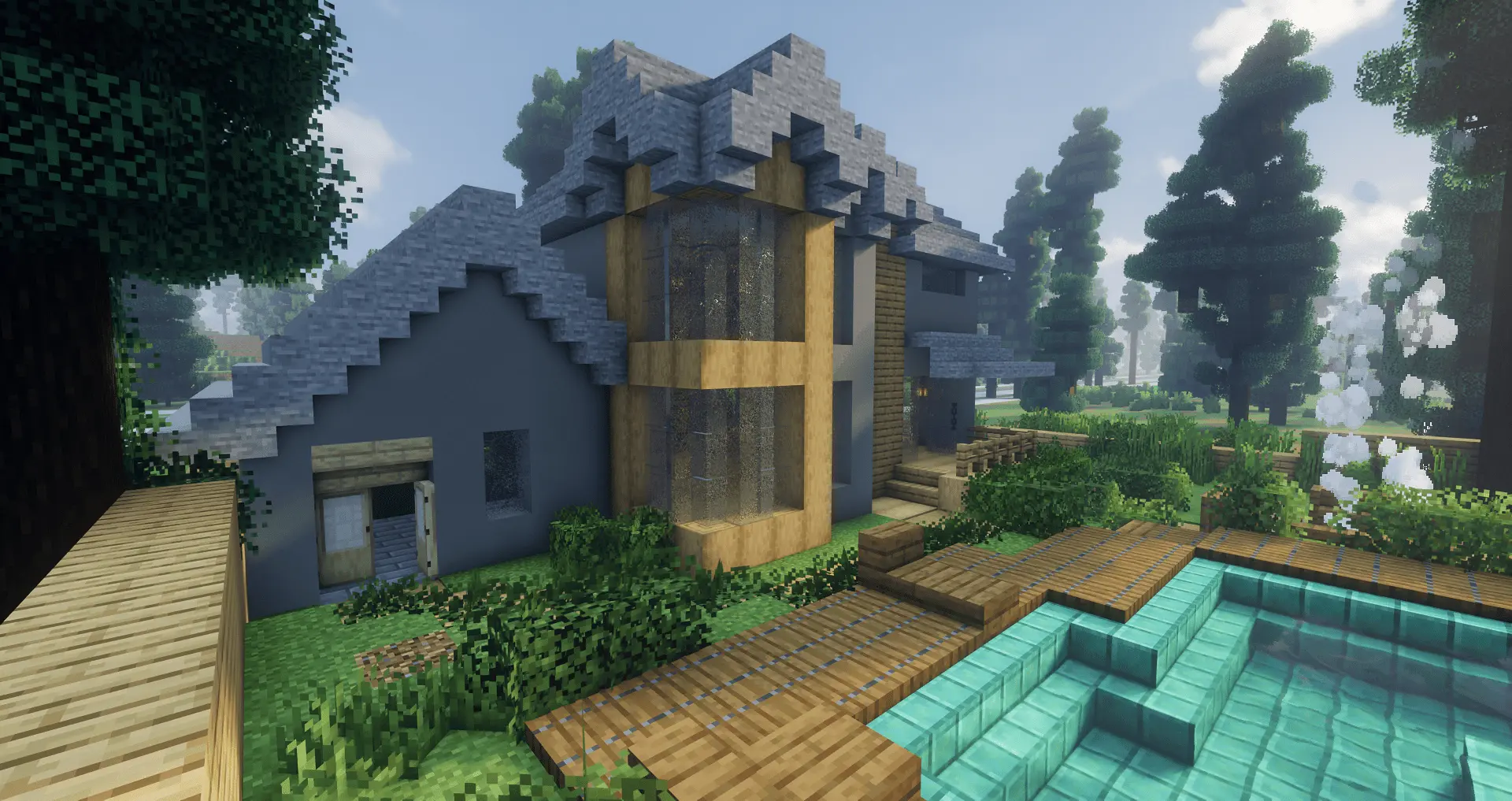


In Minecraft Bedrock gameplay, this kind of build is perfect if you want a base that feels organized and chill. The integrated garage gives you a natural “utility zone� where you can imagine storing supplies and keeping your base tidy, while the main house reads as the cozy core. Practical tip: when you load in, treat the stone path as your “main line� and keep your storage and work areas aligned with that flow, so you don’t ruin the clean modern vibe by scattering messy blocks everywhere. If you like taking screenshots or showing builds to friends, the early-morning soft lighting theme also works best when you keep the area uncluttered and let the trees and shrubs frame the house instead of blocking it.
Modern House 2 (Atlas City) Map is simple on paper, but it’s the kind of build that feels strong because everything matches: stone and wood balance, sloped roof shape, garage integration, and landscaping that makes the whole place feel calm and natural.
How to install?
Android: you need to find the downloaded file on your phone, use any file manager for this and import the map into the game by opening it.
IOS: after receiving the map, the device itself will offer to install it.
Windows 10: go to the folder where the files are downloaded, find mcworld there and activate it.
Comments (0)