Survival Mushroom House #102 Map
- 15-04-2026, 15:09
- 393
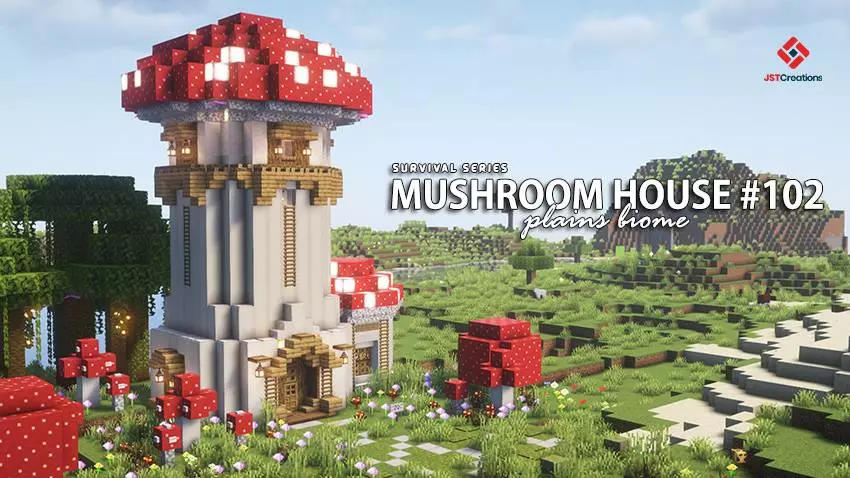
Survival Mushroom House #102 - download and start surviving in the new Survival Mushroom House. I will show you what it looks like in the screenshots.

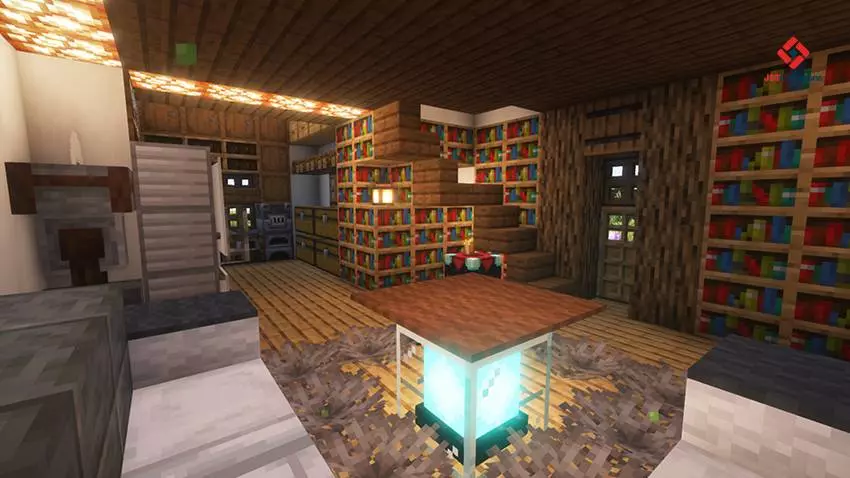

Your next survival home looks like it belongs in a fairy tale, but there’s nothing stopping you from filling it with stacks of cobblestone and half-broken pickaxes. Survival Mushroom House #102 gives you a finished mushroom-themed base on an island, with a nearby village and plenty of room for your own adventures to begin. You spawn inside the house, so your first few minutes can be spent looking around instead of scrambling to build shelter before dark. Take a walk through the finished interior, check what’s available, and step outside to see the house from a distance. Its playful design gives the world a different feel from the usual square starter base, and it’s an easy landmark to look for when you return from exploring.
The island setting gives you a good reason to get familiar with the shoreline. Walk around, find a spot you like, and think about where you’d put your first addition. A small dock could be a useful project if you plan to travel by boat, or you might prefer a path that makes the house easier to reach from the water. The village nearby gives you another destination to visit when you want a change of scenery. See who lives there, check out the buildings, and decide whether you want to make regular trips between the village and your new home. A route you travel often is a perfect excuse to add a few details of your own, whether that’s a bridge, some lanterns, or a landmark you can spot from far away.
The house is ready for survival play, with its exterior and interior already built. The map description also mentions useful items inside, though it’s worth checking what you actually have before planning your first big expedition. Some downloads offer different starting setups, so don’t assume every world begins with the same supplies. Once you’ve taken stock, pick a direction and see what you can bring home. You might spend the first day gathering materials for a farm, then get distracted by a cave and return with a completely different project in mind. That’s a pretty good way to start a Minecraft world. The house is already waiting when you get back, whether you decide to keep it as it is or gradually expand around it.
If you enjoy building, take a closer look at how the mushroom theme shapes the house and consider what you’d add to match it. A little garden, a decorated path, or another mushroom-inspired structure could turn the surrounding area into a settlement of your own. You can also invite friends and use the house as a shared starting point while everyone explores the island. Achievements are listed as enabled, giving you the chance to collect milestones as your survival world grows. The linked download is a ZIP, so check its contents after downloading. If it includes a .mcworld file, open it with Minecraft to import the world, then select it from your world list. After that, step outside your mushroom home and decide where your first adventure begins.
How to install?
Android: you need to find the downloaded file on your phone, use any file manager for this and import the map into the game by opening it.
IOS: after receiving the map, the device itself will offer to install it.
Windows 10: go to the folder where the files are downloaded, find mcworld there and activate it.
Comments (0)