BedWars Map
- 11-11-2025, 06:31
- 50 962

BedWars - download a cool map with mini-game and PVP battle in BedWars style for Minecraft Bedrock. Save your bed and destroy your opponents and their beds. Protect your bed, gear up, and give the other teams a reason to panic. This BedWars map brings the classic island battle to Minecraft Bedrock for a showdown with friends.


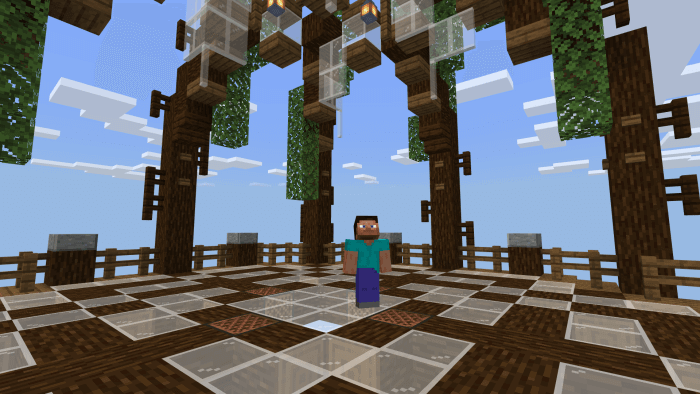
The objective is simple: defend your own bed while trying to destroy your opponents’ beds. A bed keeps its side in the fight by allowing players to respawn; once it’s gone, the next elimination can knock them out for good. That makes every attack a decision. Do you rush an exposed enemy base, or stay home because someone is already eyeing your bed? The map supports a solo format with four players, as well as matches with four teams of up to four players each. Solo means facing other players on your own, while teams let you split the work. Either way, keep an eye on the approaches to your island. A fight won halfway across the map won’t feel nearly as good if your bed disappears while you’re celebrating. When your bed is still intact, a failed attack doesn’t have to end your match. Once it’s gone, though, you’ll need to think carefully about every fight you pick.
Getting ready for battle takes more than grabbing the first sword you see. Mineral generators provide resources that you can trade with villagers on your island for weapons, food, and blocks. The generators have levels, adding another consideration as you decide how to spend what you collect. Blocks are useful for protecting your bed and building routes toward opponents, while food and weapons help you stay in the fight once you arrive. Spend everything on an attack and you might leave your base exposed; put every resource into defense and another team might have time to prepare. If you’re playing with friends, agree on a plan before everyone sprints off in different directions. One player can watch the bed while others collect supplies or look for an opening. Switch roles as the match develops, and call out approaching enemies before they reach your island. A quick warning gives your teammates a chance to turn back, regroup, and deal with the threat together instead of discovering the damage after it’s done.
The arena is listed as self-repairing after a match, with a reset command available if you encounter a problem. That makes it a good candidate for a rematch after the inevitable argument over who should have defended the bed. Try a solo round to see how you handle every job yourself, then team up and compare strategies. A cautious defense can buy time, but you’ll eventually need to leave home and challenge the other beds if you want to win. You might find that a coordinated push works better for your group than sending players across one at a time. To get started, open the downloaded world file with Minecraft Bedrock and select the imported map from your world list. Gather your players, choose your sides, and make your first few purchases count. Once the bridges start going up and beds begin to disappear, every trip away from home becomes a gamble.
How to install?
Android: you need to find the downloaded file on your phone, use any file manager for this and import the map into the game by opening it.
IOS: after receiving the map, the device itself will offer to install it.
Windows 10: go to the folder where the files are downloaded, find mcworld there and activate it.
Comments (20)