(AI Players)Echoes of Multiplayer Mod / Addon
- 13-11-2025, 13:16
- 7 323

(AI Players) Echoes of Multiplayer Mod — flips solo play into a server-style session by filling your world with AI “players� that move, react, and scrap like real people. Instead of lifeless NPCs, you get bodies in motion: wanderers crossing town squares, opportunists chasing targets, and skirmishes that break out the moment paths collide. The vibe changes fast—villages feel populated, roads look used, and your base suddenly has neighbors drifting past while you gear up.
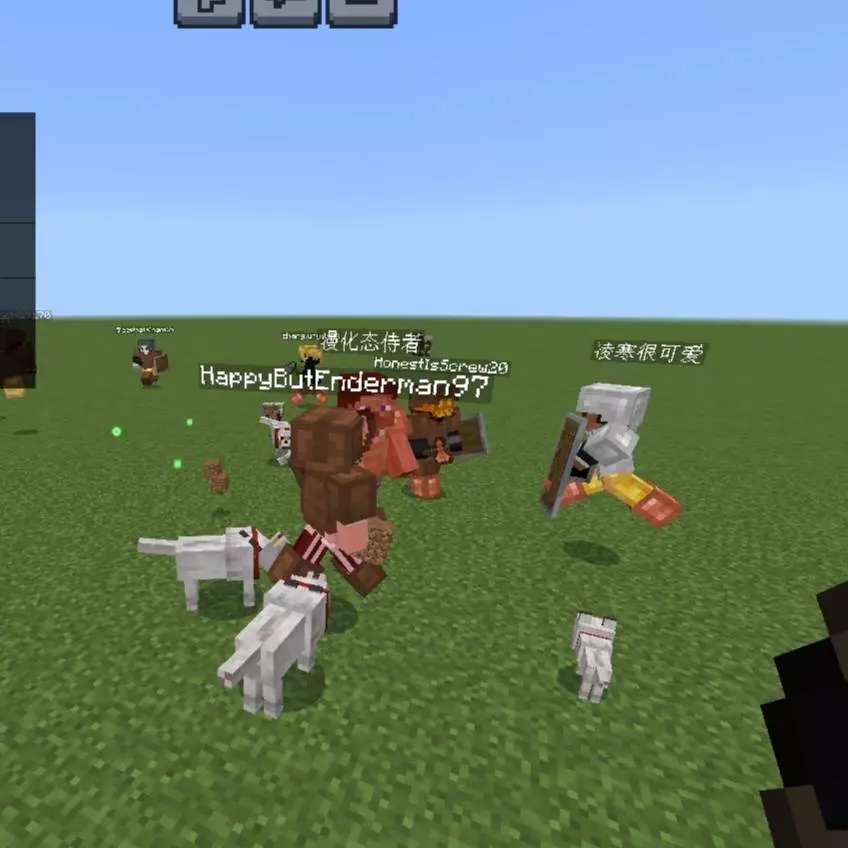
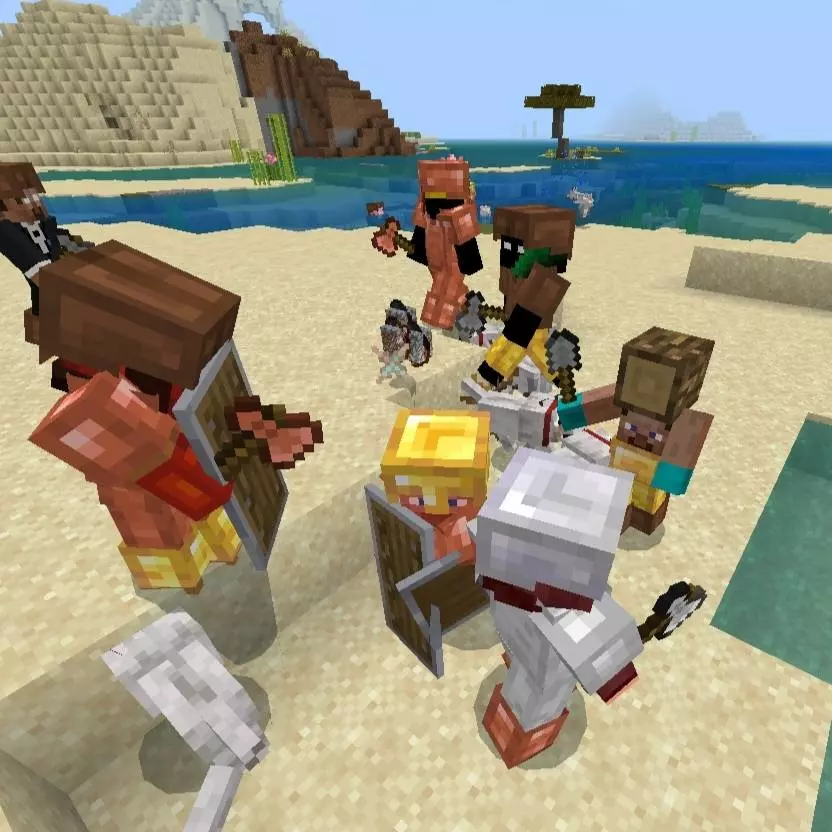
Your solo Minecraft world just got a lot more company. Echoes of Multiplayer adds AI-controlled players who explore, fight, and bring a little server-style chaos to Bedrock.
These aren’t just statues wearing player skins. AI players can wander through the world and get into fights, so a trip away from your base may include encounters with someone who looks a lot like another survivor. Some are friendly, while others can attack, giving you a reason to pay attention before rushing up to every new face. Their equipment and combat skills can vary, and the add-on’s description mentions behaviors such as chasing, strafing, and using shields. Some can use bows at a distance or pick up better gear they find on the ground. That makes them interesting opponents if you enjoy practicing combat in survival. Keep your gear ready and watch what an unfamiliar player does before deciding whether to approach. A fight can break out quickly, and treating every encounter like a harmless meeting is a good way to lose the supplies you just spent an hour gathering.
There’s a social side to these simulated players, too. The add-on describes conversations, trading, and a friendship system that lets you interact with AI characters as you get to know them. A friend menu offers options such as asking a friend to follow, checking their coordinates, or requesting a teleport. You can also give AI players food and items, and some may greet you with a sneak. Chat messages, including simulated join and leave notices, add to the feeling of sharing the world. Exactly how an encounter unfolds depends on the AI involved, so take a little time to see how each one behaves. If someone turns hostile, the description says you can try asking them to stop, though there’s no promise they’ll agree. That uncertainty is part of what makes meeting another player-shaped figure more interesting than passing a stationary NPC. One encounter might leave you with a new companion; another might send you scrambling for cover.
The add-on also describes AI players building structures and improving their equipment over time. Finding signs of activity while you explore can give a familiar survival world a different feel, particularly if you enjoy watching what happens between your own projects. You could set up a base, head out for supplies, and keep an eye on the other inhabitants along the way. If you prefer a more structured challenge, try surviving alongside the AI while keeping track of the friends and enemies you meet. Start on a copy of a favorite world if you want room to experiment, and take some time to learn how the friendship menu works before setting out on a longer trip with a companion. Import the add-on into Minecraft Bedrock, activate its packs in your world settings, and enable Beta APIs under Experiments as required by the setup instructions. Then head out and see who you run into. These are simulated players, so their actions and conversations follow the add-on’s behavior rather than another person’s decisions.
I used it to stress-test routes and record cleaner action. Need warm-ups before a duel night? Kite a few AI players across open fields and practice dodges, strafes, and timing. Want footage that looks like a live community? Stage market scenes in a village at sunset, then swing to a cliffside chase shot as two AI sprint along the ridge behind you. In survival, the extra noise keeps you alert: you’ll hear footsteps, spot silhouettes in the trees, and decide whether to engage or ghost past and keep exploring.
Since this is a behavior/gameplay pack, don’t assume achievements; if your save matters, spin up a copy world first to see how the AI feels alongside your other addons. Large crowds can push weaker devices, so scale headcount to your hardware and the kind of scenes you want to shoot. If you’ve ever wished your single-player world had the social unpredictability of a server—without waiting for friends to log in—(AI Players) Echoes of Multiplayer Mod nails that energy on Bedrock and gives creators a reliable way to make their worlds look truly alive.
Installation:
- Download Mod;
- Open the downloaded file to install;
- Select it in the settings;
- Have fun!
Comments (1)