Craftable OP Blacksmiths! Mod / Addon
- 12-10-2025, 10:51
- 1 396
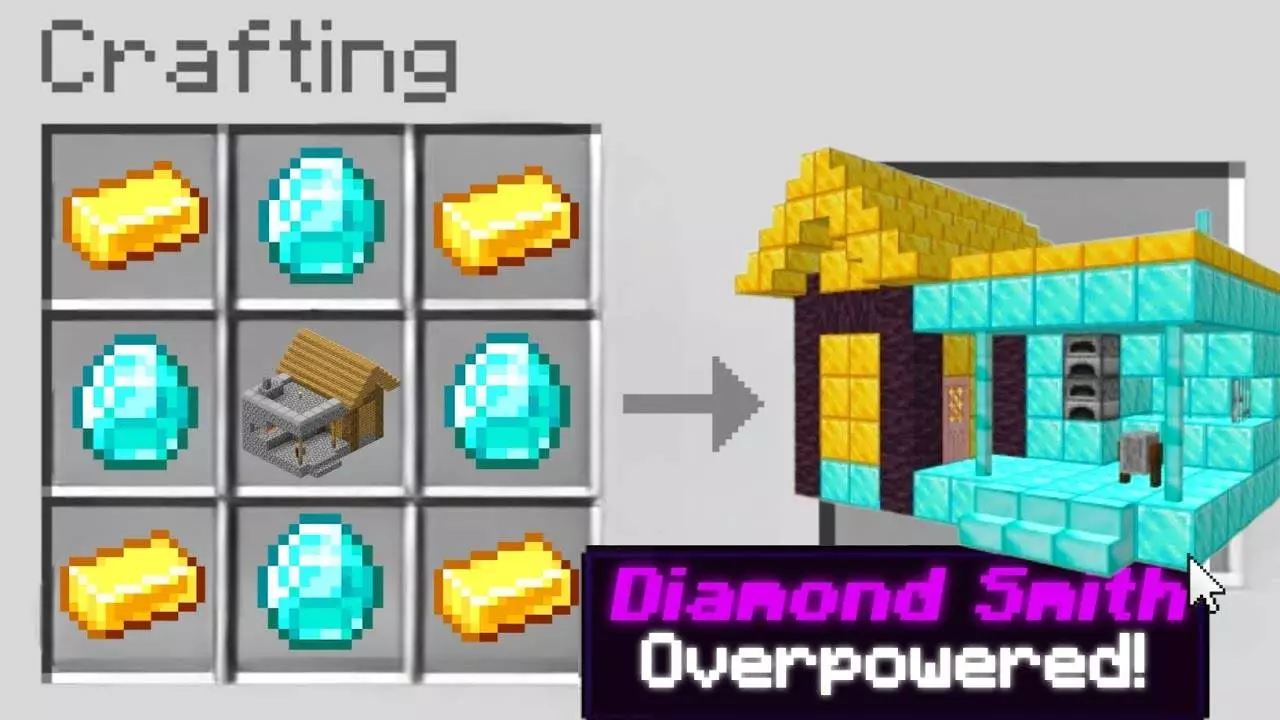
Craftable OP Blacksmiths! Mod — turns your base into a tiny upgrade factory by letting you craft up to three custom blacksmiths and park them where you actually play. Each one is built from basic village resources, so you can set up a Dirt Blacksmith early, step into an Iron Blacksmith once you’re stable, and finish with a Diamond Blacksmith for late-game payouts. The loop is straightforward: craft the tier you can afford, place it safely, and start pulling high-value items without grinding thirty random trades.
In a fresh survival file, drop the Dirt Blacksmith near your starter chest and use it to smooth out day-one gear gaps. As you expand, slot the Iron Blacksmith by your smelter and let it feed mid-tier tools while you focus on building and caving. When the base is humming, upgrade to the Diamond Blacksmith and turn big trips into short errands—grab the top-end loot you actually need and get back to projects. On co-op worlds, splitting roles is clean: one player gathers village mats while another handles placement and supply.


Finding a village blacksmith is always exciting, but crafting your own? That’s where Craftable OP Blacksmiths takes Minecraft Bedrock into gloriously overpowered territory.
This add-on gives you three blacksmith structures to craft: Dirt, Iron, and Diamond. Each one comes with loot suited to its tier, so there’s more to look forward to than a building for your village. Whether you want an early boost or equipment that makes normal enchantments look tame, there’s a blacksmith worth working toward. They’re buildings, too, not new villagers you need to trade with or keep safe from zombies.
The first step is making a base blacksmith item. Gather three oak stairs, two cobblestone stairs, one cobblestone block, one door, and two oak planks. You’ll need a fresh base item each time you craft one of the custom blacksmiths. Check the recipe images for the placement of the ingredients and for the additional materials needed by your chosen tier. The base item itself doesn’t summon a building; it’s an ingredient used to make the Dirt, Iron, or Diamond version.
There’s one thing you need to know before moving that item around: don’t hold the base blacksmith in your hand. The add-on warns that equipping it can crash your game, so leave it in your inventory while you gather the rest of the materials and craft the structure you want. It’s an odd limitation, but easy enough to work around once you know about it. Making a backup of a world you care about is a smart move before trying new add-ons, especially one with gear this extreme.
Dirt is the starting option, while Iron steps things up with stronger rewards. The Diamond Blacksmith is where the loot gets ridiculous: it can contain Netherite gear with enchantment levels around 32,000. That’s a huge jump from the equipment you’d normally find while exploring, so don’t expect a balanced vanilla survival run once you start using it. Some players have also reported crashes when using tools with extremely high enchantments, making a test world a good place to experiment before bringing them into a long-running save.
The buildings have visual details of their own, including custom stairs and fences; you might spot materials like diamond or gold worked into their designs. Installation details depend on the version you choose. Some older releases need a separate half-blocks add-on for those details to appear correctly. Version 1.4 combines them into one pack and lists Minecraft Bedrock 26.60 as its minimum version. Check the download’s instructions before importing, then decide which blacksmith deserves a spot in your world.
It’s intentionally “OP,� so treat it like an endgame convenience lever rather than a main progression path. For careful saves on MC Bedrock, test in a copy world first and position your stations behind doors or walls to keep raids or stray creepers from ruining your setup. If you want faster gearing without command blocks, Craftable OP Blacksmiths! Mod delivers exactly that.
Installation:
- Download Mod;
- Open the downloaded file to install;
- Select it in the settings;
- Have fun!
Comments (0)