Just Cute Stuff! Mod / Addon
- 13-10-2025, 16:39
- 1 557

Just Cute Stuff! Mod — swaps gritty stone for soft colors and turns your base into a mood board. It adds cute, candy-tone blocks you can actually build with and a handful of charming foods to bite into, so you can style a pastel café on the village corner, a warm kitchen in your starter house, or a little street market that looks great in photos. The vibe is playful and clean: stack light walls, mix gentle trims, lay simple floors, then drop a few treats on the counter and the scene just clicks.
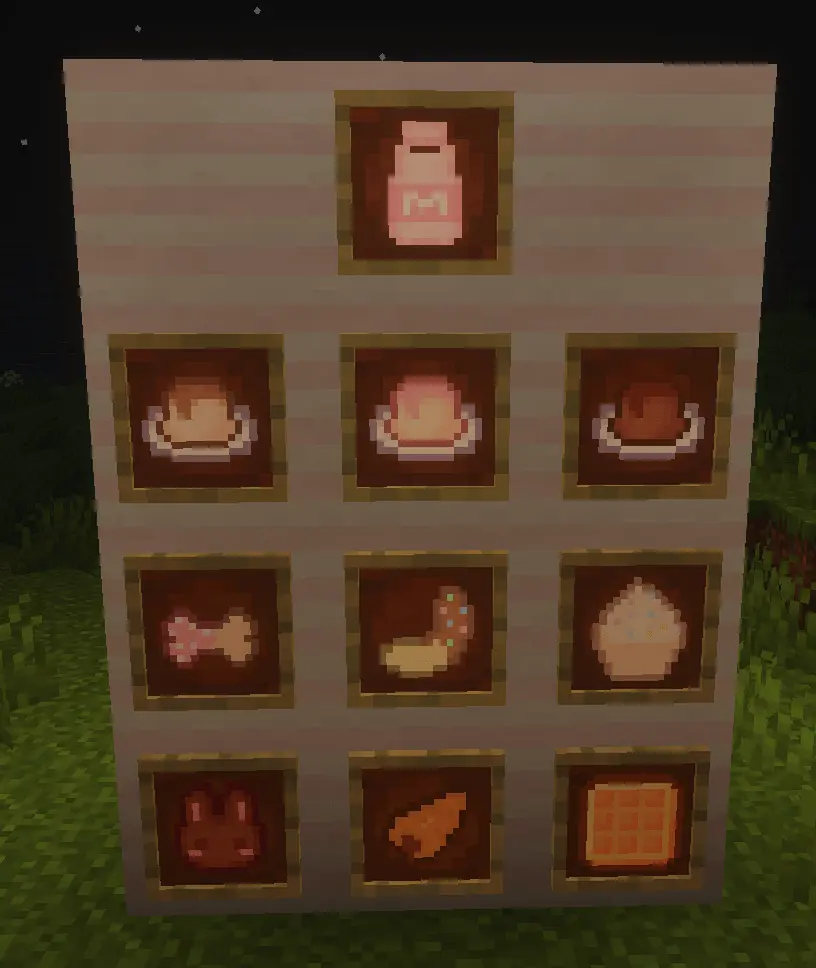
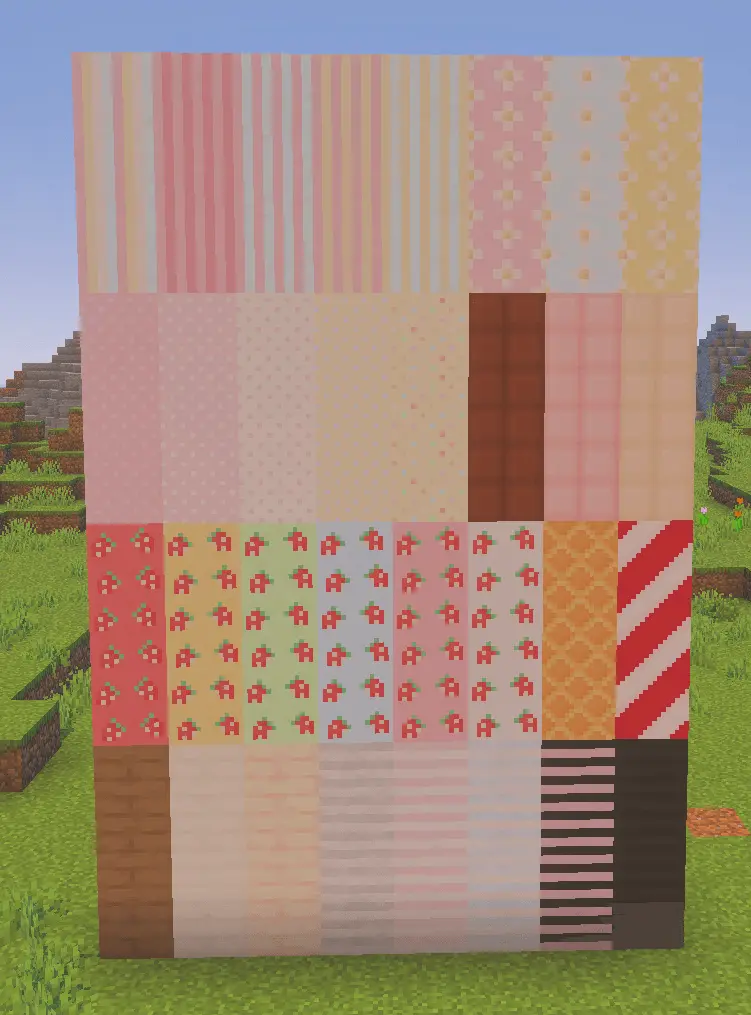
Some Minecraft builds call for less dungeon, more dessert shop. Just Cute Stuff! brings playful blocks and food items to Bedrock for anyone who wants their world to feel a little sweeter.
The add-on is made for Creative mode, so you can head into the inventory, browse the new pieces, and start putting together a build without gathering ingredients first. Its soft, colorful style is an easy match for a pastel café, a tiny bakery, or a bedroom that needs more personality. Start with a simple room and pick a color palette you like, then use the decorative blocks to give the walls and floor a little variety. Leave space around your favorite pieces so they stand out instead of packing every corner at once. The food items can help set the scene, too: plan a kitchen or a café around the treats you find in the inventory, then arrange the rest of the room to match. Even a small build can feel complete when its colors, counter space, and little details all work together.
A village street is a fun place to take the idea further. Give one building a cheerful storefront, turn another into a cozy home, and connect them with paths and flowers using your usual Minecraft blocks. You can keep the new decorations concentrated in one shop or spread them through the whole neighborhood, depending on how much color you want. If you enjoy taking screenshots, experiment with the time of day and see how the palette looks in morning light or near sunset. A compact kitchen can be just as satisfying as a big town: make a corner for food, choose a spot for a dining area, and leave a window looking out onto a garden. The add-on gives you decorative materials and food items to work with, while the layout and story belong to you. Maybe it’s a bakery with regular customers, a weekend market, or a little house tucked away from the busier part of your world.
Just Cute Stuff! is a good fit for building sessions with friends, too. Pick an empty plot, agree on a theme, and let everyone decorate a different room or storefront. One person can make the outside welcoming while another puts together the interior; afterward, walk through each build and compare the details you chose. For a solo project, try decorating a room in two different color schemes and see which one feels right before expanding it into a whole house. Because the add-on is described as Creative-only, plan on using the Creative inventory to access its content rather than relying on survival recipes. Once it’s enabled, the best place to begin is wherever your world feels a little too empty. Give that bare corner a new purpose, add some color, and see what kind of cute little place grows around it.
In survival, it’s easy to live with. You keep the usual loop—gather, craft, decorate—only now your hallways and porches have personality. Builders get more than one “pink block and done�: you can layer shades, frame windows, and carve small accents that read well from a distance and still pop in close-ups. If you like recording tours, this pack shines with soft lighting; sunset passes over pastel rooftops look great even without heavy shaders.
It’s a content pack, not a balance breaker, so your progression stays intact while the aesthetic shifts toward cozy. If you stack other visuals, place this near the top of your resource order for clean textures, and—as always—try it in a copy of your main world to make sure everything plays nicely together. When you want a world that feels cheerful without learning a new system, Just Cute Stuff! Mod gives you the blocks and bites to pull it off on Bedrock.
Installation Mod:
- Download the .mcaddon / .mcpack;
- Open the file to import into the game;
- In World Settings → Resource Packs and Behavior Packs, enable it (turn on Experiments if needed);
- Have fun!
Comments (1)