Fours Flickering Lights Mod / Addon
- 27-11-2025, 07:57
- 1 269
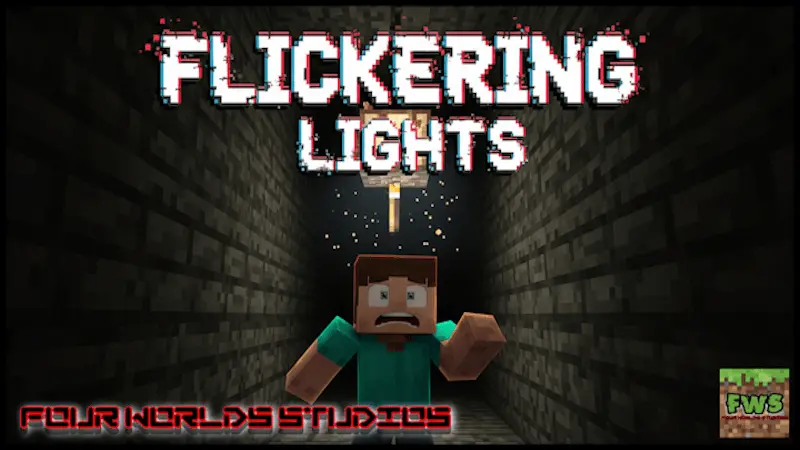
Fours Flickering Lights Mod — the fastest way to make a hallway feel wrong. One lamp over a door sputters, the room pauses, and suddenly even a plain corridor has teeth. Place a row down a stairwell and each bulb runs its own jittery rhythm, never syncing, so the light rolls like a slow wave and your steps feel a beat too loud. That’s the trick here: no scripts, no timers—just true out-of-sync flickers that sell the mood the second you look up.

The hallway is empty, but the light above the doorway keeps flickering. Fours Flickering Lights gives Minecraft Bedrock builders a way to make an ordinary room feel like somewhere you shouldn’t stay too long.
The add-on introduces lights that flicker at random, with each one following its own pattern. Place a row along a corridor and they won’t all blink together, giving the space an uneven, unpredictable look. That’s useful when you’re building a horror map and want the setting to feel unsettling before anything else happens. A single flickering light can draw attention to a doorway at the end of a hall; several can make an abandoned station or underground facility look like its lighting is on the way out. The add-on also includes top and bottom slab versions, giving you options when you’re fitting lights into different parts of a build. Try placing them in a low ceiling, above a stairwell, or near the entrance to a room players have to investigate. You can get a lot of mileage out of a simple layout when the lighting gives people a reason to hesitate.
If you’re designing an adventure for friends, think about what you want them to notice as they enter each area. A steady light near the starting room can make it feel welcoming, while a flickering one farther down the passage suggests that something is wrong. An old school, a deserted hospital, or a maintenance tunnel are all good places to experiment with that contrast. You could put a light above a locked door, then make players search nearby rooms for the way through. Add your own signs, damaged walls, and unsettling sounds to give the building a story without explaining everything outright. The lights themselves don’t need to introduce a monster or a jumpscare to be effective; they can simply make players take a second look at a place they thought was safe. Walk through the finished area yourself to check whether the flicker gives you the mood you want and whether important paths remain easy enough to follow.
Although the add-on was designed with Creative building in mind, its lights also have a crafting recipe for Survival. That means a spooky basement or abandoned bunker can become part of a regular world rather than a separate map project. The listing says experimental features aren’t required, and the page you shared offers separate resource and behavior pack downloads. Import the files and enable the packs in your world settings before trying them out. If you’re using the lights in a survival base, consider keeping a steady source nearby where you need a clear view of storage, stairs, or crafting areas. Then save the flicker for the places where a little uncertainty is part of the fun. It’s a small addition with a clear purpose: give your rooms a sense that the power might fail at any moment, then let the rest of your build do the talking.
I use them to mark “unsafe” spaces without saying a word. A steady lantern guides you to the foyer; the next turn swaps to flickers and your brain tightens before anything actually happens. Drop one in a freezer room so the glow snaps off mid-walk, another over a service hatch that kicks back on as you pass. In a hospital wing, I’ll stagger three fixtures: early blink to announce the stretch, hard stutter in the middle to force a breath, soft pulse near the exit so players think they’re clear and then second-guess it. Because each light has its own random tick, adding more never creates a pattern—stack ten and you still won’t predict the next blink.
Creative builders can carpet a mansion, a subway platform, a mine shaft, or a school hallway in minutes; survival players get a craftable recipe so the same vibe works in an actual playthrough. Want extra punch? Pair a flicker with a pressure-door or a short detour under scaffolding so the darkness hits right as the path narrows. That’s the whole appeal: you place a light, the world gets creepier, and the map feels like it’s breathing—no jump-scare spam required.
Installation Mod:
- Download the .mcaddon / .mcpack;
- Open the file to import into the game;
- In World Settings → Resource Packs and Behavior Packs, enable it (turn on Experiments if needed);
- Have fun!
Comments (0)