Fake FPS Mod / Addon
- 12-11-2025, 07:11
- 734
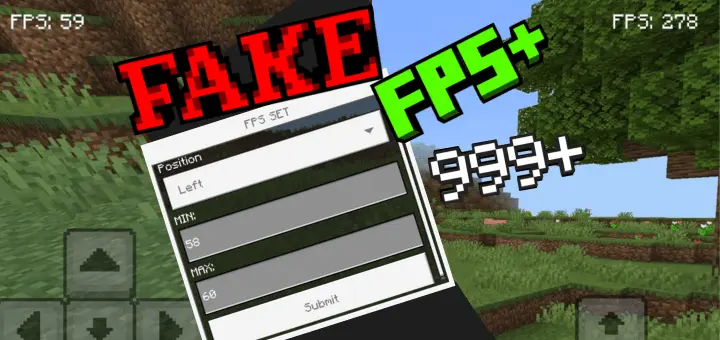
Fake FPS mod is the harmless flex button for your HUD. Pop open a simple settings form and decide exactly what your counter shows—pin it to a fixed number when you want that “locked 240� look, or set a minimum and maximum so it wiggles naturally like a real framerate graph. It’s perfect for videos, skits, or friendly trolling on game night when somebody asks, “yo, what FPS you getting?� and you just point at the corner.
Setup takes seconds. Type /fake:fps set or /fps set to bring up the controls, then choose where the counter sits on screen, tweak the background so it reads clean over bright scenes, and set your limits. Keep it steady for a “sweaty tryhard� screenshot, or add a little jitter so it feels legit during movement and combat. The number updates live, so you can tune it mid-session without reloading anything.


This is purely cosmetic—no secret boosts, no engine tweaks, nothing that touches performance. It won’t make your world render faster or change how fights feel; it just spoofs the readout for laughs and content. Use it responsibly, give your squad a wink, and enjoy the bit. When you’re done, hop back into the settings and turn it off just as easily. For creators, pranksters, and anyone who loves a clean HUD gag, Fake FPS mod nails the joke without messing with the game.
Installation Mod:
- Download the .mcaddon / .mcpack;
- Open the file to import into the game;
- In World Settings → Resource Packs and Behavior Packs, enable it (turn on Experiments if needed);
- Have fun!
Comments (0)