Item Highlighter Mod / Addon
- 28-11-2025, 05:47
- 623
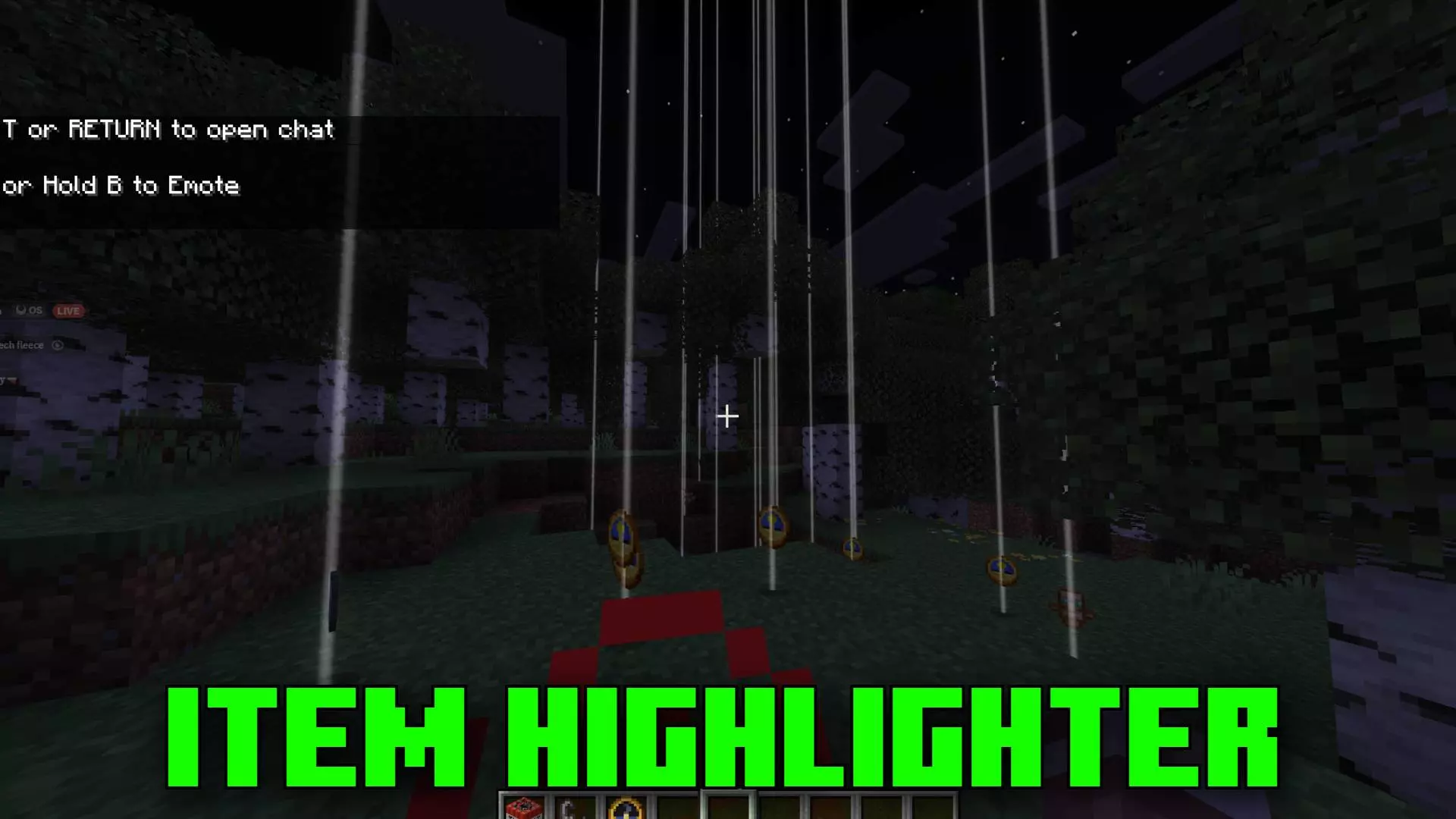
Item Highlighter Mod is for that moment when you die in a cave, panic-quit, and then have no idea where anything landed. With this installed, your dropped gear doesn’t just vanish into the grass or blend into the stone floor anymore. Wherever your items are lying, a tall glowing beam rises straight up into the sky, like a mini beacon pointing at your stuff. You respawn, look around, spot the light, and just start running toward it. No guessing, no “was it this hill or the next one?� nonsense.

Your inventory is somewhere in a cave, your spare pickaxe is nearly broken, and every patch of stone looks exactly the same. Item Highlighter gives you something much easier to search for: a tall beam of light rising from your dropped items.
This Minecraft Bedrock add-on helps you spot items lying on the ground, which can be a relief when a survival trip ends badly. Instead of scanning the floor for a tiny sword or a stack of blocks, you can look for the beam and head toward it. You’ll still need to get back to the right area, but once the marker comes into view, finding your gear becomes a lot less frustrating.
Picture a mining trip that started out perfectly. You found a deep cave, filled your inventory with ore, and even picked up a few diamonds. Then you turned a corner, heard a Creeper hiss, and found yourself staring at the respawn screen. By the time you return, you might remember the cave entrance but not the exact tunnel where everything went wrong. A visible marker gives you a better chance of picking out your belongings among the stone and shadows.
It’s useful on the surface, too. Dying in a forest can leave your items scattered among grass, flowers, and trees, while a trip across uneven terrain might end with your gear somewhere below the hill you were climbing. If you know roughly where to return, watch for the light as you approach. It can point you toward items you might otherwise run past while searching the ground.
Finding the beam is only part of the trip, though. Before leaving your base, grab some food and whatever spare equipment you can afford to bring. If you fell into a cave, take blocks to make a safe route down. If a group of mobs caught you off guard, bring a weapon and a shield so you’re ready to deal with them. Rushing back empty-handed might feel faster, but it won’t help much if the same skeleton is still waiting near your gear.
On a multiplayer world, friends can join the search and help clear the area once the marker is spotted. One player can keep an eye out for mobs while another collects the dropped items. It’s also a handy feature when someone loses track of a tool or other item during a busy building session and needs to find where it landed.
Item Highlighter doesn’t require you to open a menu or type a command to look for the light. Import the add-on, activate it in your world settings, and continue your adventure. You’ll still want to remember where you’ve been and keep a spare set of gear at home, but the next recovery trip should involve a little less squinting at the ground.
It’s super handy in big survival worlds where you’re always roaming: long mining trips, Nether runs, hardcore-style sessions, or servers where people constantly wander off and die in random places. Instead of losing full inventories to one mistake or chunk of lag, you’ve got a visual marker that cuts through trees, terrain, and weather. It works just as well above ground as it does after some chaos underground when items end up in the open.
The best part is how simple it feels in actual play. You don’t have to type commands or mess with menus—your only job is to follow the beam. If you’re the kind of player who hates losing a good set of tools or armor because you got turned around on the way back, Item Highlighter Mod quietly saves your runs and keeps your world a lot less frustrating.
Installation Mod:
- Download the .mcaddon / .mcpack;
- Open the file to import into the game;
- In World Settings → Resource Packs and Behavior Packs, enable it (turn on Experiments if needed);
- Have fun!
Comments (0)