Longer Days Mod / Addon
- 28-11-2025, 15:08
- 823
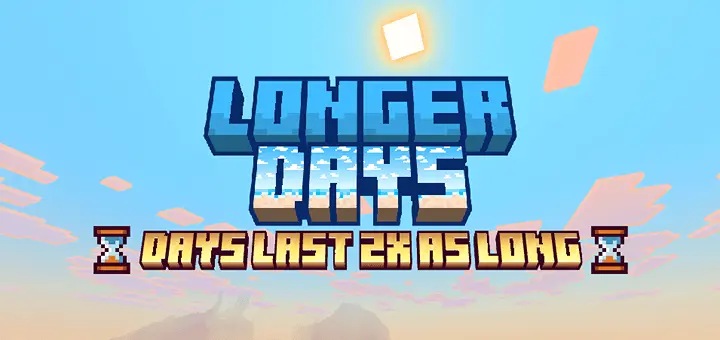
Longer Days Mod stretches each in-game day to about forty real-world minutes instead of the usual twenty, and it changes the vibe of a survival world way more than it sounds on paper. Daytime doesn’t feel rushed anymore—you’re not sprinting to finish a roof, plant crops, mine a vein, and light up your base before the sun drops. You actually have time to settle into a task, finish it properly, and still look up to see the sun hanging in the sky instead of already dipping toward the horizon.

You’ve barely finished marking out your new base when the sun starts setting again. Longer Days gives Minecraft Bedrock a slower clock, stretching the full day-and-night cycle from roughly 20 minutes to around 40.
That extra time makes a difference when you’re working outside. You can gather wood, lay out a foundation, and get a decent way through the walls without checking the horizon every thirty seconds. Exploring feels less rushed, too. If you spot a village across the plains or a mountain that looks worth climbing, there’s more daylight to investigate before you need to think about getting home. On a fresh survival world, those first few trips can feel less frantic: find food, collect materials, and pick a place to settle without the entire afternoon disappearing while you punch trees. The sun still sets, though, so bringing a bed or making a shelter is smart if you plan to wander far. You just have more room to make those decisions instead of cutting every trip short.
The name might make you think only daytime changes, but nights are longer as well. That’s good news if you actually enjoy being out after dark. You get more time to hunt hostile mobs, collect their drops, and earn experience before sunrise sends them burning. It also gives a nighttime expedition a different feel: once you head out, you’re committing to a longer stretch under the stars. Bring enough food and keep an eye on your gear, especially if you’re still working with early-game equipment. Of course, you can still sleep when you want to skip the danger. And if you’re more interested in building than fighting, the extended sunset gives you a little extra time to finish placing torches and find your way back inside. Sunrises and sunsets last longer too, which makes those warm evening views stick around long enough to enjoy while you’re working on an outdoor project.
Longer Days is a good fit for worlds where everything seems to move a little too quickly. It doesn’t change the game’s tick speed or how often weather events occur; its focus is the pace of the daylight cycle. Crops and other time-dependent activities aren’t promised a speed boost just because the sun stays up longer. What you do get is more real time between sunrise and sunset, followed by a longer night. If you share a world with friends, that can mean finishing a group build during one stretch of daylight or planning an actual nighttime hunt instead of waiting for a brief window. To get started, import the pack and activate its behavior pack in your world settings. Make sure the “Do Daylight Cycle” setting is on, since the add-on needs the cycle running to work properly. After that, pick a project, step outside, and enjoy having enough daylight to make some real progress before the sky turns orange.
Nights benefit just as much. If you like grinding XP, farming mob drops, or running around under the stars with better gear, you don’t have to worry about the sky flipping back to daylight right when your farm or hunting route starts paying off. The darker half of the cycle becomes its own phase of gameplay instead of a quick “endure this and sleep.”
It also makes the world feel more atmospheric. Because sunrises and sunsets are stretched out too, you get longer golden hours where shaders and texture packs really show off—especially if you’re using something like Vibrant Visuals or RTX-style packs. For builders, explorers, and long-session survival players, Longer Days Mod doesn’t add new items or systems; it just gives you more breathing room inside every single day.
Installation Mod:
- Download the .mcaddon / .mcpack;
- Open the file to import into the game;
- In World Settings → Resource Packs and Behavior Packs, enable it (turn on Experiments if needed);
- Have fun!
Comments (0)