Giganium Expansion Mod / Addon
- 3-12-2025, 03:33
- 802
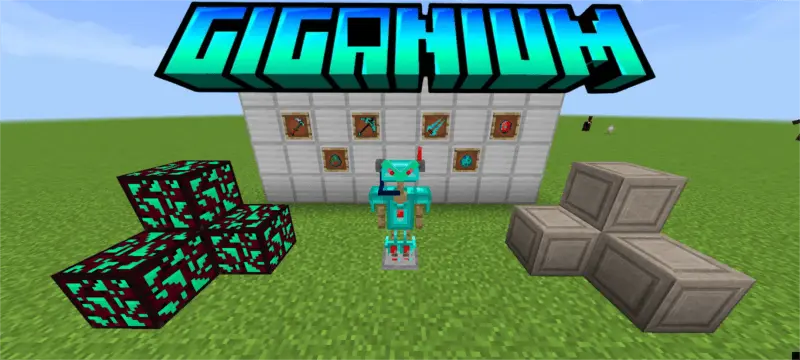
Giganium Expansion Add-on feels like someone dropped a sci-fi event straight into Minecraft and just left it running. Instead of the usual forests and plains, you’ll eventually stumble into the Giganium Lands — a strange biome where natural terrain blends with futuristic energy, glowing colors, and structures that don’t look like they belong in a normal overworld. It still feels connected to the main world, but the second you see it, you know you’ve crossed into late-game territory.


The main prize here is Giganium ore. This stuff is rare and absolutely worth the grind, because it’s the key to crafting cybernetic armor that outclasses both diamond and netherite. You’re not just slapping on another reskin; this is meant to be your “endgame suit,� the gear you wear when you’re done messing around and ready to walk into serious danger. Getting enough Giganium to forge that full set means committing to runs in the biome, dealing with new threats, and treating the Giganium Lands like a proper high-risk, high-reward zone.
You’re not alone out there either. Friendly-ish tech shows up as the Gigadrone, a neutral cyborg trader that hangs around offering advanced goods and trades you won’t see from villagers. Think of it as your bridge into the futuristic side of the addon: you bring resources, it gives you access to stuff that fits the high-tech theme and pushes you deeper into that progression. On the other side is the Gigadroid, a hostile guardian machine that patrols the biome and attacks on sight. It hits hard, moves fast, and exists to punish players who wander in thinking this is just another decorative area.
Together, the Giganium Lands, Giganium ore, cyber armor, Gigadrones, and Gigadroids turn this addon into a full sci-fi layer on top of survival. You’re exploring, mining, trading, and fighting like normal—but now there’s a futuristic frontier sitting out there, waiting for the moment you’re geared enough to walk in and claim it.
Installation Mod:
- Download the .mcaddon / .mcpack;
- Open the file to import into the game;
- In World Settings → Resource Packs and Behavior Packs, enable it (turn on Experiments if needed);
- Have fun!
Comments (0)