Clean UI Mod / Addon
- 18-01-2026, 21:21
- 738
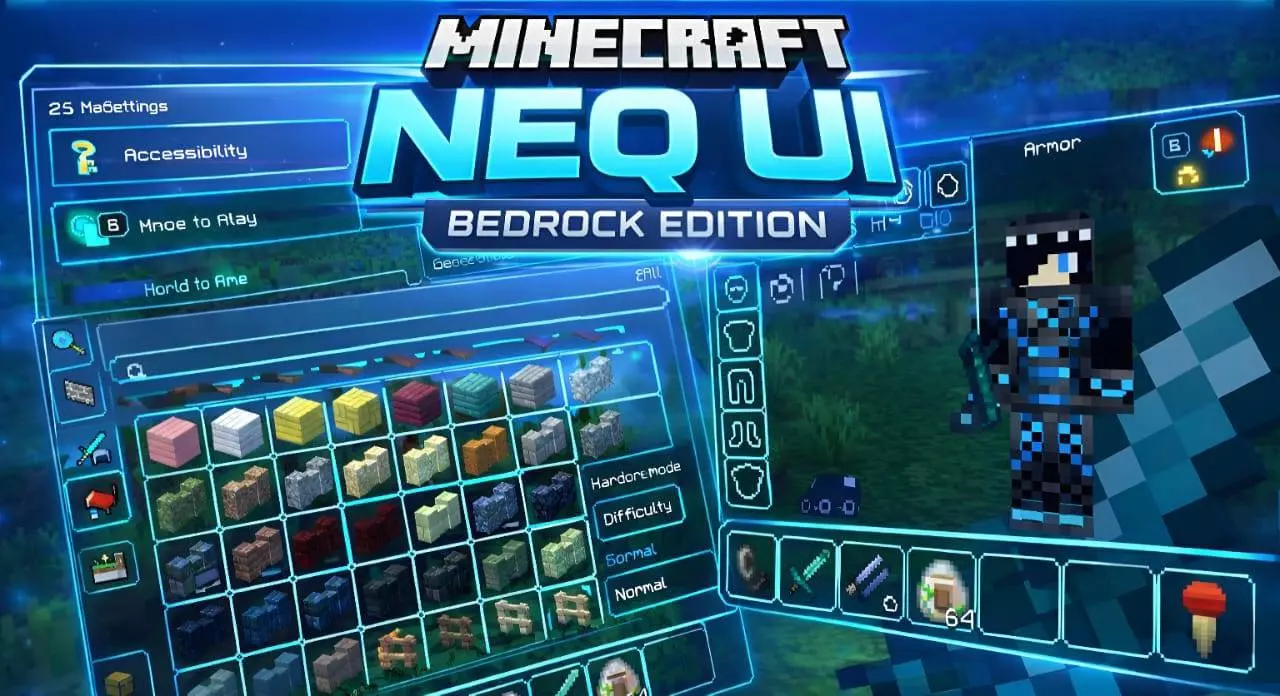
Clean UI Mod is basically NEQ UI: a full UI makeover for players who feel like the default screens get in the way. The pack’s whole vibe is “less noise, more game,� swapping out the old-school clunk for a modern look that’s meant to feel cleaner and easier to read. If you spend a lot of time bouncing between inventory, crafting, settings, and menus, this is the kind of change you notice every single session.
The biggest win is the minimalist aesthetic. When your HUD and menus are less bulky, your brain isn’t constantly filtering through visual clutter, especially during fast moments when you’re managing items mid-cave run or reorganizing your hotbar before a fight. Clean UI Mod is aiming for that distraction-free feel where the important stuff stays clear, and everything else stops screaming for attention.
It also leans into “streamlined menus� and a more intuitive flow, which matters whether you’re building or surviving. In creative, you’re usually in and out of menus constantly while placing blocks and tweaking ideas, so a cleaner interface can make long build sessions feel less tiring. In survival, it’s more about speed and clarity—finding what you need faster, checking things quickly, and getting back to moving instead of staring at screens.
A practical way to use Clean UI Mod is to treat it like a comfort upgrade, not a flex. Give yourself a couple play sessions to adjust, then you’ll start feeling how much smoother your routine is when menus aren’t fighting your eyes. Clean UI Mod is for anyone who wants Minecraft Bedrock to feel more modern, more readable, and less messy—without changing the actual gameplay, just how you interact with it.
Installation Mod:
- Download the .mcaddon / .mcpack;
- Open the file to import into the game;
- In World Settings → Resource Packs and Behavior Packs, enable it (turn on Experiments if needed);
- Have fun!
Comments (0)