Sidebar Management Addon
- 17-03-2025, 17:47
- 973

Sidebar Management Addon customizable, dynamic sidebars with various information for the player. A good sidebar gives players the information they need without making them stop and ask. Sidebar Management lets you create custom displays for Minecraft Bedrock, complete with live data, animations, and layouts tailored to your server.
The addon uses placeholders to bring changing information onto the screen. For example, %player_name% displays a player’s name, %score_kills% shows their kill count, and %date% adds the current date. You can combine those with your own text to create a sidebar that suits the world your community plays in. A PvP arena might put each player’s kills near the top, while a survival server could use the space for a welcome message and other useful information. The display updates as the relevant data changes, so it can feel more personal than a static notice. Choose the details that matter most to your players and arrange them where they’re easy to spot during a busy session.
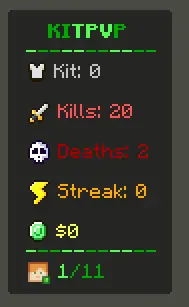
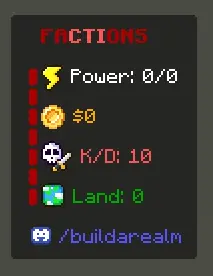
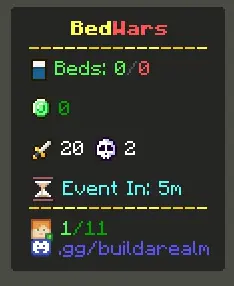
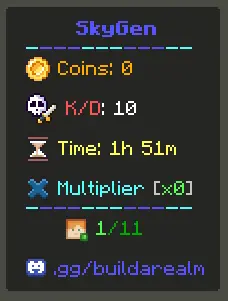
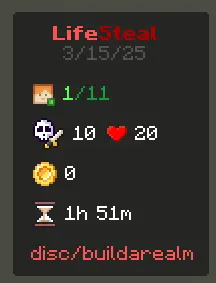
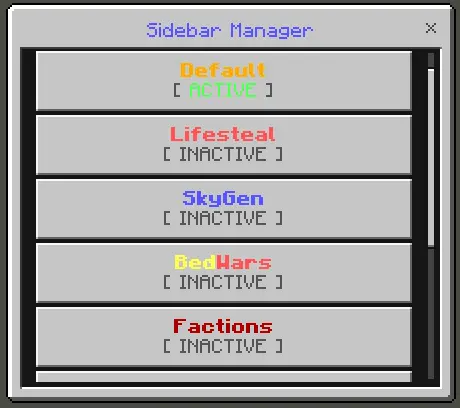
There’s room to give the panel some personality, too. Sidebar Management supports animations, custom emojis, and mathematical expressions, opening up more options for the way information appears. A coin emoji can add a visual cue beside a currency-related line, while an animated element can draw attention to a heading or event. You can create presets with up to 50 lines of customizable content, though a shorter display may be easier to read while playing. Think about what players will actually want to glance at between building, fighting, and exploring. A clear heading, a few useful stats, and some well-placed visual details can make the sidebar feel like part of your server rather than a wall of text covering the action.
The preset system is useful when your server hosts more than one kind of activity. Create one layout for everyday survival, another for a combat event, and a different one for a minigame night, then switch between them as needed. The in-game management menu lets you create and edit presets, work with animations, and adjust their content without rebuilding the display from scratch. Use the -sidebar command to open that menu; there are also options for changing the command prefix and resetting settings to their defaults. For server owners who enjoy giving their community a distinct look, Sidebar Management makes that small corner of the screen much more useful. Show players the stats they care about, add a touch of style, and keep the display ready for whatever your world is doing next.
Installation:
- Download Mod;
- Open the downloaded file to install;
- Select it in the settings;
- Have fun!
Comments (0)