Auto Companions Mod / Addon
- 16-01-2026, 14:22
- 2 129

Auto Companions (Minecraft Bedrock) — little robots, big chores off your plate
Ever wanted a crew that doesn’t argue, doesn’t eat, and just… works? Auto Companions turns your survival world into a tiny job site where bots handle the grind while you focus on the fun. Craft one with 6 Stone + 1 Redstone Block + 1 Iron Block, then drop the tool in the center slot to decide the role: pickaxe for a Miningbot, axe for Lumberbot, sword for Attackbot, hoe for a Farmingbot. Place, step back, and let them cook.
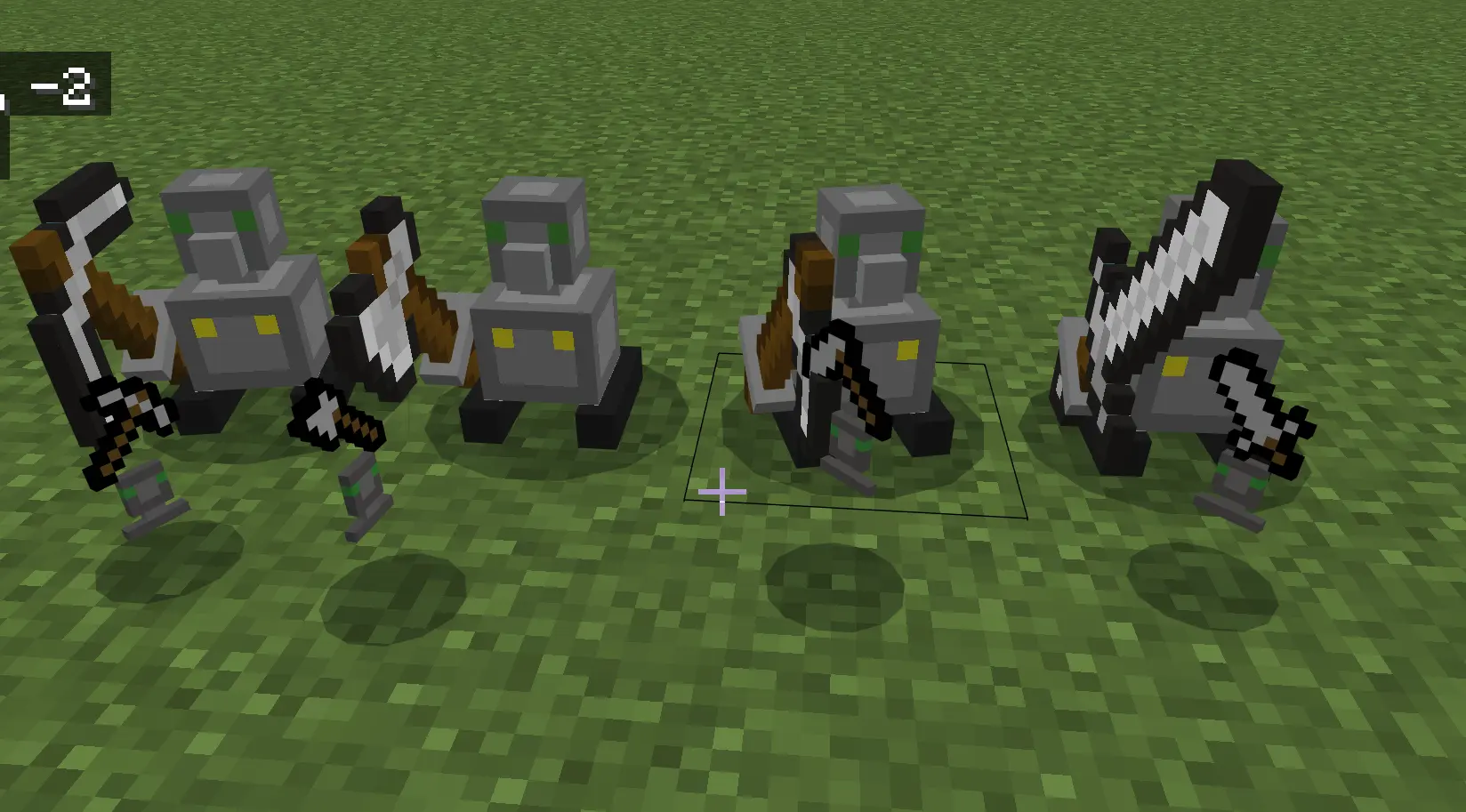
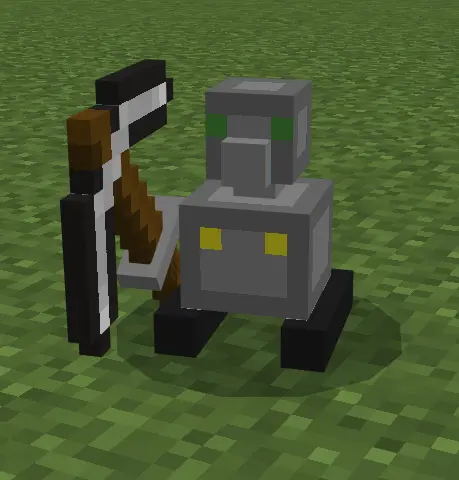
Your wheat is ready, the storage room needs expanding, and you’re somehow out of wood again. Auto Companions brings a crew of little robots to Minecraft Bedrock so you can put a dent in that to-do list without doing every chore yourself.
There are four types of companions, each with a job: mining, chopping wood, farming, or fighting hostile mobs. To craft one, you’ll need six stone blocks, a redstone block, an iron block, and the tool that determines its role. Put a pickaxe in the center slot for a Miningbot, an axe for a Lumberbot, a hoe for a Farmingbot, or a sword for an Attackbot. Once your robot is ready, place it where you want it to work. It’s a straightforward way to add some automation to a survival world without turning your base into a massive redstone project.
The Miningbot breaks the four closest blocks around it, making it handy when you want to clear space for a room or tidy up a tunnel. Set one to work near the future site of your storage area while you deal with the rest of the build. Aboveground, the Lumberbot focuses on logs: it chops the nearest four and breaks the wood above them, which makes taking down trees much less of a hassle. That’s particularly useful when a building project eats through your entire wood supply and you still have a roof left to finish. Keep a chest close by for the materials you collect, and you’ll have a convenient place to sort everything before the next trip.
Farmingbot might become your favorite if you’re tired of stopping to harvest dinner. It works across a 9-by-9 area, gathering mature crops and replanting them as it goes. Wheat, carrots, and potatoes can all be part of the setup, so there’s room to grow more than one kind of food. Try arranging your farm around that working area and giving the bot a flat space to operate. A fence around the plot can also help keep your farm organized. You’ll still need to decide what to grow and what to do with the harvest, but checking every row yourself doesn’t have to be part of the routine.
Then there’s Attackbot, your small but determined guard. It attacks hostile mobs within a two-block radius, so placement matters: put it near a doorway or another spot where enemies tend to get close. Don’t expect it to defend an entire base from one corner, but it can lend a hand while you’re busy nearby. Together, the four companions make a nice addition to a world where there’s always one more task waiting. Start with the job you put off most, see how the robot fits into your setup, and add another when you need it. You might finally get that storage room finished before running out of wood again.
Out in the mines, the Miningbot chews the four closest blocks around it, perfect for squaring tunnels or flattening a room for a new base wing. Up top, Lumberbot is whole-tree madness—chips the nearest 4 logs, then auto-breaks everything above, so forests vanish clean and replanting isn’t a headache. The Farmingbot is the MVP for early food: it sweeps a 9×9 plot, harvesting only grown crops and replanting as it goes—wheat, carrots, potatoes, you name it—so one pass tops off your kitchen. And when nights get spicy, park an Attackbot by your door; it slaps anything hostile within a 2-block radius, which is just enough to keep creepers honest while you sort chests.
Couple of tips from testing: set bots on a flat pad so they don’t waste cycles on cliffs, ring farms with fences so the Farmingbot stays efficient, and keep a chest nearby to dump the haul before inventories explode. If you want Minecraft Bedrock to feel busier, cleaner, and way less grindy, Auto Companions is that sweet “work smarter, not harder” add-on you’ll never uninstall.
Installation:
- Download Mod;
- Open the downloaded file to install;
- Select it in the settings;
- Have fun!
Comments (0)