The Wild Environment Mod / Addon
- 5-03-2026, 02:56
- 1 122
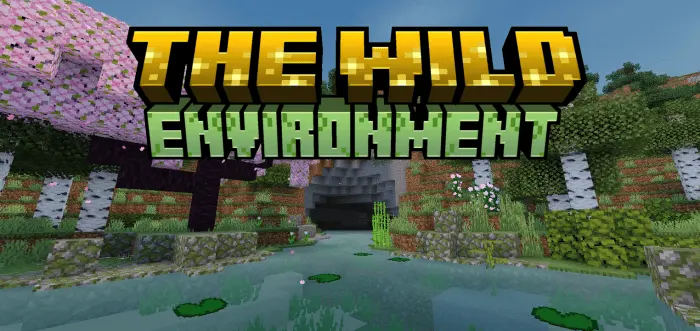
The Wild Environment Mod is for players who love the default look of Minecraft but always felt the world was just a bit too empty. Instead of dumping in brand-new biomes or weird custom blocks, it quietly upgrades what’s already there. Forests, plains, mountains, swamps—everything you already know—get more plants, more undergrowth, and extra tree variations, so the terrain feels naturally overgrown instead of flat and bare. You wander into a forest and it actually looks like a forest, not a few sticks with leaves scattered on a flat floor.
Because The Wild Environment Mod doesn’t add new blocks, it stays perfectly in line with vanilla style and works great with any texture pack you’re already using. Grass patches feel thicker, bushes and wild trees fill the gaps between big trunks, and little clusters of wildflowers give biomes a lot more color without turning them into a cartoon mess. From a distance, the world silhouette feels familiar, but when you walk through it, there’s enough detail to make exploring way more fun and screenshot-friendly.
It’s perfect for survival players and builders who want better scenery without changing how the game plays. Your bases look better just by existing in richer terrain. Your travel routes feel more scenic, and any custom builds—castles, villages, fantasy houses—sit in landscapes that actually match the effort you put into them. If you want your worlds to feel fuller, greener, and more “alive,� but still unmistakably vanilla, The Wild Environment Mod is exactly in that sweet spot.
Installation Mod:
- Download the .mcaddon / .mcpack;
- Open the file to import into the game;
- In World Settings → Resource Packs and Behavior Packs, enable it (turn on Experiments if needed);
- Have fun!
Comments (0)