Better Fps (Fps Boost) – Resource Pack
- 8-06-2026, 06:58
- 618
Mods 1.26 / Mods 1.21 / Mods 1.20 / Textures
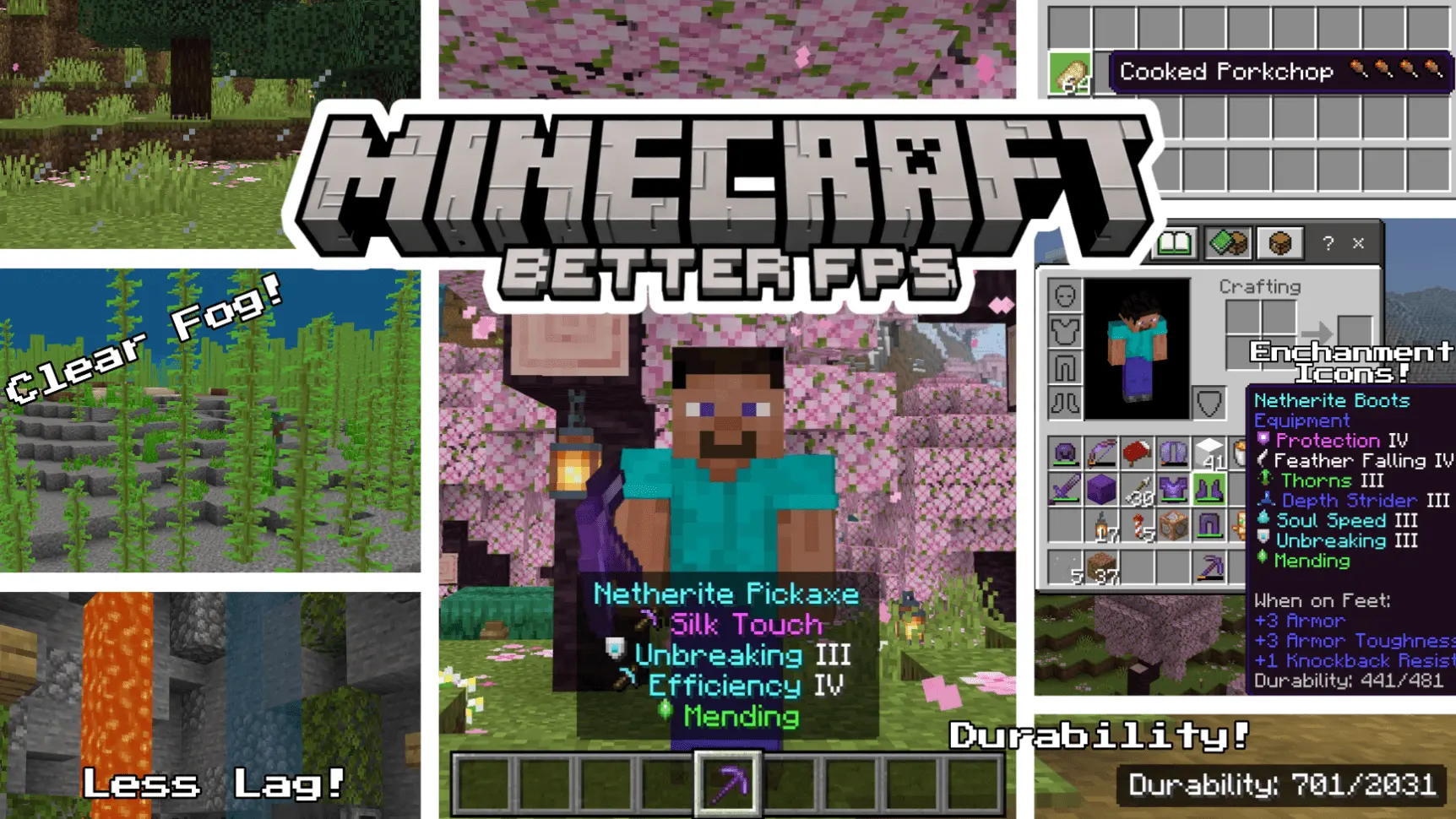
BETTER FPS (FPS Boost) - PVP resource pack to improve the speed of combat, by increasing the FPS in the game Minecraft. Choppy frame rates and nasty thermal throttling will ruin a sweat-session faster than a point-blank creeper ambush, but the Better FPS (FPS Boost) Resource Pack is built specifically to bail out your hardware without making your sandbox look like an unplayable mudslide.
Instead of forcing you to look at blurry, chopped-up low-res textures, this optimization pack gets surgical under the hood. It targets the actual visual culprits that quietly choke Bedrock's rendering engine—the endless looping frame animations, bloated particle effects, and heavy atmospheric fog layers. The second you apply it, your screen frees up massive GPU and CPU overhead. Water and lava drop their resource-heavy multi-frame animations in favor of static textures, glowing Nether portals stop flickering constantly, and bubble columns in ocean trenches stop chewing through your system memory. Everything stays true to the classic vanilla art style, but your device runs cooler and your frame pacing feels completely unlocked.
What makes this pack a genuine standout is the customizable subpack slider tucked directly inside the pack settings. You aren’t forced into a single compromise. If you just want a reliable performance kick while keeping your world visually rich, running the Default mode strips out nearly fifty heavy particle emitters while overhauling biome fog definitions for crystal-clear render distances. But if you're rocking a budget Android phone, an older tablet, or trying to squeeze out triple-digit frames on a laptop during server scrims, sliding into Max FPS mode engages total lockdown. It trims well over 170 particle types, freezes campfires and kelp into single-frame blocks, and strips environmental clutter to guarantee buttery response times.
Beyond raw performance numbers, the built-in quality-of-life perks turn this into an essential daily driver. You get clean, seamless borderless glass across every stained variant, eliminating those obnoxious streak lines that ruin your base windows. Food icons feature tiny hunger drumstick indicators so you know the exact saturation and hunger points each snack restores before wolfing it down, complete with instant skull warnings on poisonous bites like raw chicken or pufferfish. Enchanted books and gear receive color-coded labels and bespoke pixel-art icons, letting you immediately tell combat enchants apart from utility perks inside chaotic storage chests. Holding a shield even benefits from a lowered, low-detail profile, keeping your right-hand screen clear so nobody can sneak-attack your blind spot during clutch PvP exchanges.
Competitive duelists on The Hive or Bedwars will notice an immediate difference where it matters most: your crosshair. When input delay vanishes, landing sprint-reset combos, tracking evasive targets, and timing split-second water drops suddenly feels instantaneous. You don't have to deal with jittery camera pans or thumbstick lag right as splash potions burst all over your screen.
Because this runs strictly as an ultra-lean `.mcpack` resource pack, setup takes five seconds. Drop it into your global resources, pick your preferred performance tier via the gear icon, and jump straight into your favorite survival seed, private realm, or multiplayer lobby. It leaves your game behavior code untouched, keeping Xbox achievements fully active. Stop letting stuttery frame drops dictate how you play—slap on the Better FPS Resource Pack and claim the buttery-smooth gameplay your client deserves.
Installation:
- Download Texture;
- Open the downloaded .mcpack to install;
- Select texture in settings;
- Done.
Comments (0)