Advanced Clock Addon
- 13-09-2026, 12:09
- 175
Let's be real, the vanilla Minecraft clock is basically useless after your first few days in a new world. The Advanced Clock Add-On completely changes the game by transforming that forgotten golden pocket watch into a highly functional, interactive time-management tool right inside your HUD.
Normally, you just craft a clock once, throw it in an item frame at your base, and never look at it again. But if you are managing massive crop farms, tracking specific potion durations, or coordinating server events on your favorite custom survival maps, you need something way better. This Minecraft Bedrock addon takes that basic item and turns it into a powerhouse utility mod. By simply right-clicking the clock in your hand, you instantly pull up a sleek, modern interactive menu where you can set up custom countdown timers, track activities with a precise stopwatch, and even build automated text reminders based on elapsed periods. It gives you all the crucial information you need without cluttering up your vision or blocking your hotbar during intense combat or complex building sessions.
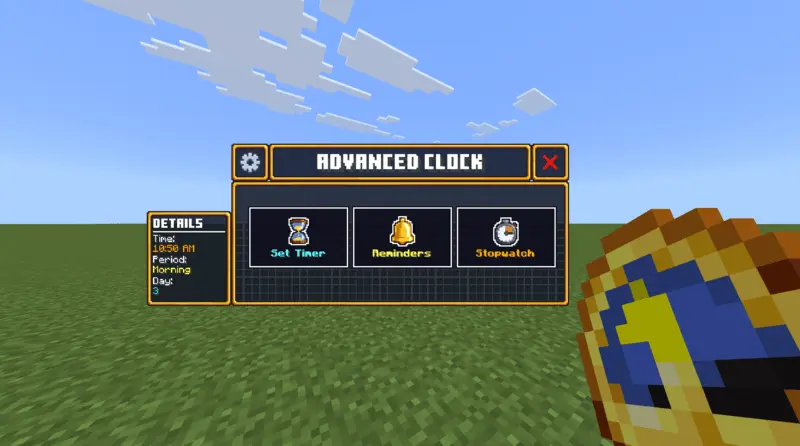
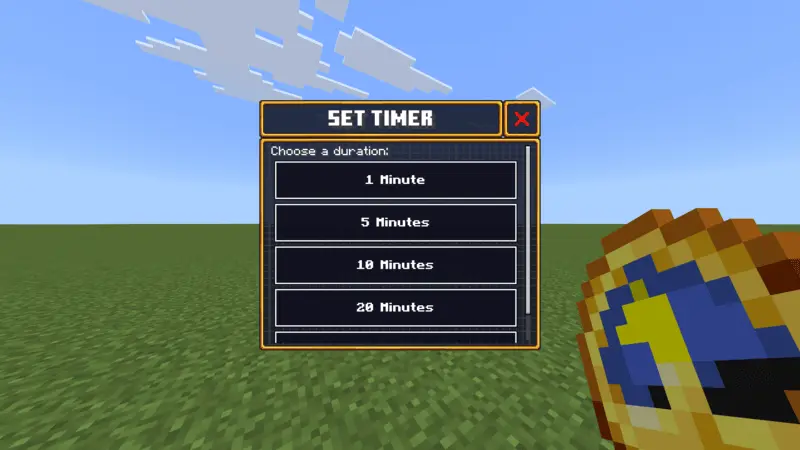
The absolute coolest feature in this entire pack has to be the Real-Time Sync system. If you are an admin running a massive Bedrock realm, you can literally link the in-game daylight cycle to directly follow the actual real-world clock. This creates a ridiculously immersive experience where the sun actually sets in your survival world at the exact same time it gets dark outside your real bedroom window. It completely changes the vibe of multiplayer servers and makes late-night gaming sessions feel incredibly atmospheric. Even better, you do not have to worry about constantly re-entering your data every time you log off, because the script automatically saves all your active settings and customized reminders straight to the world memory.
Since this tool relies on clean, highly optimized coding, it is entirely lightweight and perfectly survival-friendly. You can confidently drop it into any of your active MCPE mods loadouts without causing any annoying server lag or compatibility glitches. You get to finally ditch all those confusing command blocks and messy redstone timer circuits you used to rely on. If you are looking for the ultimate way to stay organized, manage your daily resource grinds, and elevate your standard survival gameplay, you absolutely need to craft this upgraded tool right now.
Installation Mod:
- Download the .mcaddon / .mcpack;
- Open the file to import into the game;
- In World Settings → Resource Packs and Behavior Packs, enable it (turn on Experiments if needed);
- Have fun!
Comments (0)