SWAILA - Simple What Am I Looking At Addon
- Today, 13:30
- 27 249

SWAILA - Simple What Am I Looking At Addon is similar to the WAILA mod which will show you information about items, blocks and mobs.
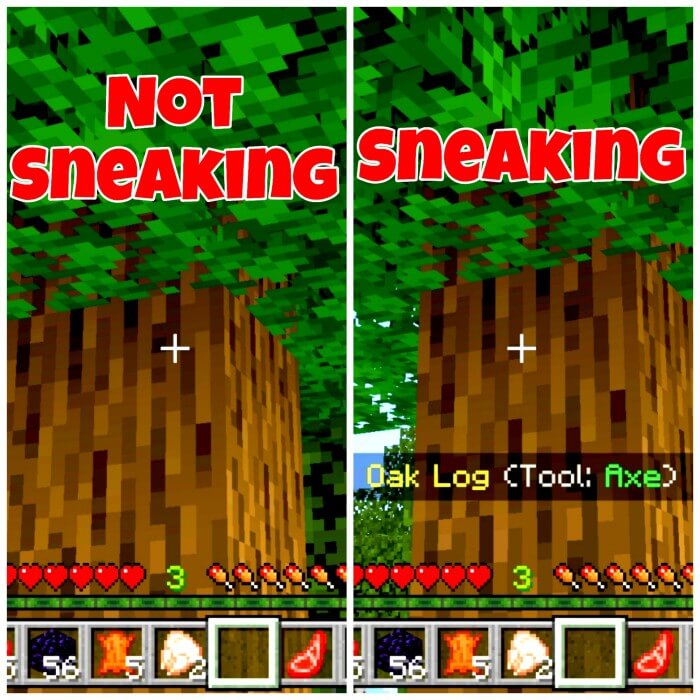
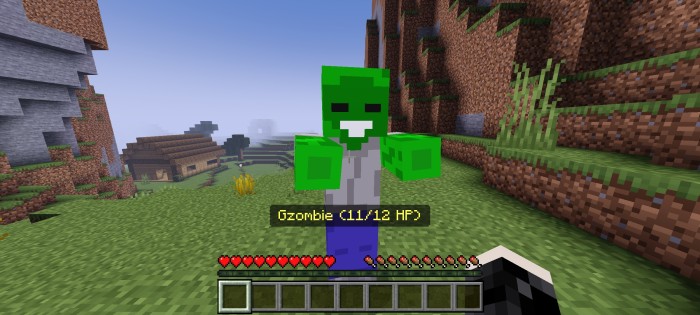

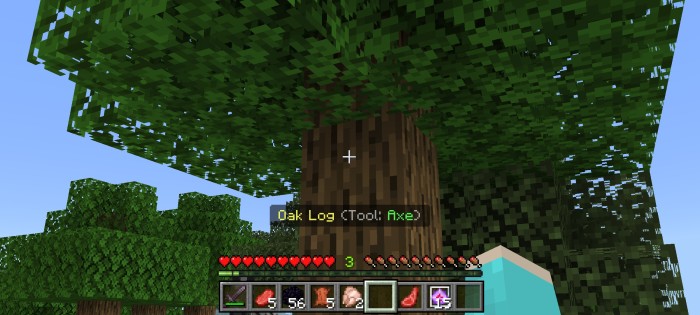
You’re renovating a Minecraft house and can’t remember which block the original builder used for the walls. Point at it with SWAILA installed, and the answer is right there on your screen.
SWAILA stands for Simple What Am I Looking At, and it does exactly what its name suggests. This Minecraft Bedrock addon puts useful information about the block, item, or mob you’re looking at into a small on-screen display. Instead of stopping to search through your inventory or asking a friend what they used, you can check the object in front of you and get back to playing. It’s a small change, but one you’ll likely notice most when it isn’t there.
Builders have plenty of reasons to keep it around. Say you’re exploring a village, spot a roof design you like, and want to use the same materials in your own base. Look at the blocks to identify them as you inspect the build. The same trick comes in handy when you return to an unfinished project after a long break and can’t remember what went into that wall. Minecraft has a lot of similar-looking stone and wood variants, especially once you start mixing in stairs and slabs. Having a quick reference makes matching materials less of a guessing game.
The display also works with mobs, so you can check information about creatures you encounter while exploring. That’s handy when you’re getting familiar with a world or playing with content that adds things you don’t immediately recognize. Look at the creature, read the information available, and decide what you want to do next. You’ll still need to pay attention to your surroundings, though; stopping to inspect something is a bold move when a skeleton is already shooting at you.
SWAILA keeps its interface simple, which makes it a good fit for players who want extra information without covering the screen in menus. It doesn’t ask you to change your usual survival routine. Go mining, work on your base, or wander through a friend’s build as normal, and use the display whenever something catches your eye. It can be especially helpful if you’re learning Minecraft’s many block names or trying to explain a design to someone else on your world.
Installing it is straightforward on a device that supports Bedrock addon imports: open the downloaded .mcaddon file with Minecraft, wait for the import, and activate the addon in your world settings. Then load into the world and point at a nearby block to check the display. The linked download is SWAILA 2.0, so make sure it works with your game version; newer releases may include additional information. Once it’s running, that mystery block in your half-finished house should be much easier to identify.
Installation:
— Download McPack
— Install McAddon or McPack files, just open it for this;
— Select new textures in the settings;
— Done.
Comments (0)