Lynx's Post Processing – Shader
- 30-09-2025, 13:33
- 1 427

Lynx’s Post Processing — a stylized shader pass that rides on top of Vibrant Visuals and makes Minecraft Bedrock look like you’re playing through a camera lens instead of a flat frame. It doesn’t touch gameplay; it’s pure post. You get ACES tonemapping for balanced highlights and shadows, volumetric fog that actually feels like air in the scene, a bit of chromatic aberration at the edges for that analog vibe, and fake depth of field to push backgrounds soft when you want the subject to pop.
Out in survival, the mood shift is immediate. Sunrise over a plains base rolls off smoother, torches carve cleaner pockets in caves, and Nether bridge runs pick up that furnace glow with fog catching the light. I took it on an Elytra lap and the world felt straight-up cinematic—distant rooftops blur just enough that your landing zone becomes the star. During raids and dungeon crawls, silhouettes stay readable as long as you don’t go wild with screenshots mid-fight; it’s still the same hit timing and movement, just with nicer grading and atmosphere hanging in the air.


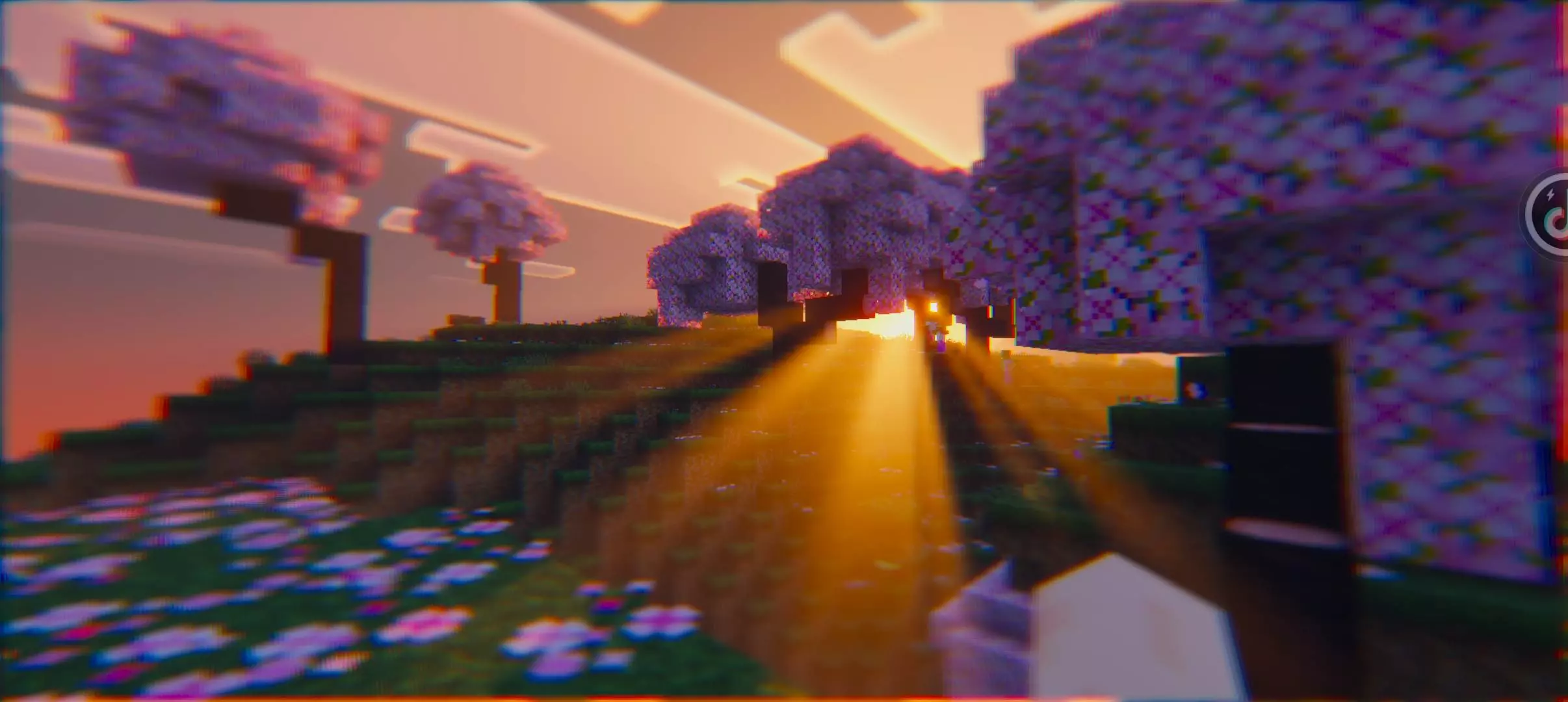
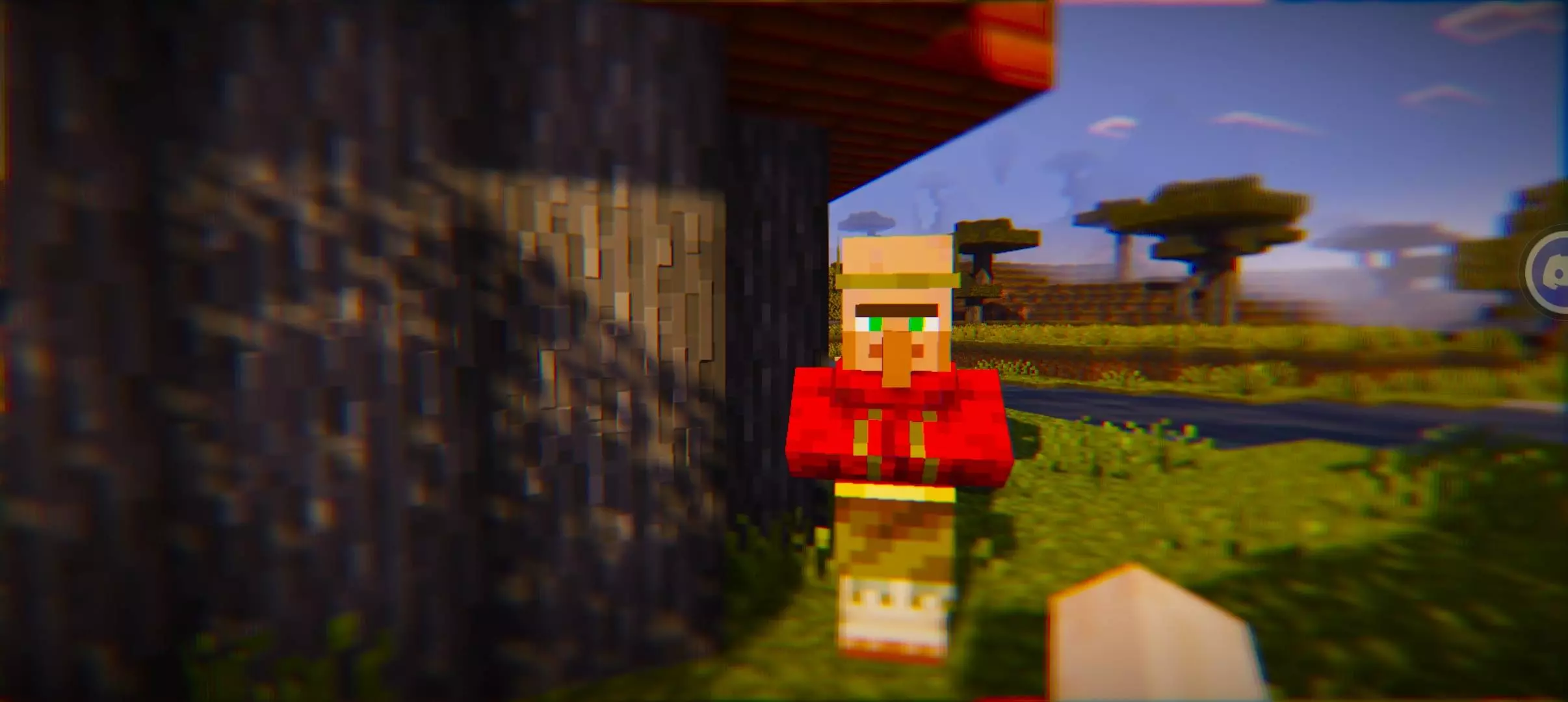
A familiar Minecraft landscape can look surprisingly different when the light starts to fade. Lynx’s Post-Processing adds a cinematic edge to Minecraft Bedrock with color effects, softer focus, and thicker-looking fog.
This shader builds on Vibrant Visuals, so its effects are most noticeable when you’re already playing with that graphics mode enabled. It doesn’t add new mobs or change how you survive. Instead, it changes how the world appears on screen. A forest can feel moodier in the distance, while a mountain build might look more dramatic when the fog settles around it. The actual result depends on the scene and the lighting, so you’ll probably notice the difference more in some places than others.
One of the effects is chromatic aberration, which adds a slight separation of colors around parts of the image. It’s the kind of detail you might recognize from camera lenses or cinematic games. Depth of field brings another camera-inspired touch by softening parts of the view. That can make a screenshot of your base look great, though it may also make distant details harder to see when you’re scouting terrain.
The shader also enhances volumetric fog and uses ACES tone mapping to adjust how colors and brightness are presented. In practice, those changes can give bright skies, shaded areas, and distant scenery a different feel. Try standing on a hill at sunset, then head underground or into a dense forest to see how the same effects work across different settings. If you spend a lot of time photographing builds, exploring scenic worlds, or making Minecraft videos, there’s plenty here to experiment with.
Installation takes more work than importing a typical resource pack. Lynx’s Post-Processing uses material shaders, which require a compatible shader loader. On Android, MB Loader is one option; Windows players can use tools such as Matject or Better RenderDragon. You’ll also need a Minecraft Bedrock setup that supports Vibrant Visuals. Installation on iOS can be trickier because of platform restrictions, so check the instructions for your device and the specific version you download before getting started.
Performance and appearance can vary between devices, especially when extra visual effects are active. After installation, test the shader in a world you know well: walk through a village, look across a valley, and visit your usual mining spot. That gives you a useful comparison without having to guess what changed. If the blur or color fringing gets in the way during normal play, the pack might be better suited to screenshots or creative sessions than long survival runs. For players who enjoy a more cinematic look, though, it’s an interesting way to give familiar scenery a different mood.
It’s built to pair with Vibrant Visuals, and the showcase pack used was Prizma, but you can keep your usual textures—this sits after them. Install flow is simple: import via your patched Bedrock setup or MB loader, make sure Vibrant Visuals is active, then enable Lynx’s Post Processing so the post layer takes priority. No links, no extra hoops. If you’re chasing that “record button is always tempting” look—better tone mapping, thicker light shafts, softer backgrounds, and a touch of film-style fringing—this pack delivers. Flip it on for builds, scenic travel, or full survival runs and let Minecraft Bedrock breathe with a proper post stack.
Installation:
- Download Texture;
- Use Minecraft PE
- Open the downloaded .mcpack to install;
- Select texture in settings;
- Done.
Comments (0)