Xiao Sakura Shader
- 23-02-2026, 10:25
- 752
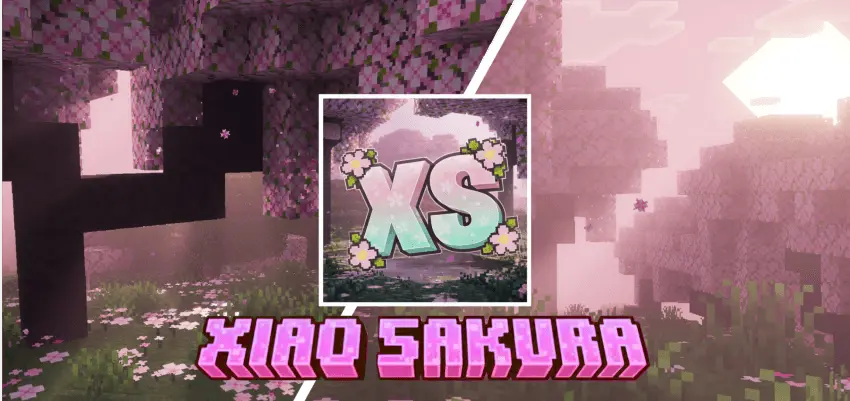
Xiao Sakura Shader is a Vibrant Visuals based shader pack built specifically for the new Vibrant Visuals rendering mode in Minecraft Bedrock, so it’s clearly focused on that newer visual style from the start. The overall theme is inspired by the soft elegance of cherry blossom season, and that shows up right away in the mood it creates when you load into a world.
The biggest thing you notice is the atmosphere. Ambient fog and bloomed lighting give everything a gentler look, so even familiar places can feel fresh without looking overdone. It doesn’t read like a dark or dramatic shader from the description—it sounds more like a calm visual layer that makes your world feel warmer and more relaxed. That kind of vibe works really well when you’re doing slower gameplay stuff like base building, walking around your village, or just exploring around spawn instead of speedrunning tasks.


The animated flora is also a nice detail in the description because it adds motion to the environment without changing gameplay mechanics. That kind of visual movement can make outdoor areas feel less static, especially when you’re traveling, gathering resources, or setting up a build in open terrain. If you like making scenic houses, gardens, or cozy paths, the cherry blossom-inspired mood sounds like the main reason to use Xiao Sakura Shader. It’s the kind of pack that can make simple builds feel better just because the lighting and atmosphere are doing more work.
One important thing from the provided info is that it requires the latest Minecraft version in Beta/Preview, so this is not being presented as a standard setup for older versions. If you’re testing worlds, taking screenshots, or just want a softer visual style while playing, Xiao Sakura Shader sounds like a good fit for that peaceful, pretty look. Xiao Sakura Shader feels aimed at players who want a gentle world atmosphere first, with ambient fog, bloomed lighting, and animated flora shaping the whole visual mood.
Installation:
- Download Shader;
- Open the downloaded .mcpack to install;
- Select texture in settings;
- Done.
Comments (0)