Sakura Prime (Ferous) – Shader
- 6-03-2026, 12:05
- 584
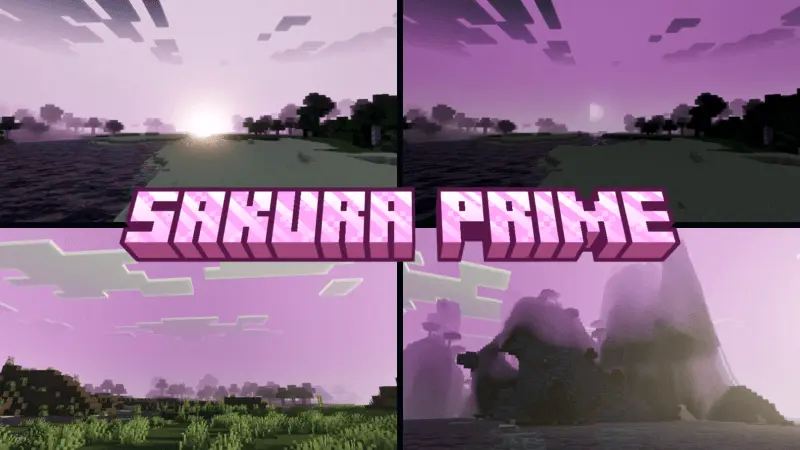
Sakura Prime (Ferous) – Shader is perfect for spring, it is made in the style of Japanese Sakura. This shader will appeal to players who love beautiful graphics. Sakura Prime is the kind of shader you might want to try after finishing a build and realizing you have barely stopped to look at it. Maybe it is a small house beside a cherry grove, with a bridge you spent far too long getting right. Or perhaps it is just the first shelter you made in a new survival world. Either way, the shader gives the scene a softer appearance inspired by Japanese cherry blossoms. The change is meant to feel calm and balanced, so there is room to notice the shapes of your buildings and the landscape around them. Walk along a familiar path with Sakura Prime active, and you may find yourself stopping at places you usually pass without a second thought.


The shader works with lighting and color to create that look. Its description mentions adjustments to white balance, tone mapping, and midtones—the parts of the image that fall between the brightest and darkest areas. In practical terms, these settings influence how colors and brightness come together across a scene. Sakura Prime also includes PBR, a rendering technique that affects how materials respond to light. You do not have to change the way you build to try it out. Load an existing world, look at a stone wall, a wooden roof, and the trees around your base, then see how the overall image feels to you. The idea is to give the world a more polished appearance while keeping the mood gentle and peaceful.
A cherry grove makes an obvious place to start, especially if you have already built something among the pink trees. Follow a path through the grove and look back toward your house from a little distance. If there is a garden nearby, try viewing it from the entrance as well as from a hill above it. Sakura Prime can suit a Japanese-inspired project, but your build does not need a particular theme. A fishing cabin, a farm, or a village square can all be good places to see how the shader handles a familiar scene. If you like taking screenshots, experiment with the composition instead of trying to fit everything into one picture. A doorway framed by leaves or a roof peeking over a hill may tell you more about the atmosphere than a wide shot of the whole base.
You can install Sakura Prime by opening the downloaded pack in Minecraft and selecting it in the resource pack settings. Once it is active, give yourself a little time to get used to the change. Visit your base first, then head somewhere you have not built anything at all. A natural landscape can be just as interesting to revisit as a finished project, and it gives you a chance to decide whether you like the shader during everyday play. There is no need to start a new world or put your survival plans on hold. Take it along while gathering wood, exploring a grove, or looking for a place to build your next home. Sakura Prime is for those moments when you want Minecraft to feel a little softer and have a reason to linger over the view.
Installation:
- Download Shader;
- Open the downloaded .mcpack to install;
- Select texture in settings;
- Done.
Comments (0)