Slenderman Skinpack (30+ Skins)
- 1-10-2025, 07:52
- 1 108
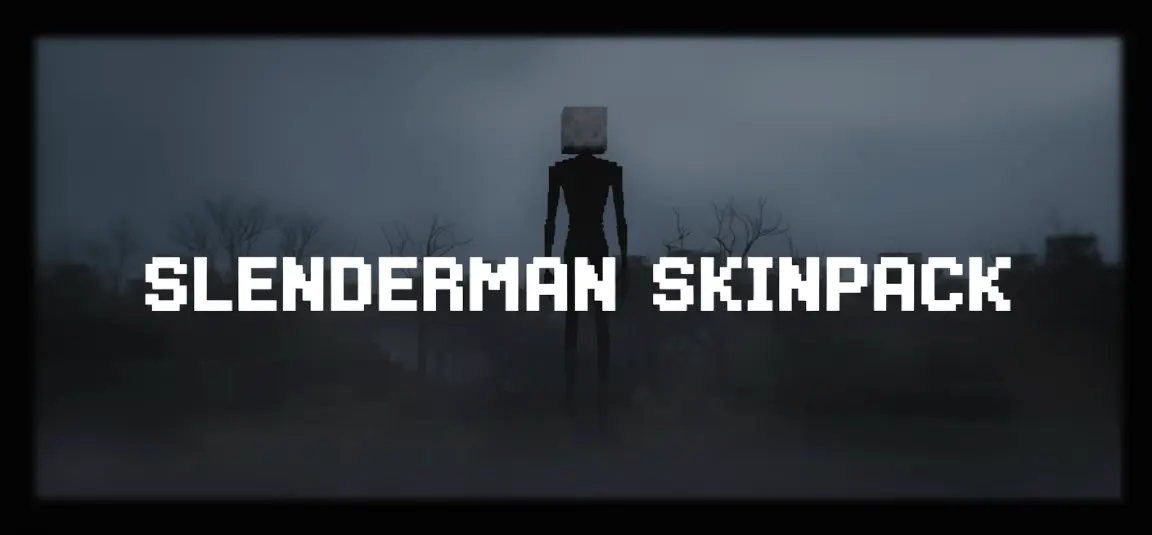
Slenderman Skinpack (30+ Skins) — a gallery of tall, unsettling silhouettes built for stalking trails at midnight in Minecraft Bedrock. You’re getting a whole roster of Slender-styled fits: razor-clean suits, stretched proportions, and color passes that lean cold—ghostly blues, bruised purples, and venom-green accents. Drop one on and you instantly read from across the map as “the thing in the treeline,” which is exactly the point.
Your friend swears they saw someone standing between the trees. They turn around to get a better look, and you’re already gone.
The Slenderman Skinpack brings a collection of unsettling looks to Minecraft Bedrock, built around the familiar faceless figure in a suit. There are plenty of variations to browse, including designs with muted purple, blue, and green tones. The project’s updated collection lists 30 skins, so you can pick one that fits your favorite horror map or keep a few different looks ready for your next server event.
A dark forest is an easy place to put the skin to work. Wait near the edge of a clearing while your friends are gathering wood, stand still long enough for someone to notice, and then slip behind a tree. You don’t need a complicated prank for that first moment of confusion. It works just as well near an abandoned house, at the end of a dim hallway, or across the river from a base where somebody is working late.
If your group likes minigames, make a hide-and-seek map with one player as the hunter. Build a forest trail with small cabins, winding paths, and a few hiding places, then give everyone else a head start. The hunter can choose a Slenderman skin while the other players try to reach a safe area. Swap roles between rounds so everyone gets a chance to be the figure in the trees—and a chance to find out how unsettling it is when that figure suddenly appears nearby.
The different color variations are handy when you want a change from the usual dark-suited look. Try a blue-toned skin on a snowy map, a green one around a swamp, or a purple design for a trip through a shadowy build. You can also use them for screenshots or a short horror story with friends. A character standing motionless at the far end of a path can make an ordinary Minecraft scene feel a lot more suspicious.
This is a skin collection, so it changes your character’s appearance without adding a Slenderman mob or giving you supernatural abilities. You’ll have to provide the scares yourself. To install it, open the downloaded .mcpack file with Minecraft Bedrock and let the game import it, then choose a skin from the Dressing Room. The linked page offers an earlier file, while the project also has a newer release; check the version and its skin selection before downloading. Once you’ve found your favorite, pick a quiet spot and wait for someone to look your way.
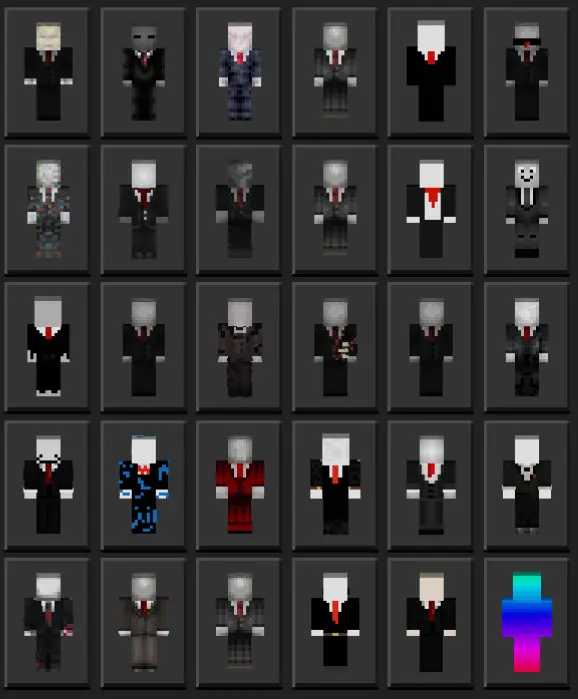
I ran these in survival nights and on a couple horror maps, and the vibe is spot on. Step out of the fog line near a spruce forest and watch chat go quiet. Lurk around abandoned structures, stand perfectly still at the edge of torchlight, then vanish the second someone turns—a classic bit that never gets old. On servers, the skins are clutch for hide-and-seek, manhunt, or any custom event that needs a “hunter” role. The silhouettes are clean, so teammates can call positions quickly during chaos, and screenshots hit hard when your figure is framed against moonlit clouds or a rain-soaked village road.
This is pure cosmetics—no stat tweaks, no weird hitboxes—so achievements and timing stay stock Minecraft Bedrock. The pack plays nicely with dark shaders or moody resource packs if you want to lean harder into the horror. I like anchoring a main look for raids, then swapping to a tinted variant for special nights: green for swamp runs, blue for icy biomes, deep purple for Nether hub patrols. Whether you’re filming a short, hosting a spooky realm event, or just want that “do not follow me” presence in lobbies, Slenderman Skinpack (30+ Skins) nails the menace. Pick a shade, hold still longer than is comfortable, and let the silence do the work.
How to Install Skins in Minecraft Bedrock
- Download a .png skin (64×64 or 128×128).
- Open Minecraft Bedrock.
- Go to Profile (hanger icon) → Edit Character.
- Tap Owned → Import → Choose New Skin.
- Select your .png file.
- Pick a model: Classic (Steve) or Slim (Alex).
- Confirm to equip and play.
Comments (0)