EmoPrints 2 Skin Pack
- 1-10-2025, 16:21
- 665
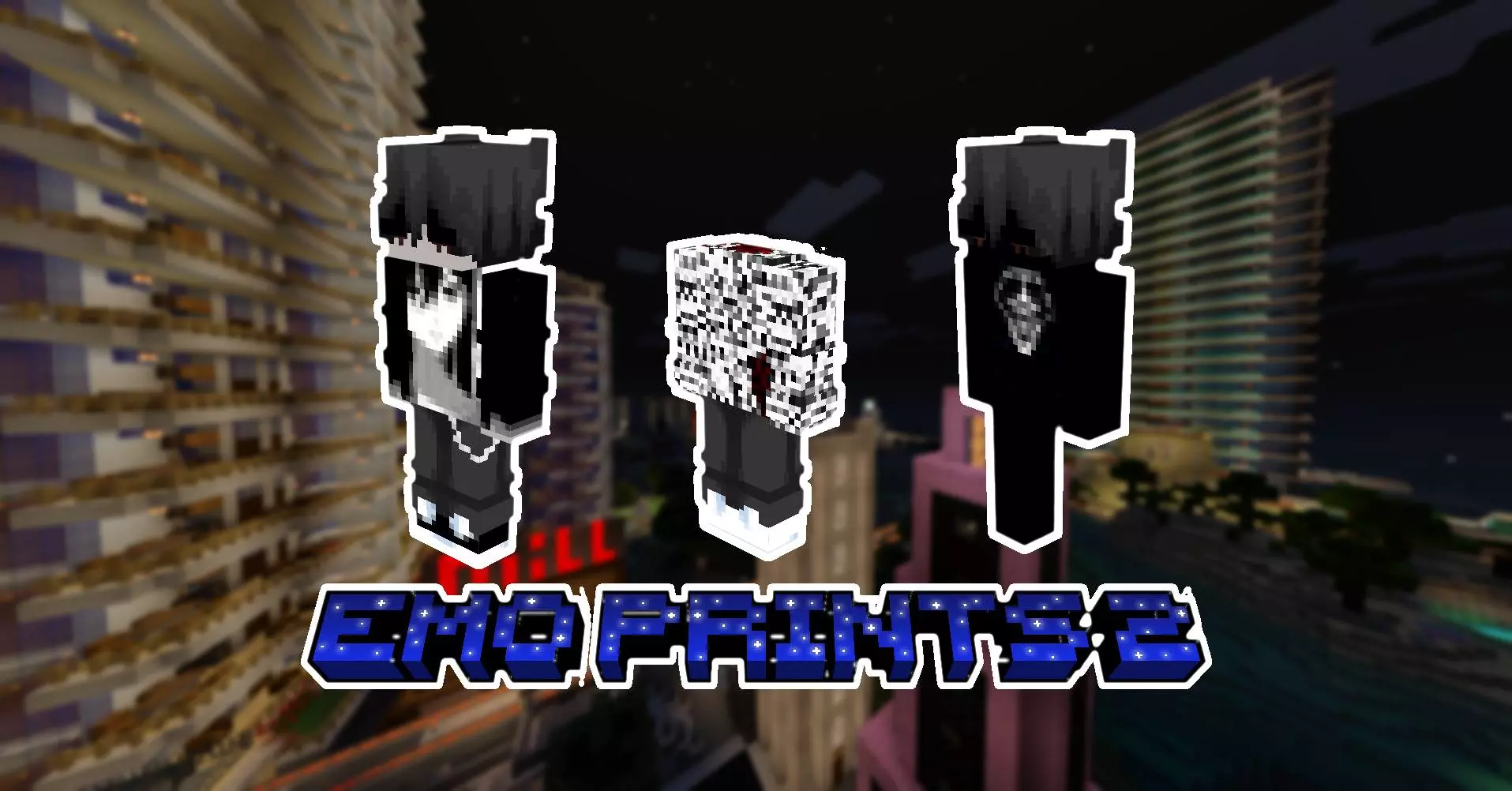
EmoPrints 2 — a sharp, moody skin set that lets you walk into Minecraft Bedrock looking like the headliner of a midnight gig. Each of the six HD 128×128 designs leans hard into emo prints and cyber-grunge textures, with stitched details and splattered accents that read from a distance without turning into visual noise up close. It’s all cosmetic, no gameplay tweaks, just a clean way to switch your vibe from ordinary adventurer to “don’t ask me about the backstory” in one click.
I ran these through survival, PvP, and a quick building session and the look holds. In raids, the silhouettes stay crisp under torchlight and rain, so teammates can spot you while you kite around villager houses. In caves, the darker palettes sit perfectly against deepslate and lava glow, which makes screenshots feel intentional instead of random snaps. For roleplay nights, the torn seams and print work sell the character before you say a word; you can be the quiet fixer in the trading hall, the late-shift scout in the Nether, or the brooding architect polishing a city block at 2 a.m. The HD resolution pays off in thumbnails and reels—textures read clean without clashing with vanilla blocks.


Some Minecraft skins are made to blend in. EmoPrints 2 brings six detailed emo designs to Bedrock for players who want their character to make more of a statement.
The collection leans into cyber-grunge textures, bold prints, torn seams, and blood-splatter details. Each skin uses a 128-by-128 texture, leaving room for finer artwork than a standard-resolution skin. That extra detail is worth a closer look in the Dressing Room: turn the character around, check the outfit from different angles, and see which design catches your eye. The six skins share an alternative aesthetic, but you don’t have to commit to just one for every session. Pick a favorite for your main survival world, then swap to another when you want a different look for a minigame or a group build. If you like character designs with a darker edge, the prints give you something more distinctive to wear while you’re out doing perfectly ordinary Minecraft things—like collecting wood for the fifth time because you miscounted how many stairs your roof needed.
The style can be a good starting point for a character or a build. A city apartment, an underground music venue, or a little workshop tucked between tall buildings would make an interesting home for an EmoPrints character. If roleplay is your thing, choose one of the skins and come up with your own story for them. Are they the person who keeps the town’s redstone machines running, or the friend who always volunteers to explore a cave first? The pack leaves that part to you. It also gives a group of friends a shared visual theme without everyone having to wear the same skin. Pick different designs, gather outside your latest project, and take a group screenshot before heading out. The detailed textures are especially fun to inspect up close, so try a few camera angles if you like recording your builds or keeping pictures of your adventures.
To add EmoPrints 2 to your collection, open the skin pack file with Minecraft and look for it in the Dressing Room after importing. Preview the six options, choose the one that fits your character, and head back into your world. This is a cosmetic pack: the prints and outfit details change your appearance, while your tools, armor, and survival plans are still your own. If you play on a server, its settings can affect how custom skins are displayed, so check those if your chosen look doesn’t appear as expected. EmoPrints 2 is a solid pick for anyone who likes emo fashion with a bit of cyber-grunge and wants that style in Minecraft Bedrock. Wear it while building a late-night city, meeting friends for a game, or making another attempt at a cave you probably should have brought more torches into.
Getting it running is painless. Import the .mcpack, open Minecraft Bedrock, pick your skin, and jump straight back into your world on Android, iOS, Windows, or console. Achievements and hitboxes stay stock; you’re just swapping fits. Rotate through all six depending on the plan—lighter print for market days, heavier grunge for boss runs—and your realm’s photos start to look curated instead of random. If you want a pack that actually matches the late-night grind energy of Minecraft Bedrock while staying practical in fights and builds, EmoPrints 2 nails the mood with HD clarity and zero fuss.
How to Install Skins in Minecraft Bedrock
- Download a .png skin (64×64 or 128×128).
- Open Minecraft Bedrock.
- Go to Profile (hanger icon) → Edit Character.
- Tap Owned → Import → Choose New Skin.
- Select your .png file.
- Pick a model: Classic (Steve) or Slim (Alex).
- Confirm to equip and play.
Comments (0)