Dragon Ball Skin Pack
- 1-10-2025, 11:41
- 1 274
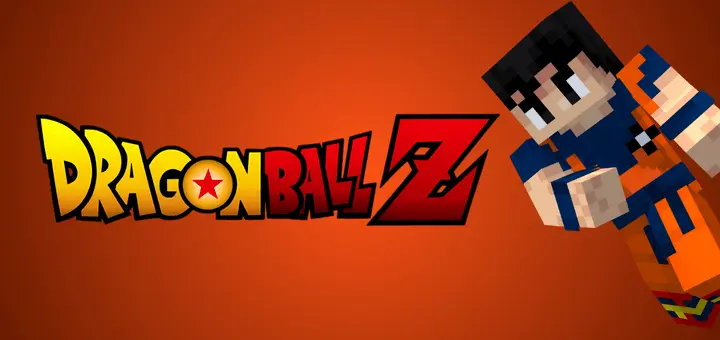
Dragon Ball Z Skin Pack — a character bundle that lets you drop straight into Minecraft Bedrock looking like you fell out of a tournament arc. It’s a tight roster of nine recognizable heroes and villains, tuned for clean silhouettes and that unmistakable spiky-hair, battle-armor vibe. I threw it on for a survival night and the tone shifted instantly: same crafting, same fights, but the squad looked like a squad.
Your Minecraft arena is ready, your friends have picked sides, and somebody is already shouting about power levels. The Dragon Ball Skin Pack brings nine anime-inspired hero and villain looks to Bedrock for the battle—or building project—ahead.
The collection takes its cues from Dragon Ball Z, with character designs that bring the series’ fighter style into Minecraft’s blocky world. Expect the sort of dramatic hair and battle-ready looks that feel right at home in a tournament setting. The nine skins give you a selection of heroes and villains, so take a look through the character screen and choose the fighter you want to represent. The listing doesn’t provide a full roster of names, which makes the preview screen the best place to check for your favorite. Once you’ve found a look you like, take it into a world you already know and see how it fits. A village raid, a trip through the Nether, or a showdown with the Ender Dragon can feel like a different kind of event when your character looks ready for an anime battle. You’ll still need to bring the sword and armor yourself, though.
For a multiplayer night, build an arena and let everyone pick a character before the first round. It doesn’t need to be enormous: a marked platform, some spectator seating, and a chest for equipment are enough to get a friendly tournament going. Set the rules with your group, choose whether everyone gets the same gear, and see who stays on the platform longest. Between rounds, switch skins if you want to play a different rival or give the next matchup a fresh look. If fighting other players isn’t your thing, the same group can team up for a cave expedition or defend a village together. The skins make it easy to give the team a shared Dragon Ball theme while each player chooses a look they enjoy. Take a group screenshot before heading out, because there’s a good chance everyone’s armor will be covering their outfits once the trouble starts.
Solo players can use the pack to give an ordinary survival project a tournament-arc mood. Build a training ground beside your base, practice with a bow, or create a path through the mountains leading to a remote battle arena. A desert plateau, snowy peak, or large open field can make a great setting for screenshots, especially if you like staging scenes from your adventures. The pack changes your appearance; it doesn’t grant flight, energy attacks, or extra strength. Your character may look like they’re ready to save the world, but a creeper can still catch you off guard while you’re admiring the scenery. Import the pack, open Minecraft’s character selection screen, and browse the nine designs before choosing one to wear. Whether you’re organizing a tournament with friends or just want some Dragon Ball style while gathering resources, there’s a fighter ready for your next session. Now all you need is a worthy opponent—and perhaps a few spare golden apples.
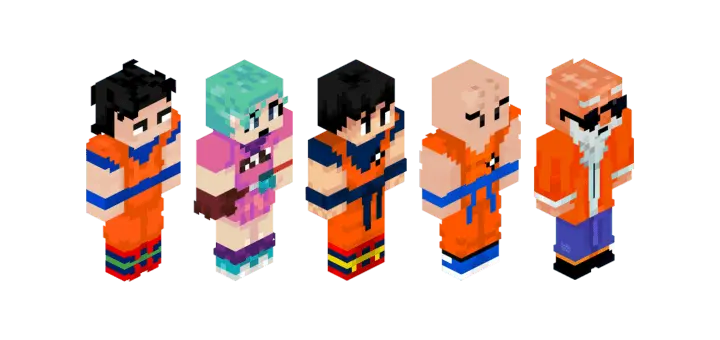
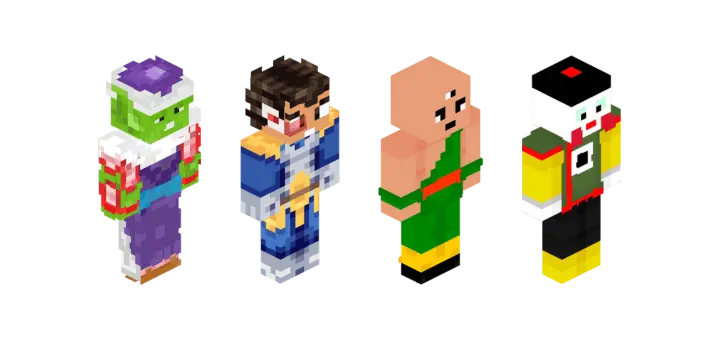
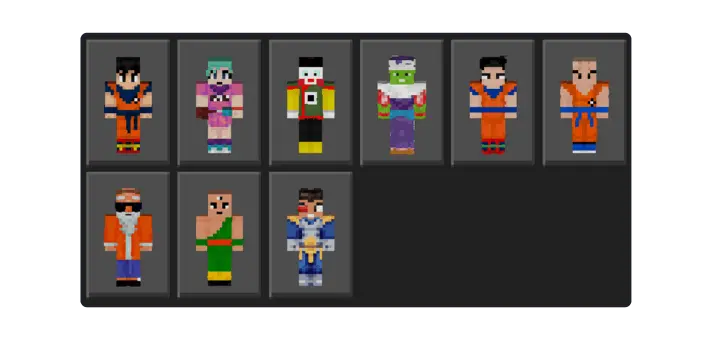
In moment-to-moment play, the skins read great. Sprinting into a village raid, your team’s silhouettes pop through smoke and rain, so callouts stay crisp when things get loud. Caves are even better—torches hit the hair and armor lines just right, which makes screenshots look like you planned a poster instead of snapping mid-swing. On servers, it’s easy to sort roles at a glance: one of you anchors defense, another plays the speedy flanker, and the big-bad skin holds center stage in duels. Building sessions get some flavor too; I ran an arena build with the pack equipped and every progress shot felt like a story beat.
This is pure cosmetics for Minecraft Bedrock—no stat changes, no weird hitboxes, achievements stay on—so you keep your normal loop while your look does the heavy lifting. Swap skins between rounds to match the mood: hero for co-op runs, rival for PvP, wildcard for boss hunts. It also plays nice with shaders and resource packs; bright biomes, moody nights, and Nether glow all sell the characters without clashing with vanilla blocks. If you’ve been itching to bring that Dragon Ball Z intensity into your world—raids, parkour, Elytra fly-bys, the whole deal—this pack nails the vibe and keeps it simple: pick a legend, load in, and go throw hands the Minecraft Bedrock way.
How to Install Skins in Minecraft Bedrock
- Download a .png skin (64×64 or 128×128).
- Open Minecraft Bedrock.
- Go to Profile (hanger icon) → Edit Character.
- Tap Owned → Import → Choose New Skin.
- Select your .png file.
- Pick a model: Classic (Steve) or Slim (Alex).
- Confirm to equip and play.
Comments (0)