Technoblade Skin
- 20-11-2025, 08:28
- 1 478
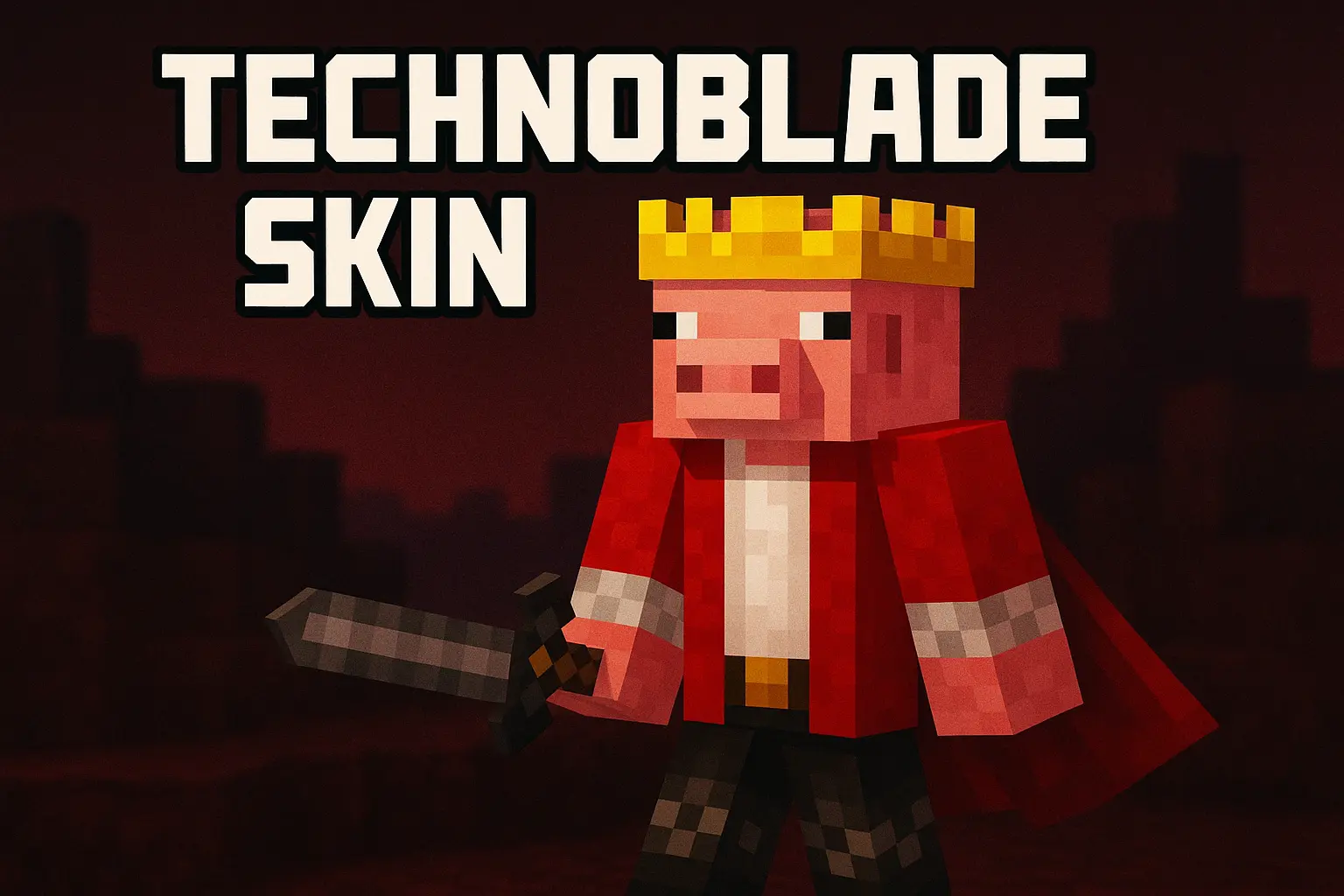
Technoblade Skin is all about locking in that legendary “pig king� persona every time you join a world. Instead of a random default look, you’re running around as a crowned, pig-themed fighter that instantly gives off confident PvP energy. It works just as well in chill survival as it does in intense duels, but the whole vibe definitely leans toward, “yeah, I win fights.�
Throw on the Technoblade Skin before you queue into Bedwars, Skywars, or any PvP arena, and it instantly feels like you’re playing a little more serious than usual. Friends and other players recognize the look right away, which makes it fun for manhunts, challenge runs, or just grinding on a Realm while everyone knows who the main character is. It fits great with combat-focused playstyles, speedrunning attempts, and late-night grind sessions.

Since Technoblade Skin is purely visual, it doesn’t touch your hitbox or gameplay at all. You keep the same movement, same reach, and same balance as everyone else — you just look like the king of the pigs while you’re swinging. If you want a single skin you can stick with across worlds and servers, this one is a strong identity piece to main.
How to Install Skins in Minecraft Bedrock
- Download a .png skin (64×64 or 128×128).
- Open Minecraft Bedrock.
- Go to Profile (hanger icon) → Edit Character.
- Tap Owned → Import → Choose New Skin.
- Select your .png file.
- Pick a model: Classic (Steve) or Slim (Alex).
- Confirm to equip and play.
Comments (0)