Cat Boy Maid Skin
- 21-11-2025, 09:45
- 1 146

Cat Boy Maid Skin is for when you want your character to look completely not-serious but still kind of iconic. You load into a world and everyone instantly knows you’re not here to play it straight.
In a normal survival run, Cat Boy Maid Skin turns every basic chore into a joke. You’re mining, sorting chests, fixing creeper holes, but you’re doing it dressed like the house staff for some cursed anime mansion. It hits even harder when you show up to “help� your friends and start sweeping through their base, reorganizing stuff while meowing in chat. The gameplay doesn’t change, but the mood in voice call definitely does.
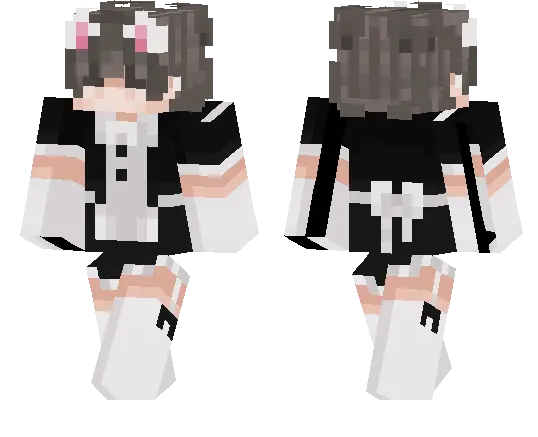
On SMPs this skin basically makes you the server mascot. You can run café builds, hang around spawn greeting new players, or just show up to events like the chaotic host who lost the dress code memo. Cat Boy Maid Skin also works great for dumb screenshots and short clips, because the outfit already looks like a meme. If your group likes turning serious grinds into inside jokes, this skin fits right into that energy.
How to Install Skins in Minecraft Bedrock
- Download a .png skin (64×64 or 128×128).
- Open Minecraft Bedrock.
- Go to Profile (hanger icon) → Edit Character.
- Tap Owned → Import → Choose New Skin.
- Select your .png file.
- Pick a model: Classic (Steve) or Slim (Alex).
- Confirm to equip and play.
Comments (0)