Dream Skin
- 21-11-2025, 10:18
- 1 213
Dream Skin is that kind of skin you put on once and just keep using because it feels right. It’s a clean green hoodie, white mask, comfy pants – nothing extra, nothing glowing all over the place – just a chill look that still stands out in a lobby or on a busy server. You still get that “Dream-style� feeling, but it’s clearly a fan version, so it doesn’t look like you just grabbed a rip of the original.
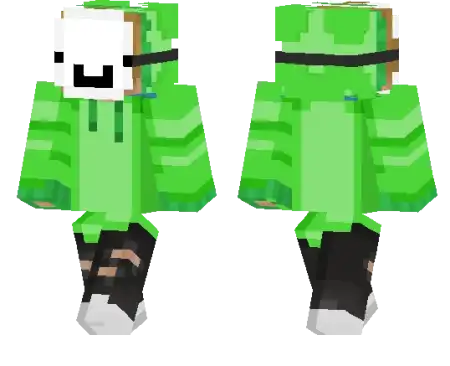
It works great anywhere: speedrunning worlds, PvP arenas, skywars, bedwars, or long SMP seasons with friends. When you’re rushing a village, clutching a fall with a water bucket, or trying to escape a stacked player, this skin looks natural in screenshots and clips. Your teammates will recognize you by the green hoodie instantly, even from far away on bridges or in caves.
There’s no pay-to-win nonsense or special hitbox tricks here. Dream Skin doesn’t change gameplay at all – it just gives you a clean, iconic main skin that feels good to use every day. If you like simple skins with a bit of YouTube speedrunner energy, this one fits right in.
How to Install Skins in Minecraft Bedrock
- Download a .png skin (64×64 or 128×128).
- Open Minecraft Bedrock.
- Go to Profile (hanger icon) → Edit Character.
- Tap Owned → Import → Choose New Skin.
- Select your .png file.
- Pick a model: Classic (Steve) or Slim (Alex).
- Confirm to equip and play.
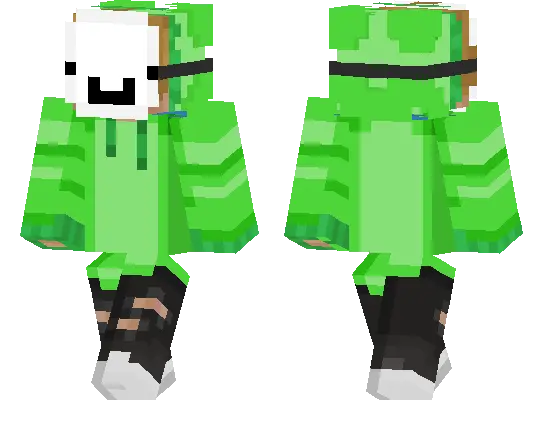
It works great anywhere: speedrunning worlds, PvP arenas, skywars, bedwars, or long SMP seasons with friends. When you’re rushing a village, clutching a fall with a water bucket, or trying to escape a stacked player, this skin looks natural in screenshots and clips. Your teammates will recognize you by the green hoodie instantly, even from far away on bridges or in caves.
There’s no pay-to-win nonsense or special hitbox tricks here. Dream Skin doesn’t change gameplay at all – it just gives you a clean, iconic main skin that feels good to use every day. If you like simple skins with a bit of YouTube speedrunner energy, this one fits right in.
How to Install Skins in Minecraft Bedrock
- Download a .png skin (64×64 or 128×128).
- Open Minecraft Bedrock.
- Go to Profile (hanger icon) → Edit Character.
- Tap Owned → Import → Choose New Skin.
- Select your .png file.
- Pick a model: Classic (Steve) or Slim (Alex).
- Confirm to equip and play.
Comments (0)