Mask Collection Skin Pack
- 2-12-2025, 16:32
- 1 101
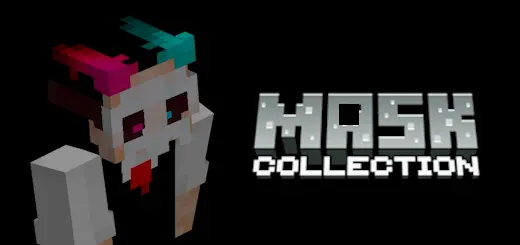
Mask Collection Skin Pack is all about changing your vibe without changing your whole character every time. Instead of another plain hoodie or default-style skin, every look in this pack is built around a mask – classy, creepy, or straight-up futuristic. You get that feeling of “hidden identity� while still fitting right into normal Minecraft survival or server play. It’s the kind of pack you throw on when you want people to recognize your silhouette instantly in screenshots and lobbies.
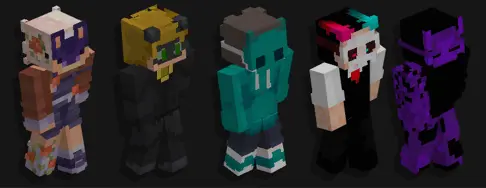
Some skins lean into that elegant masquerade party style, with masks that feel like you’ve walked out of a royal ball and straight into a dungeon run. Others go the opposite direction with rough, tribal-style coverings that look perfect for hardcore survival, jungle bases, or ritual-themed builds. Then you’ve got the modern and sci-fi side: sleek cyber visors, tech-style masks, and designs that look right at home in city maps, futuristic hubs, or PvP arenas with guns and gadgets.
What makes the Mask Collection Skin Pack nice is how flexible it is for different worlds. On a roleplay server, you can use masks to tell stories—mysterious vigilante in the city, quiet hunter out in the woods, masked mercenary working out of a desert base. On regular survival, it’s just a fun way to stand out without going full clown suit or meme skin. Throw on a masked character, spin up your favorite texture or shader pack, and your player instantly feels more like a “main character� instead of just another default. If you like a bit of mystery and you want your Minecraft Bedrock skin to actually say something about your personality, Mask Collection Skin Pack fits right in.
How to Install Skins in Minecraft Bedrock
- Download a .png skin (64×64 or 128×128).
- Open Minecraft Bedrock.
- Go to Profile (hanger icon) → Edit Character.
- Tap Owned → Import → Choose New Skin.
- Select your .png file.
- Pick a model: Classic (Steve) or Slim (Alex).
- Confirm to equip and play.
Comments (0)