OS's Naruto Skin Pack
- 22-12-2025, 12:11
- 1 496
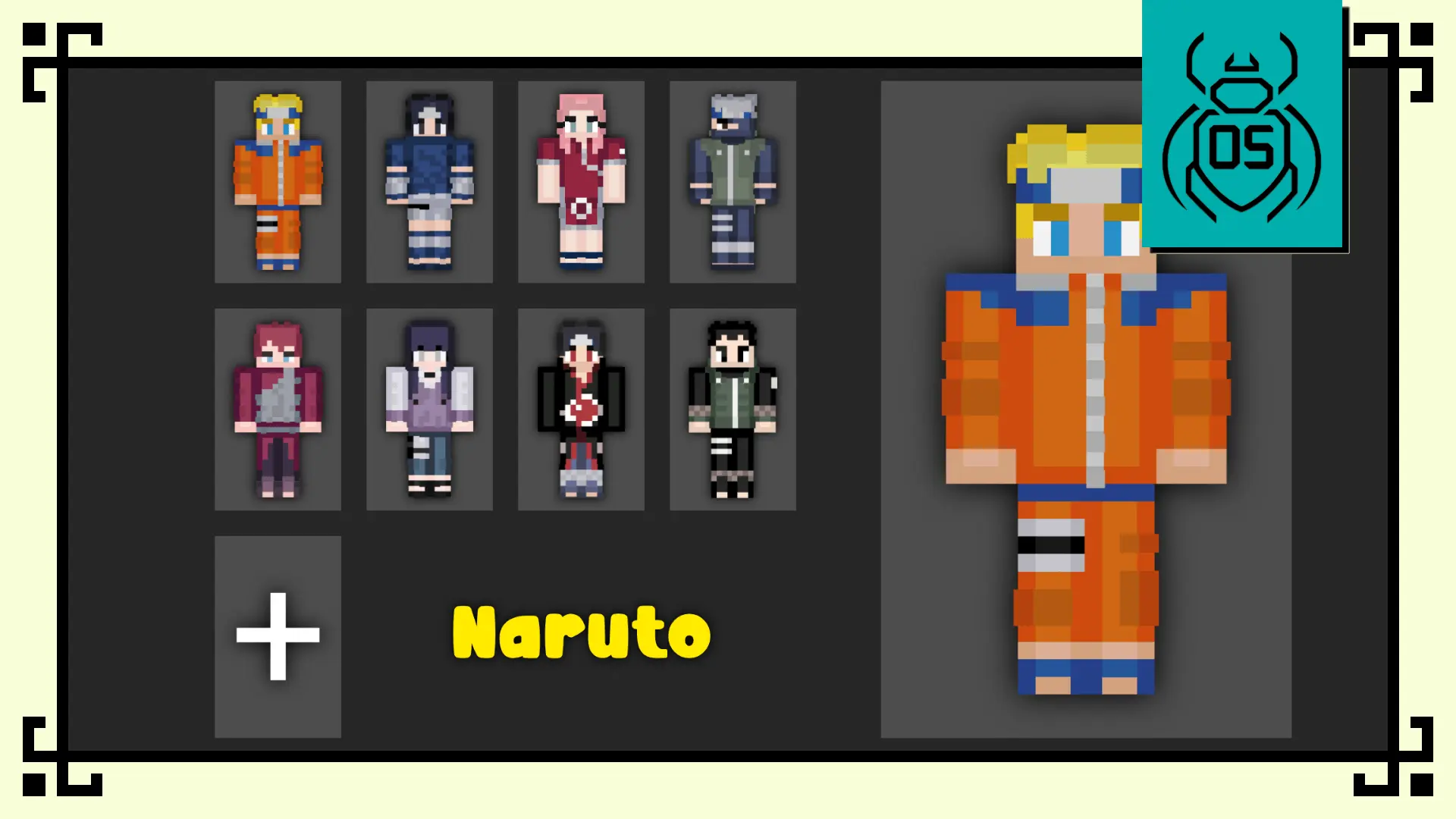
OS's Naruto Skin Pack is basically a “pull up to the server looking like a collectible figure” kind of pack. It’s called the Funko Box Skin Pack – Naruto Edition, and the whole style is inspired by Funko-style character designs—cute proportions, collectible vibes, but still recognizable as the Naruto crew. It’s not trying to be edgy realism; it’s going for that clean, fun look that stands out the second you spawn in.
You get eight skins total, all built around iconic shinobi. Naruto Uzumaki comes in with that energetic, cheerful vibe, but still looking powerful in the Funko-inspired redesign. Sasuke Uchiha is the cooler, determined pick—perfect if you like the more serious look without losing the cute collectible style. Sakura Haruno is reimagined with a confident, charming feel, and Kakashi Hatake gets that calm, mysterious energy that just fits him, even in a stylized design. Gaara is here too with an intimidating-but-still-collectible look, which honestly is a funny combo that works great for roleplay or PvP lobbies. Hinata Hyuga leans into the cute and recognizable Byakugan-user vibe, Itachi Uchiha brings the darker stylish feel, and Shikamaru Nara rounds it out with the relaxed, clever look that matches his whole personality.


In real Minecraft Bedrock gameplay, packs like this are all about identity. You’re not changing mechanics, you’re changing how you show up. It’s perfect for multiplayer worlds where everyone wants a distinct look, for roleplay sessions where you want your character to instantly read as “that Naruto person,” or for creators who want skins that look clean in thumbnails and clips. A simple way to make OS's Naruto Skin Pack feel even better is to match it with themed builds—Hidden Leaf-style villages, training arenas, or just a chill base that fits the anime vibe—because the Funko-style proportions pop more when your surroundings aren’t a random dirt hut.
The big promise here is style consistency: Funko-inspired designs, cute collectible proportions, and characters that stay faithful to their identities. OS's Naruto Skin Pack is an easy win if you want your Minecraft Bedrock world to feel more anime and more fun without needing any complicated setup.
How to Install Skins in Minecraft Bedrock
- Download a .png skin (64×64 or 128×128).
- Open Minecraft Bedrock.
- Go to Profile (hanger icon) → Edit Character.
- Tap Owned → Import → Choose New Skin.
- Select your .png file.
- Pick a model: Classic (Steve) or Slim (Alex).
- Confirm to equip and play.
Comments (0)