Cat Collection Skin Pack
- 2-12-2025, 19:11
- 1 235
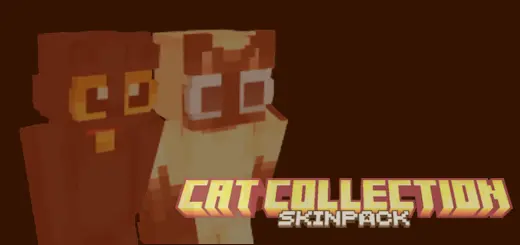
Cat Collection Skin Pack is made for players who treat every world like home and every base like a cozy little den. Instead of another generic hoodie skin, you’re dropping into your world as a full-on cat: fluffy, sleek, goofy, or somewhere in between. You’ve got calm, striped “living room� cats, mysterious black cats that fit spooky builds and nighttime roaming, and more stylized designs that lean into bright colors and cute shapes. It’s the kind of skin pack you throw on once and end up keeping for weeks, because it just fits everything from casual survival to big multiplayer servers.
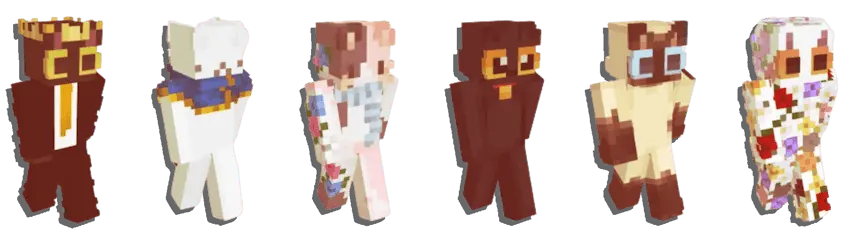
In normal survival, these skins feel perfect for players who like wandering villages, building warm starter houses, and chilling around campfires. A striped or ginger-style cat walking through a small cottage base instantly looks right, especially if you already keep in-game cats as pets. If you’re more into dark castles, witch huts, or moody shader nights, the black cat-style looks lock in that “quiet, sneaky, watching everything� energy without saying a word in chat.
On realms and servers, the Cat Collection Skin Pack is great for friend groups who want a theme without everyone looking identical. One player can be a relaxed house cat, someone else a sharp-looking black cat, and another a bright, stylized neko-style design that pops in screenshots. Whether you’re grinding, building, or just hanging out in lobbies, these skins add a low-key, fun identity to your character: instantly recognizable, a little playful, and always landing on their feet.
How to Install Skins in Minecraft Bedrock
- Download a .png skin (64×64 or 128×128).
- Open Minecraft Bedrock.
- Go to Profile (hanger icon) → Edit Character.
- Tap Owned → Import → Choose New Skin.
- Select your .png file.
- Pick a model: Classic (Steve) or Slim (Alex).
- Confirm to equip and play.
Comments (2)