Rose Fluff Skin Pack
- 9-01-2026, 13:05
- 894
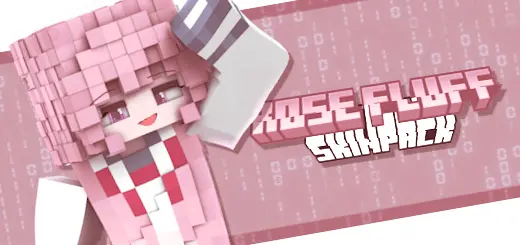
Rose Fluff Skin Pack is all about that soft, cozy, pastel energy—like your character just stepped out of a candy-colored dream and decided to go mining anyway. The pack’s whole theme is the blend of “sweet cloud” fluffiness with trendy pink style, so it’s aimed at players who want their skin to feel cute, cheerful, and unique without looking random. You’re getting designs that lean into pink vibes hard, with hair colors ranging from loud fuchsia locks to calmer pastel strands, plus an overall look that’s meant to feel soft and whimsical.


In Minecraft Bedrock, skins like this are perfect when you want your character to stand out in a way that’s friendly instead of intimidating. If you’re building a cozy base, decorating a village, making a flower garden, or just chilling with friends on a realm, Rose Fluff Skin Pack fits that mood instantly. Even if you’re doing serious survival stuff—cave runs, Nether trips, boss fights—there’s something funny and satisfying about showing up in a cute cloud-pink look and still handling business. It’s like, yeah, the skin is adorable… but you’re still the one bringing the loot home.
These kinds of soft-texture-inspired designs also work well for screenshots and social posts because the style reads clearly and feels intentional. If you like matching your skin to your build theme, this pack basically begs for pastel towns, rose gardens, cherry-themed areas, or any base that leans cozy and clean. And if you play multiplayer, it’s a vibe pick: it tells people you’re here for fun, creativity, and personality—not just sweat PvP.
Rose Fluff Skin Pack is a solid Minecraft Bedrock choice if you want an “adorable but still adventurous” look. It’s cheerful, pink-forward, and built around that soft cloud aesthetic, making your character feel like a walking burst of cozy style every time you log in.
How to Install Skins in Minecraft Bedrock
- Download a .png skin (64×64 or 128×128).
- Open Minecraft Bedrock.
- Go to Profile (hanger icon) → Edit Character.
- Tap Owned → Import → Choose New Skin.
- Select your .png file.
- Pick a model: Classic (Steve) or Slim (Alex).
- Confirm to equip and play.
Comments (0)