Villager Suits - Skin Pack
- 12-01-2026, 14:27
- 998

Villager Suits - Skin Pack is straight-up made for people who like looking organized even when their base is pure chaos behind the scenes. You’re getting 8 villager-inspired skins, but instead of the usual “farmer robe” vibe, they’re rocking suits that feel like you’re running the economy, not just surviving it. It’s the kind of pack that instantly fits servers, Realms, and roleplay worlds where everyone’s building towns, trading, and acting like they’ve got jobs.
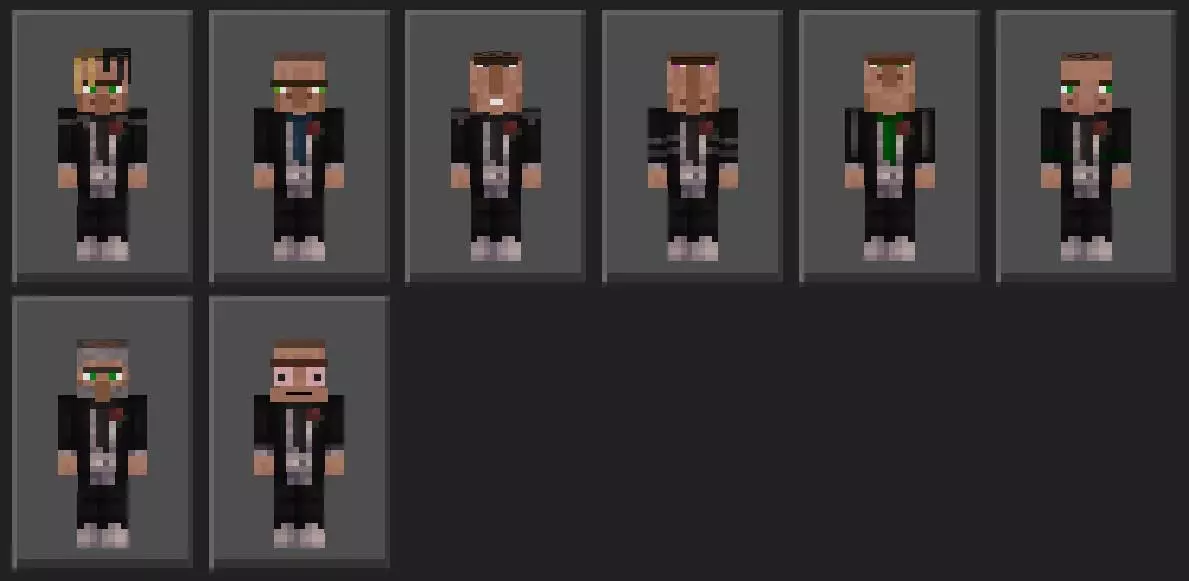
The best part is how readable these skins are in actual gameplay. In Minecraft Bedrock, you want skins that still look clean while you’re sprinting, fighting, or bouncing around in PvP, and suits usually pop nicely against most biomes. If you’re the player who handles trading halls, manages community storage, or runs shop plots, these skins basically scream “yeah, talk to me if you want deals.” They’re also hilarious for “mayor of the village” roleplay—walk into a meeting room, pull out a map, and suddenly everyone’s acting serious like you didn’t just fall into lava five minutes ago.
They work great for social stuff too. Server screenshots look way more put-together when a squad pulls up in matching suit vibes, especially around a town center, courtroom build, bank, casino, or any “city” world. And if you’re into trolling, it’s even better—show up dressed like a respectable villager businessman, then hit your friends with the most unhinged trap house prank. The contrast is perfect.
Villager Suits - Skin Pack is basically a simple flex pack: clean style, easy to match with any world theme, and it makes you look like the person in charge whether you actually are or you’re just pretending.
How to Install Skins in Minecraft Bedrock
- Download a .png skin (64×64 or 128×128).
- Open Minecraft Bedrock.
- Go to Profile (hanger icon) → Edit Character.
- Tap Owned → Import → Choose New Skin.
- Select your .png file.
- Pick a model: Classic (Steve) or Slim (Alex).
- Confirm to equip and play.
Comments (0)