Crowned Fashion Teens Skin Pack
- 19-01-2026, 14:06
- 533
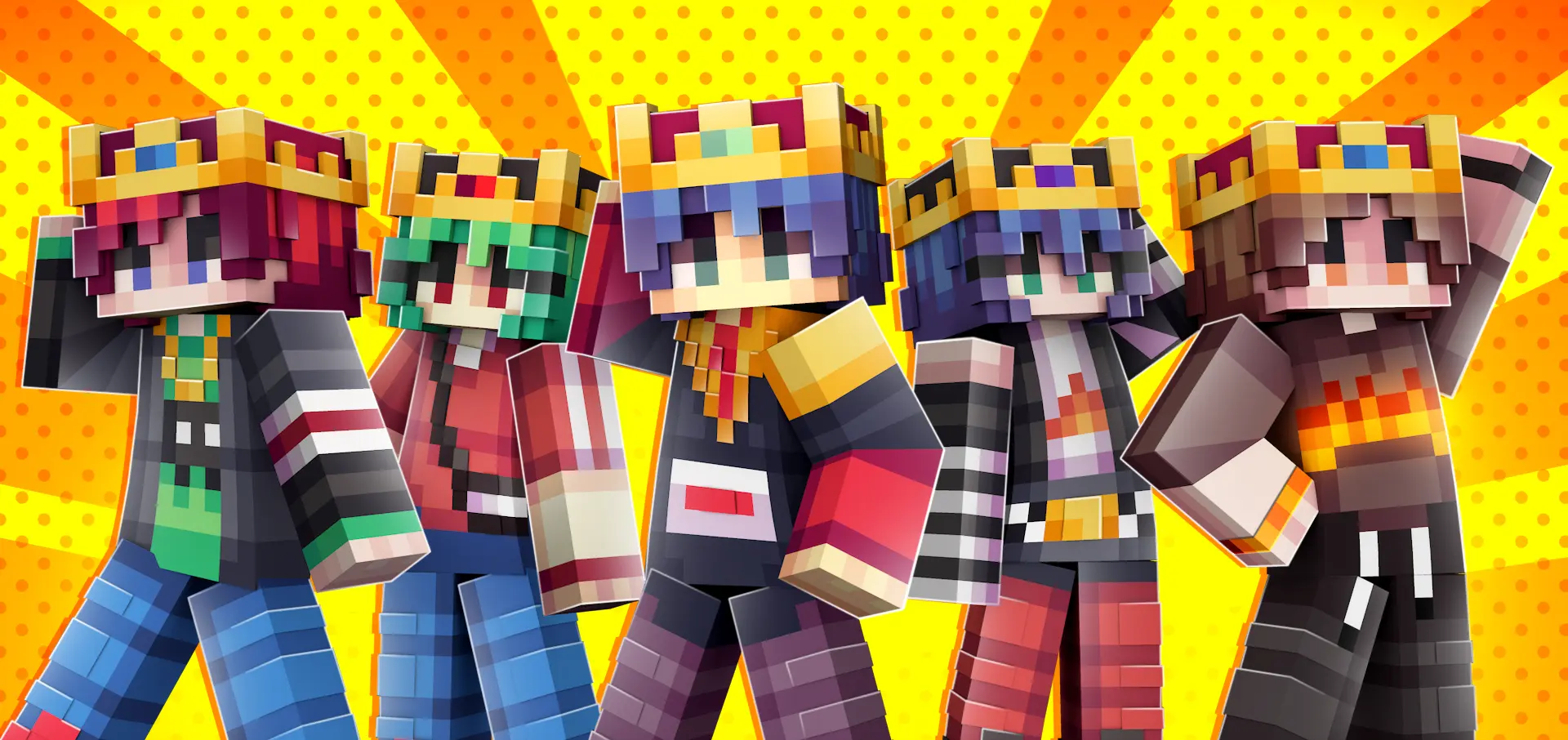
Crowned Fashion Teens Skin Pack is a small, focused skin pack that’s all about vibe: teen characters, crowns on top, and outfits that feel trendy instead of random. You’re getting 8 different crowned teen skins, so it’s not a giant dump of filler skins you’ll never touch. It’s more like a tight roster you can rotate depending on what you’re doing in your world.
In survival, these kinds of skins hit different because they make your character stand out even when you’re doing normal stuff like mining, farming, or running back to base at night. The crown detail is the obvious flex, but the “cool clothings” part is what keeps it from feeling like a joke skin. If you’re the type who likes your character to match your build style, Crowned Fashion Teens Skin Pack works really well with modern houses, city streets, schools, malls, or any roleplay map where you want your squad to look coordinated.

If you play multiplayer, this pack is basically made for group screenshots and server hangs. Pick one skin as your “main,” then swap to another when you’re doing a different mood—like one for chill building sessions and another for PvP nights where you want to look loud and recognizable. A simple tip is to spread the 8 skins across your friend group so nobody shows up matching by accident, and it’s instantly easier to tell who’s who in crowded areas.
For content creation or just flexing your world on socials, Crowned Fashion Teens Skin Pack gives you a consistent look that reads clearly in screenshots. Try pairing the crowns with bright backgrounds like beach builds or snowy towns so the silhouette pops, and if you’re wearing armor a lot, save these skins for moments when you’re hanging at spawn, decorating interiors, or doing roleplay scenes where the outfit actually shows. Crowned Fashion Teens Skin Pack is a clean style pack for Minecraft Bedrock that keeps it simple: 8 crowned teen skins, cool clothing, and enough variety to stay fun without feeling messy.
How to Install Skins in Minecraft Bedrock
- Download a .png skin (64×64 or 128×128).
- Open Minecraft Bedrock.
- Go to Profile (hanger icon) → Edit Character.
- Tap Owned → Import → Choose New Skin.
- Select your .png file.
- Pick a model: Classic (Steve) or Slim (Alex).
- Confirm to equip and play.
Comments (0)