The Woa Skin Pack
- 9-02-2026, 17:22
- 472
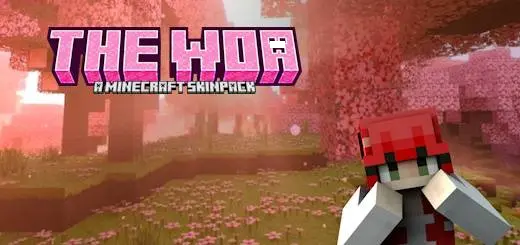
The Woa Skin Pack feels like a straightforward “grab a character and go” pack, with the names doing most of the personality work. You’ve got six characters—ROSE, AMY, LUMINA, AMBERA, SKYE, and VIRIDIA—so it’s easy to rotate looks without overthinking it. Packs like this are nice for Minecraft Bedrock because you can switch skins between sessions and make different worlds feel like they have different “main characters,” even if you’re still the same player doing the same survival chores.
In survival, having multiple characters is actually more useful than people admit. One skin becomes your main for long grinds, another becomes your “builder” look for base projects, and another becomes your “night run” or “PvP” vibe for when you’re feeling aggressive. Practical tip: pick one character and stick with it for a full playthrough or a full build project, because it makes the world feel more like a story instead of random sessions stitched together. Then swap when you start a new world or a new big project so it feels like a fresh chapter.


The names themselves make it easy to assign a vibe without needing extra lore. ROSE and AMY can feel like classic, friendly mains. LUMINA sounds like the bright, clean, almost “light-themed” pick you wear in modern bases or city builds. AMBERA has that warm, bold energy that fits adventure runs and desert or nether-style builds. SKYE gives “traveler” vibes—perfect for exploration-heavy worlds where you’re always on the move. VIRIDIA sounds like the green/nature-coded choice you’d wear for forest bases, farming, and chill survival.
The Woa Skin Pack works best on servers and Realms too, because six options means you can match a friend group without everyone looking identical. You can also use the set for roleplay-lite moments: assign each skin a job in your world—builder, explorer, miner, fighter—and switch based on what you’re doing that day. The Woa Skin Pack keeps it simple: a clean lineup of named characters that gives you variety without making it complicated.
How to Install Skins in Minecraft Bedrock
- Download a .png skin (64×64 or 128×128).
- Open Minecraft Bedrock.
- Go to Profile (hanger icon) → Edit Character.
- Tap Owned → Import → Choose New Skin.
- Select your .png file.
- Pick a model: Classic (Steve) or Slim (Alex).
- Confirm to equip and play.
Comments (0)