Mighty Morphin Alien Rangers Skin Pack
- 22-02-2026, 15:15
- 517
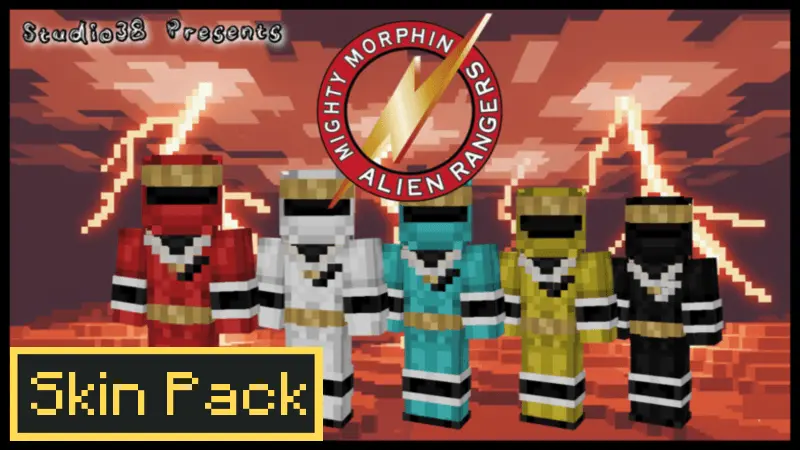
Mighty Morphin Alien Rangers Skin Pack is made for group sessions where everyone wants to match a theme and instantly look like a squad. The concept is straightforward: grab some friends and play as the Mighty Morphin Alien Rangers—the same Rangers vibe people recognize, but with the “from another planet� twist baked into the theme. It’s the kind of pack that turns a normal world into a team episode the moment everyone loads in.
The pack is described as themed and includes multiple skins to choose from, which is exactly what you want for multiplayer. Different skins let each player claim their own identity so you’re not all wearing the same look, and it keeps things readable in-game when you’re running around together. It also calls out full compatibility with other add-ons, which is basically saying “this won’t mess with your mod setup,� since skin packs are meant to be pure cosmetics you can stack on top of whatever gameplay addons you’re using.

In Minecraft Bedrock, this kind of skin pack shines when you give yourselves a mission. Build a Ranger base, set up a command center-style house, run survival as a team, or do mini-games where your squad is “protecting the planet� while another group plays villains. Even simple stuff like exploring, raiding structures, or fighting mobs feels more fun when everyone is in matching Alien Ranger skins because it turns the session into a theme night instead of random survival.
Practical tip: pick skins before you start so everyone has their own look, then set one clear goal for the session—build a base, clear a dungeon, or do PvP rounds—so the theme actually shows up in gameplay. Mighty Morphin Alien Rangers Skin Pack is basically a clean Bedrock-friendly way to turn any world into a coordinated Ranger squad moment without changing mechanics, just your style and the story you act out.
How to Install Skins in Minecraft Bedrock
- Download a .png skin (64×64 or 128×128).
- Open Minecraft Bedrock.
- Go to Profile (hanger icon) → Edit Character.
- Tap Owned → Import → Choose New Skin.
- Select your .png file.
- Pick a model: Classic (Steve) or Slim (Alex).
- Confirm to equip and play.
Comments (0)