Power Rangers Zeo Skin Pack
- 22-02-2026, 15:24
- 447
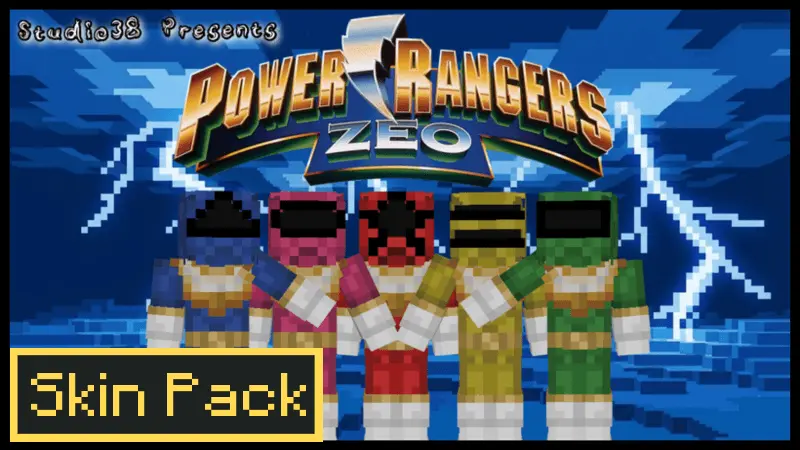
Power Rangers Zeo Skin Pack is made for group play where everyone wants to look like a real team instead of a random mix of skins. The theme is the Zeo Power Rangers—upgraded versions of the original Rangers—so the vibe is classic hero squad energy, but with that “we leveled up” feeling. The second your friends load in wearing matching Zeo Ranger skins, even a normal Minecraft Bedrock world starts feeling like an episode where you’re supposed to be on a mission.
This pack is perfect for multiplayer survival because it naturally creates roles. One player can be the builder who sets up the base, one focuses on gear and fighting, and another handles exploration and resource runs, and it all feels coordinated because you look like a squad. It’s also great for mini-games: you can run PvP rounds where the Zeo Rangers defend a base, do capture-the-flag style challenges, or play hide-and-seek while still keeping the “team” identity obvious.

If you’re building, Zeo skins pair really well with clean, bright hubs and techy bases—stuff that feels like a command center, training arena, or a main headquarters for the group. That makes screenshots and videos look way more intentional too, because viewers can instantly tell it’s a themed session and who’s who based on color.
Practical tip: decide everyone’s color before you start and stick with it for the whole session so the team feels consistent. Then set one clear objective—build a Zeo HQ, clear a dungeon, survive a night outside, or run a PvP tournament—so the skins aren’t just outfits, they’re part of the story you’re playing. Power Rangers Zeo Skin Pack is basically a quick way to give your Bedrock multiplayer world that upgraded Ranger squad vibe from the moment you spawn.
How to Install Skins in Minecraft Bedrock
- Download a .png skin (64×64 or 128×128).
- Open Minecraft Bedrock.
- Go to Profile (hanger icon) → Edit Character.
- Tap Owned → Import → Choose New Skin.
- Select your .png file.
- Pick a model: Classic (Steve) or Slim (Alex).
- Confirm to equip and play.
Comments (0)